Yoycol New Version Functions Guideline

Yoycol New Version Functions Guideline


Yoycol website has upgraded new version, new sorting method, new products listing, etc...

More changes on Yoycol website wait you to find!

We write a guideline to help you to know updated details quickly.


1. Website Price Description

First, products’ page.

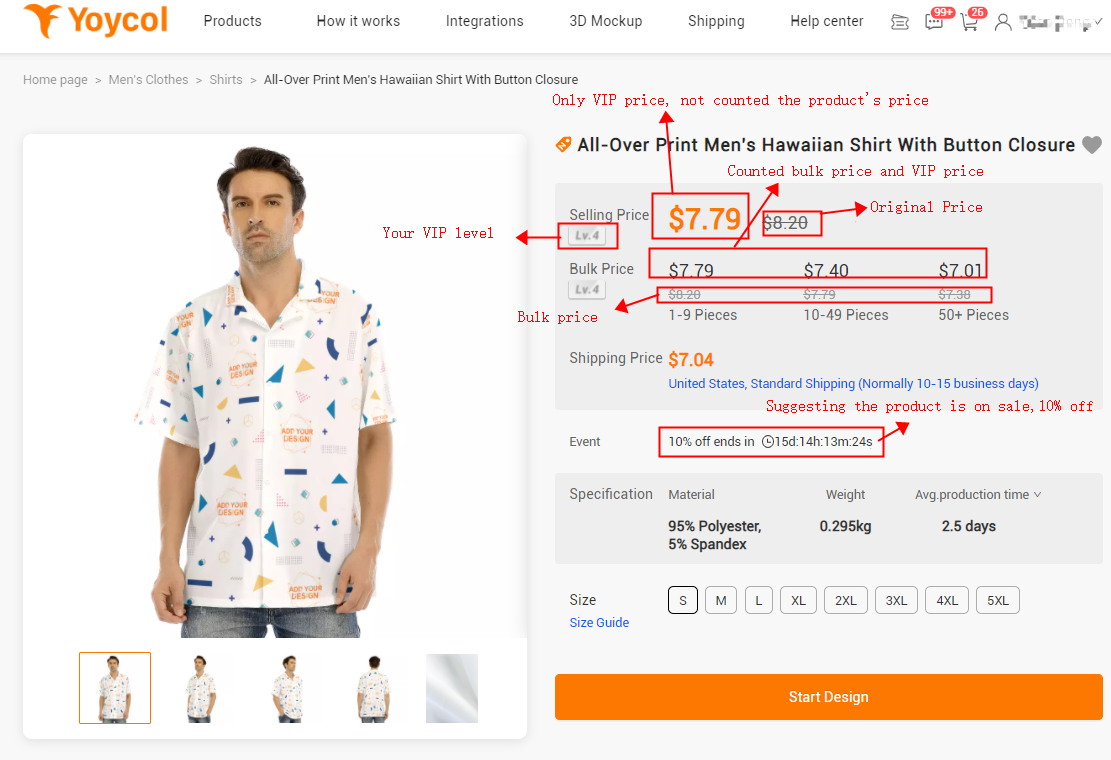
You will see two price on our 'All Products' page-----Your VIP price and original price.

Note: The price suggesting only VIP price, not counted the prducts’ own discount.

Eg., following image suggests Lv4 member's price---5% discounts.

VIP price details can be seen from the following part, Monthly discounts.

Second, products’ detail page.

You will see your VIP price, original price and bulk price.
Note: 
a. Bulk discounts and product's discounts can't both used in one order. Yoycol will adopt the bigger one while checking.
b. If you are Lv1, you could only see original price for that there is no discount.


2. Light Heart Function

From products' listing page and products' detail page, you can find a gray heart on the top-right corner.

If you like the product, you could click the heart which will turn to orange after clicking, the product will be added to your favorite collection.

Product's Listing Page

Product's Detail Page

Next time, if you want to find your favorite product, you can find it here.( See following IMG.)


3. Bulk Order Discounts

Bulk order discounts is a price sysem providing for products ordered in bulk. Order more, save more. You can see it on our prodcuts detail page. 

Discounts


Note:
a. Bulk order discount can only be used for one order.
b. Same products may have diffenent designs in one order.
c. Bulk discounts and product's discounts can't both used in one order. Yoycol will adopt the bigger one while checking.

    E.g. If product A has 10% discount, you order 11 pcs. which have 5% bulk discount, then Yoycol will adopt the bigger one, 10% discount, to calculate your order payment.
d.  Discount setting may be different in some products, please be practical.


Little tips:
Publish same products with different designs can help catch customers' eyes and know your niches in a short time.This will aslo be impressive when customer visits your store at first time. It's a good chance to order products in bulk with different designs.


4. Monthly Discounts

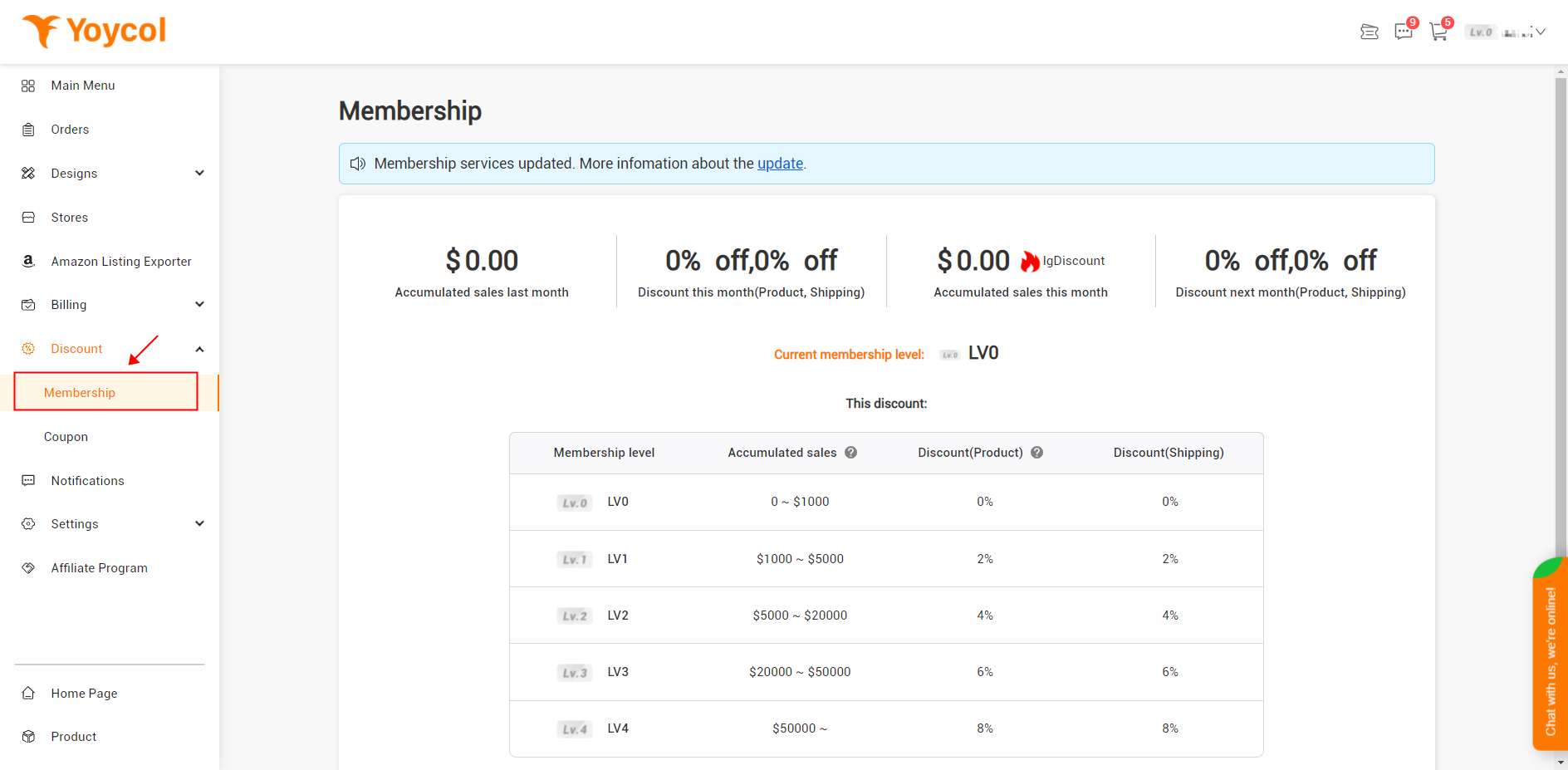
Monthly discounts refer to discounts provided for people whose selling amount reaches a certain number last month . In other word, the more you sell, the more discounts you get next month. Yoycol calculates previous month's accumulated sales on the 1st of every month as the following way. 

Discounts

Membership Level

 Total Sales Last Month

Discount

V0

$0-1K

0

V1

$1k-5k

2%

V2

$5k-20k

4%

V3

$20k-50k

6%

V4

$50k-100k

8%

V5

>=$100k

10%

This discount setting may be changed. Please be practical.

Thanks for choosing Yoyol. We will do our best to serve our customers.

If you have any other suggestions or questions, please contact us.