1: If you published the products from Yoycol, then the variants would be the same syncing, it won't have the issue if you don't change it manually.
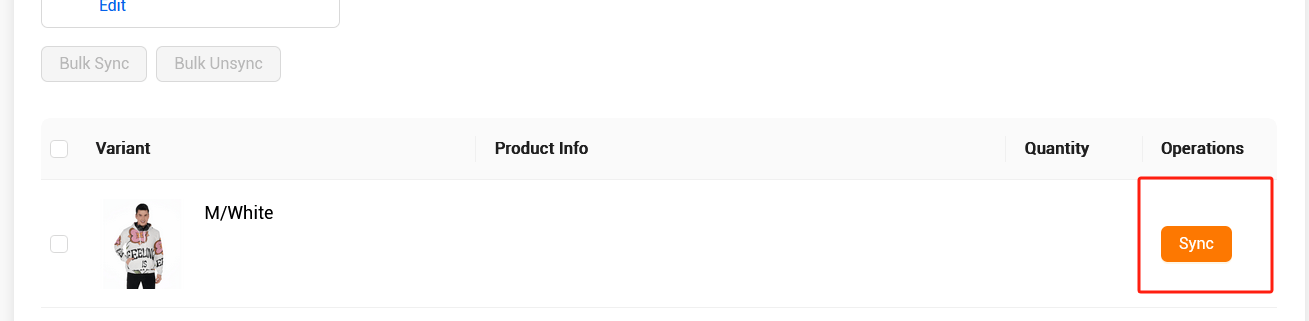
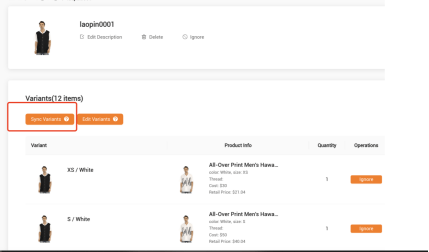
2: But if you creat the products in your own store,then you would see this page:
|
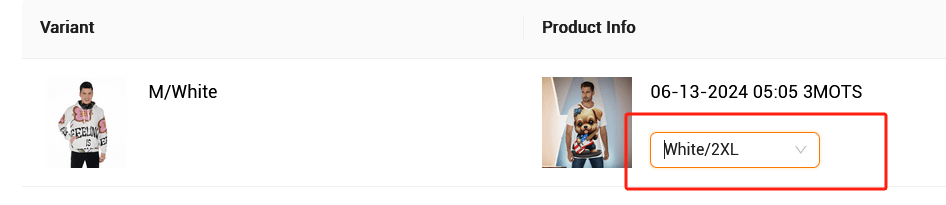
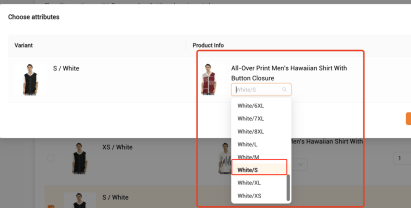
And on this page, you would see the option let you choose the size, please choose the same size on both side:
|
3: If you already matched wrong size, no worries, you could check the steps as below to fix it again:
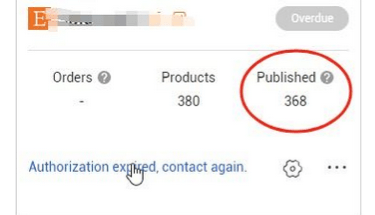
1): Click the store option, and then choose " pulished"
|
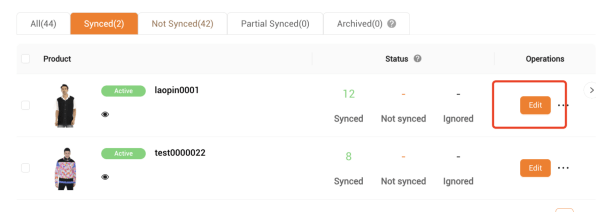
2): Then click edit option
|
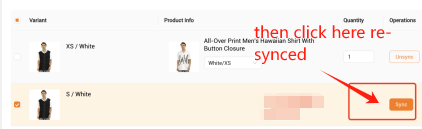
3) : make it unsynced if you check the size is different between yoycol and your store
|
4) : Click the same size, make the variants same
|
5) :Finally, if all the information are the same, then you could click " sync" option again
|
For this issue, which is not Yoycol problem,We produce depending on Yoycol size not your store size, please kindly understand this situation and we could not provide any refunds for this situation.Because you need to follow the steps to make the variant same, then it would be successful for your further orders. If you do not follow the steps as above, then your order would happen this issue as below:
|
If you have any questions, please join any of the groups and we will help you solve your problems.
|
|










 2026 All rights reserved.