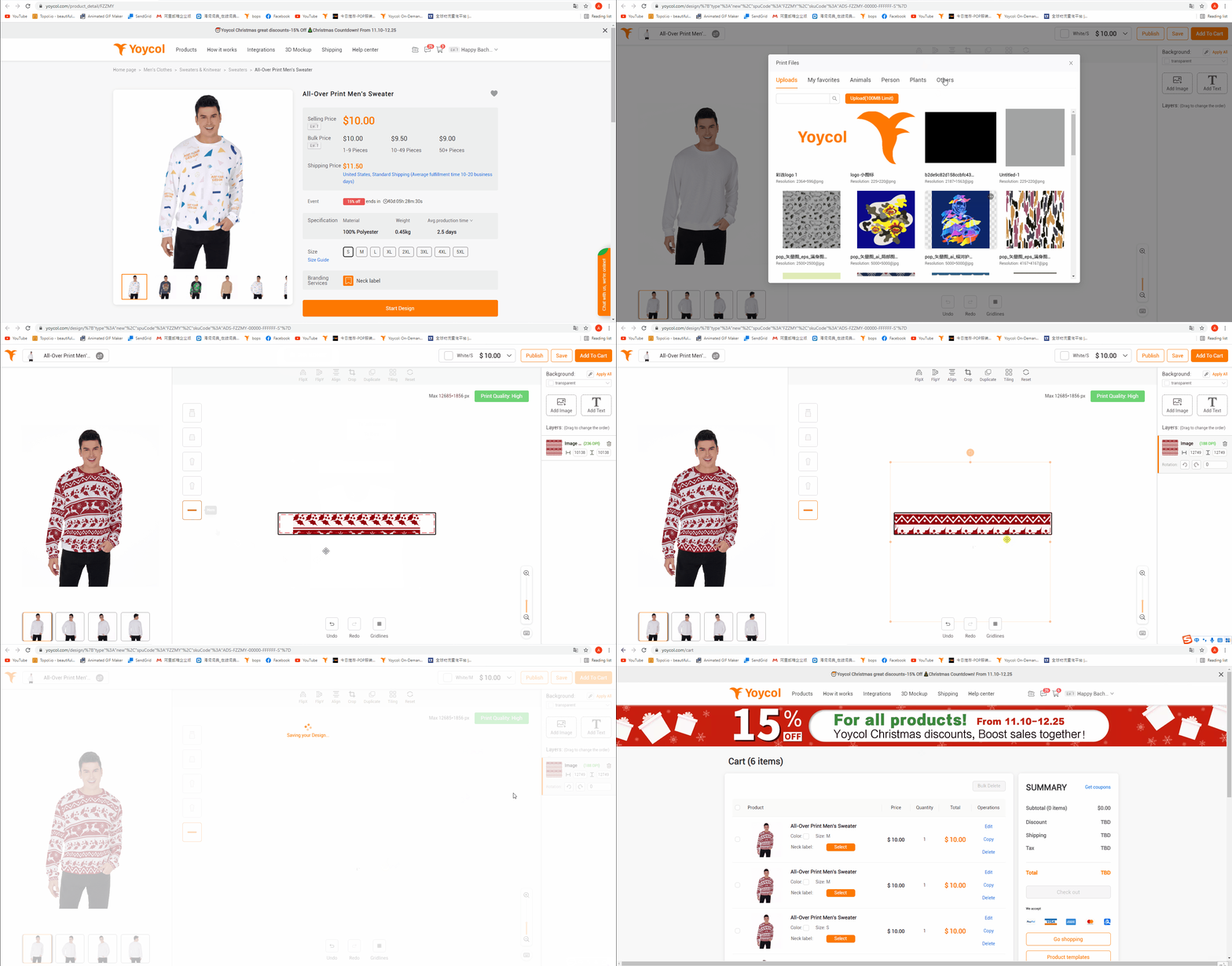
How to create a product?
1. Click "Products"
2. Choose the clothes you like
3. Click "Start Design"
4. Click "Add File", and then "Upload" the image you'd like to print on the product. Or you could use our "free design library". And you can upload more picture later by "Add File". After that choose the image on the panel.
5. Drag the picture and place where you find it suitable. Select the picture and drag the orange dot around the picture to adjust its size.
6. You can adjust canvas by the buttons at the lower right. Click the buttons at the upper left of the canvas to change the parts of clothes you edit.
7. Model on the left side shows how your product will be. Drag the model to see the product from different perspective. You can zoom in or out by scrolling the wheel.
8. "Product Details" show the product's attributes, like color and size etc.
9. Click "Save As Template" or "Add To Cart" after you finish your design.