

How to update personalization settings for a published product??
If you want to update personalization settings for a published product, this article will guide you through the process.
1. Open the “Product Templates” menu, go to the “Published” tab, and select your store.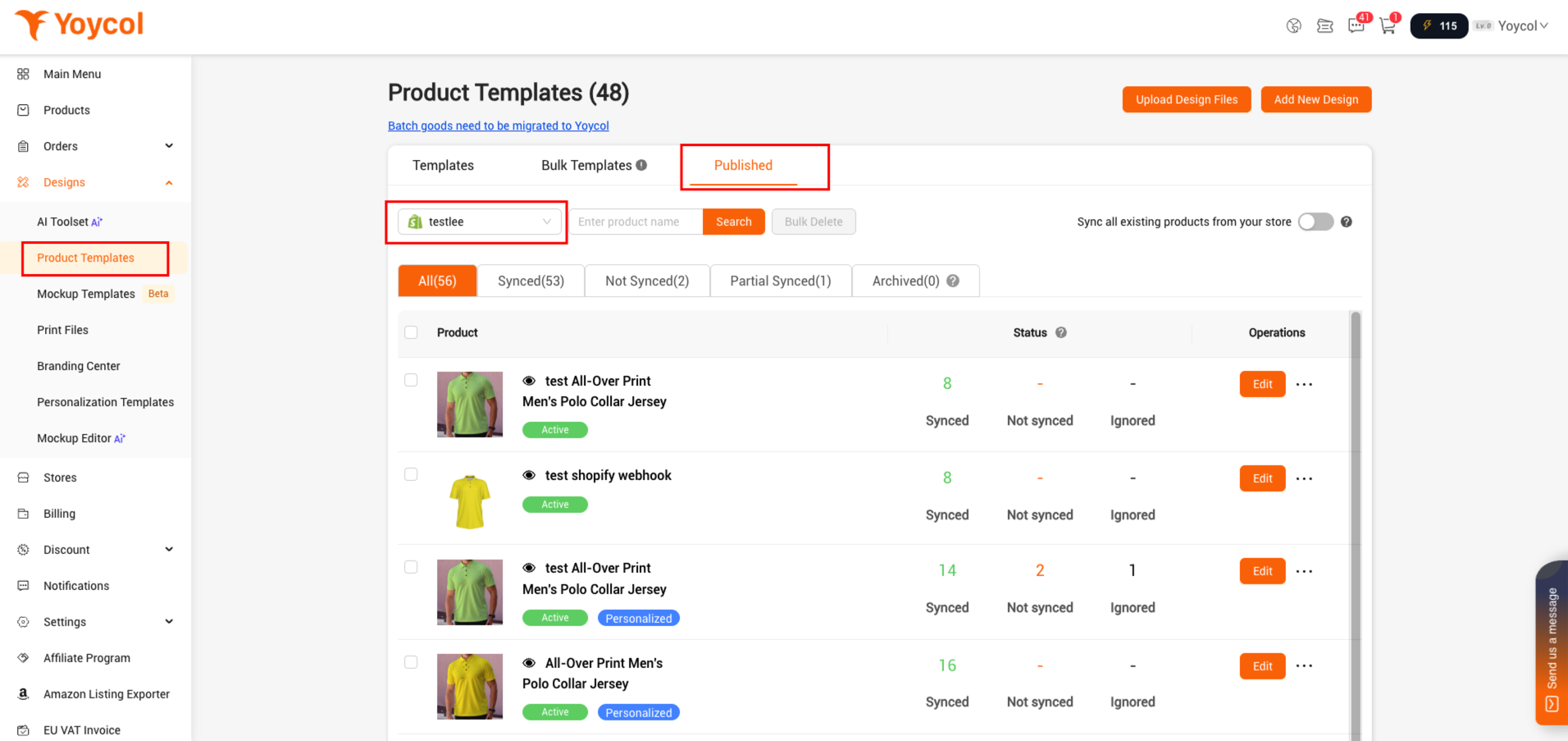
2. Find the product that you want to update the design or link. Click ‘edit’.
If the product is going to be achived, you could find it in 'Archived'.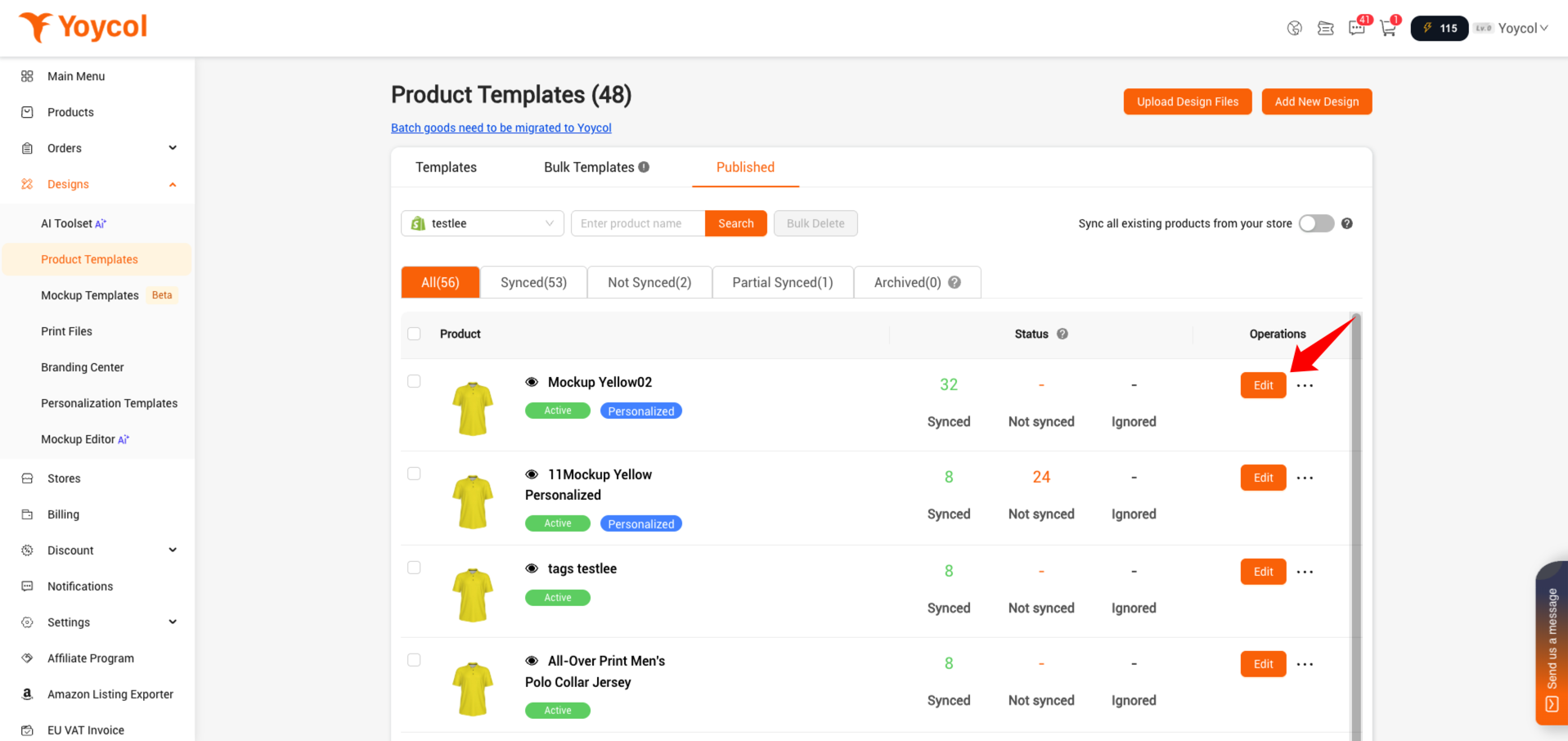
3. Update personalization settings
3.1 Click "Edit Personalization"
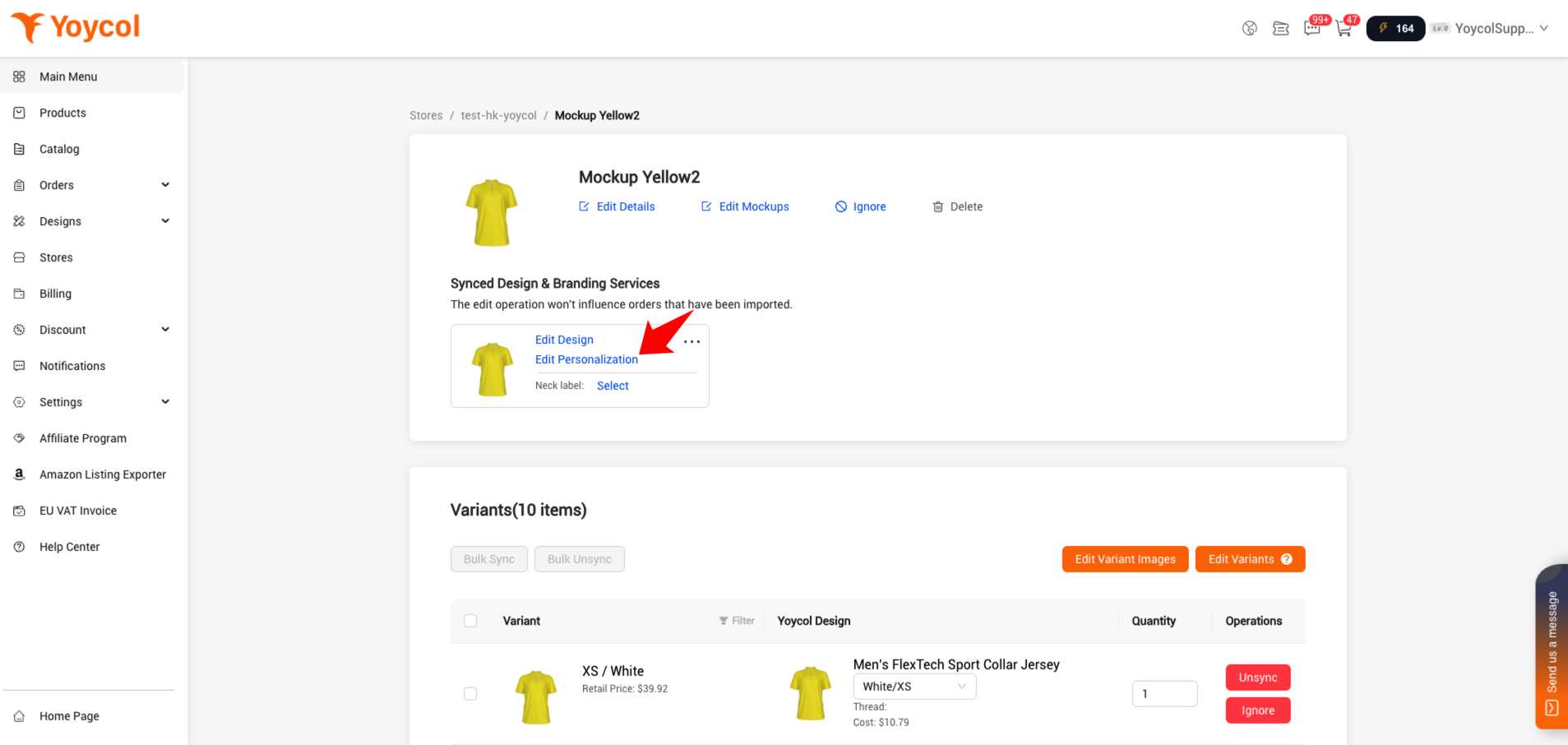
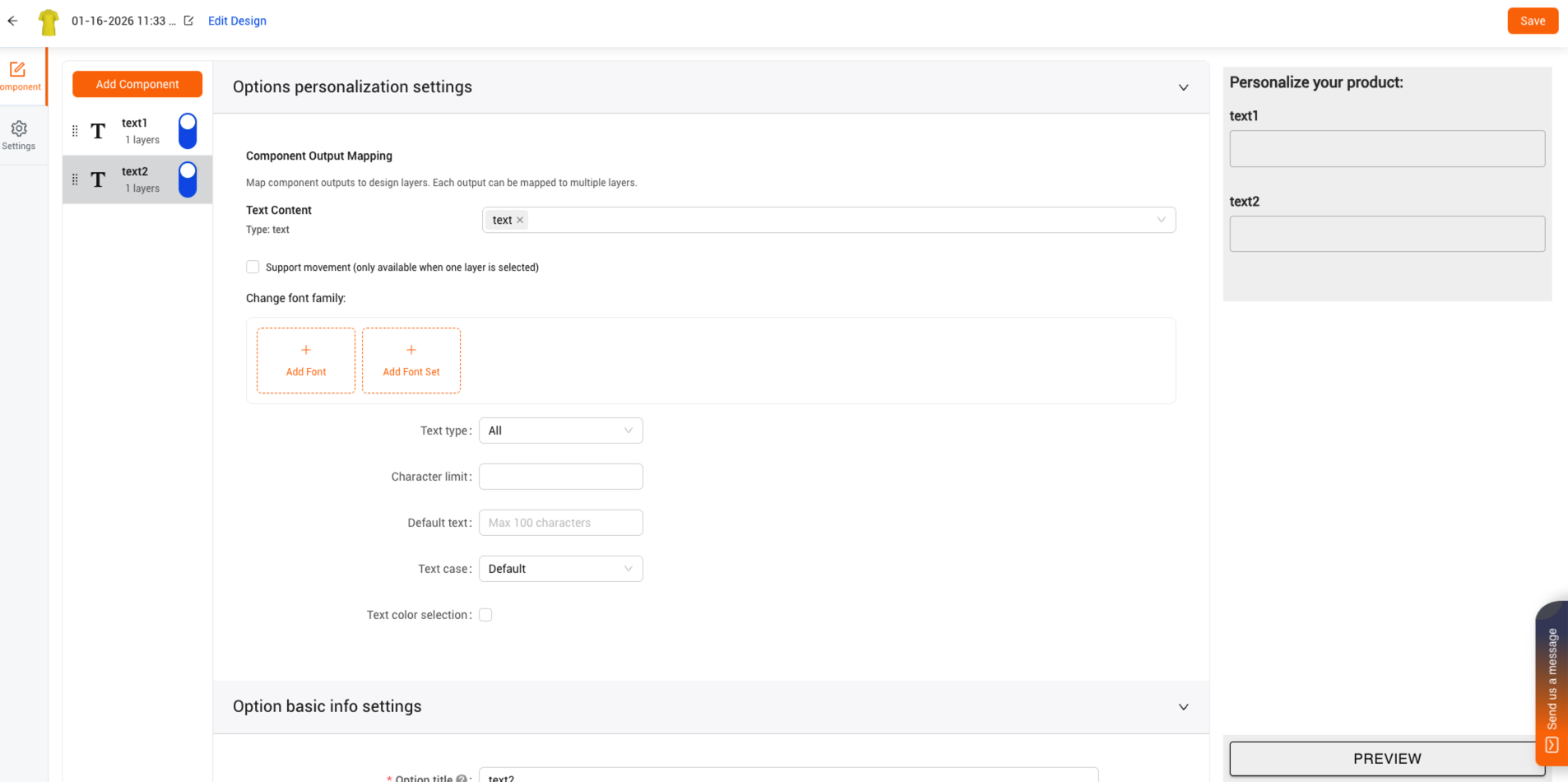
3.2 Update the personalization settings, then click 'Save'.
If you have other questions, welcome to contact us.





