

How to set up preview mode of personalizer for the storefront
Step 1: Copy the CSS Selector of Your Theme's Product Preview
-
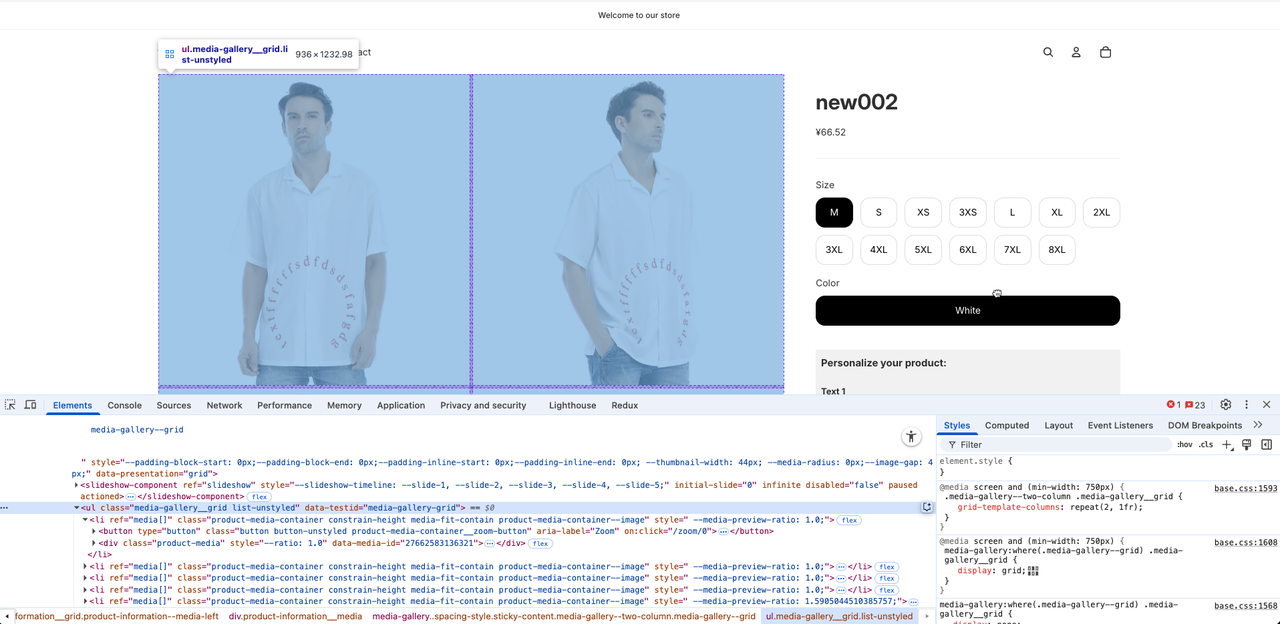
Right click on your product image > Inspect
-
Click "Select an element in the page to inspect it"
-
Scroll up to find the biggest parent containing the whole variants and click it (The personalization plugin will be added after this parent)
-
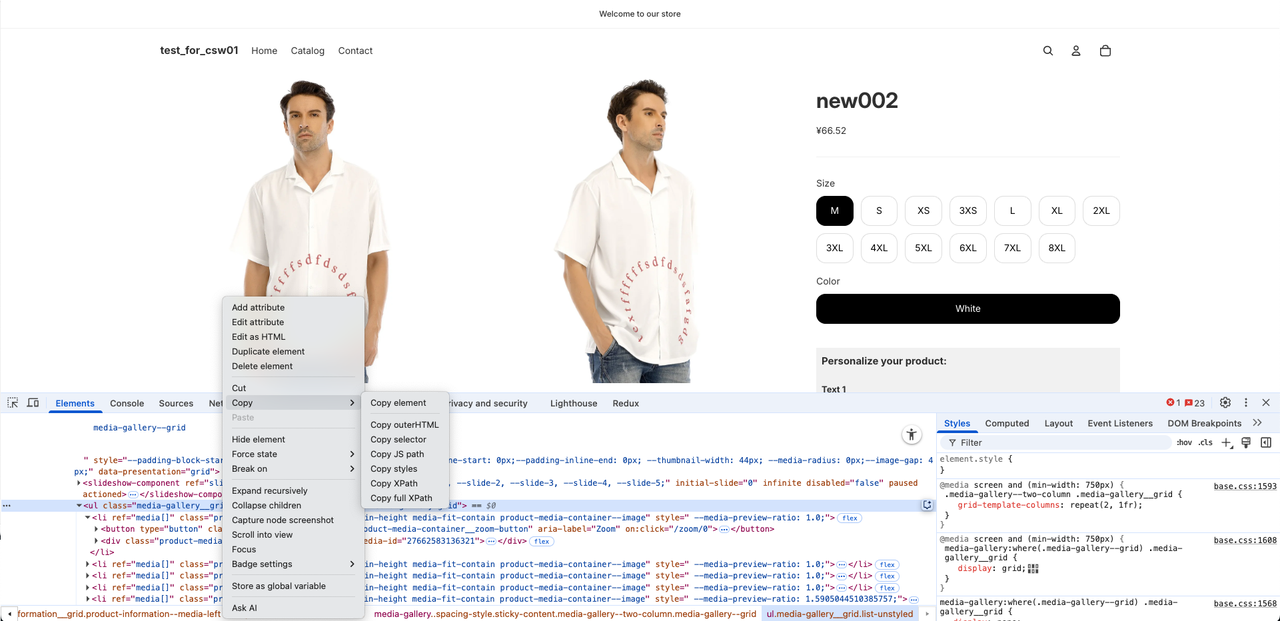
Right click on that line > Copy > Copy selector
-
You've successfully copied the selector of your product personalization.
Info: If you have trouble finding the selector, contact us for help.
Step 2: Add Yoycol's script to your theme
-
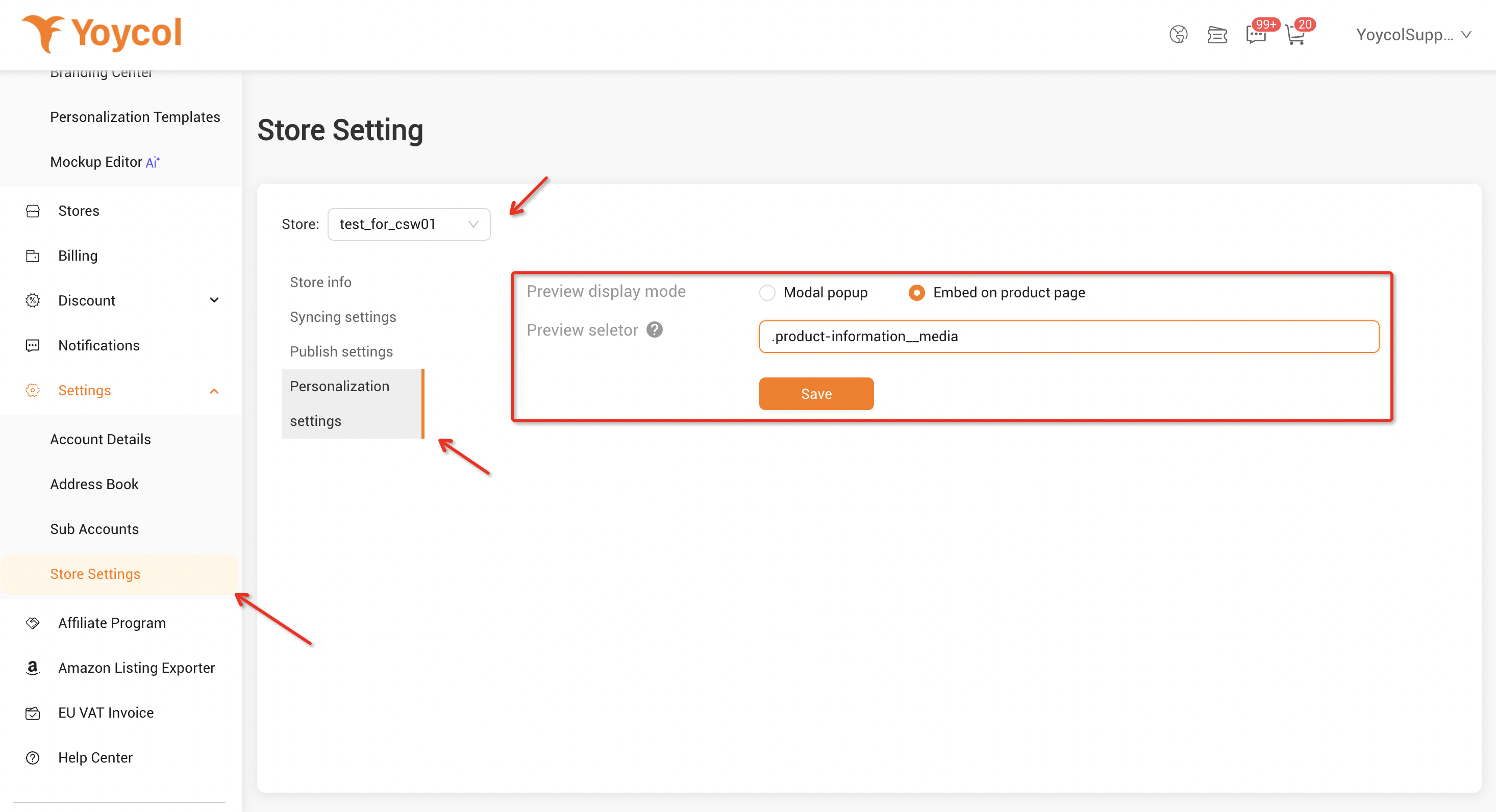
Go to your Yoycol admin > Settings > Store Setting > Personalization setting of your store.
-
Input the selector's value with the selector you copied in Step 1:
-
Save the changes. Done.
-
Go to storefront to check if the personalization options work.
If it still doesn’t work, contact us for help.





