

How to enable background removal for personalized products
How to enable background removal for unpublished personalized products
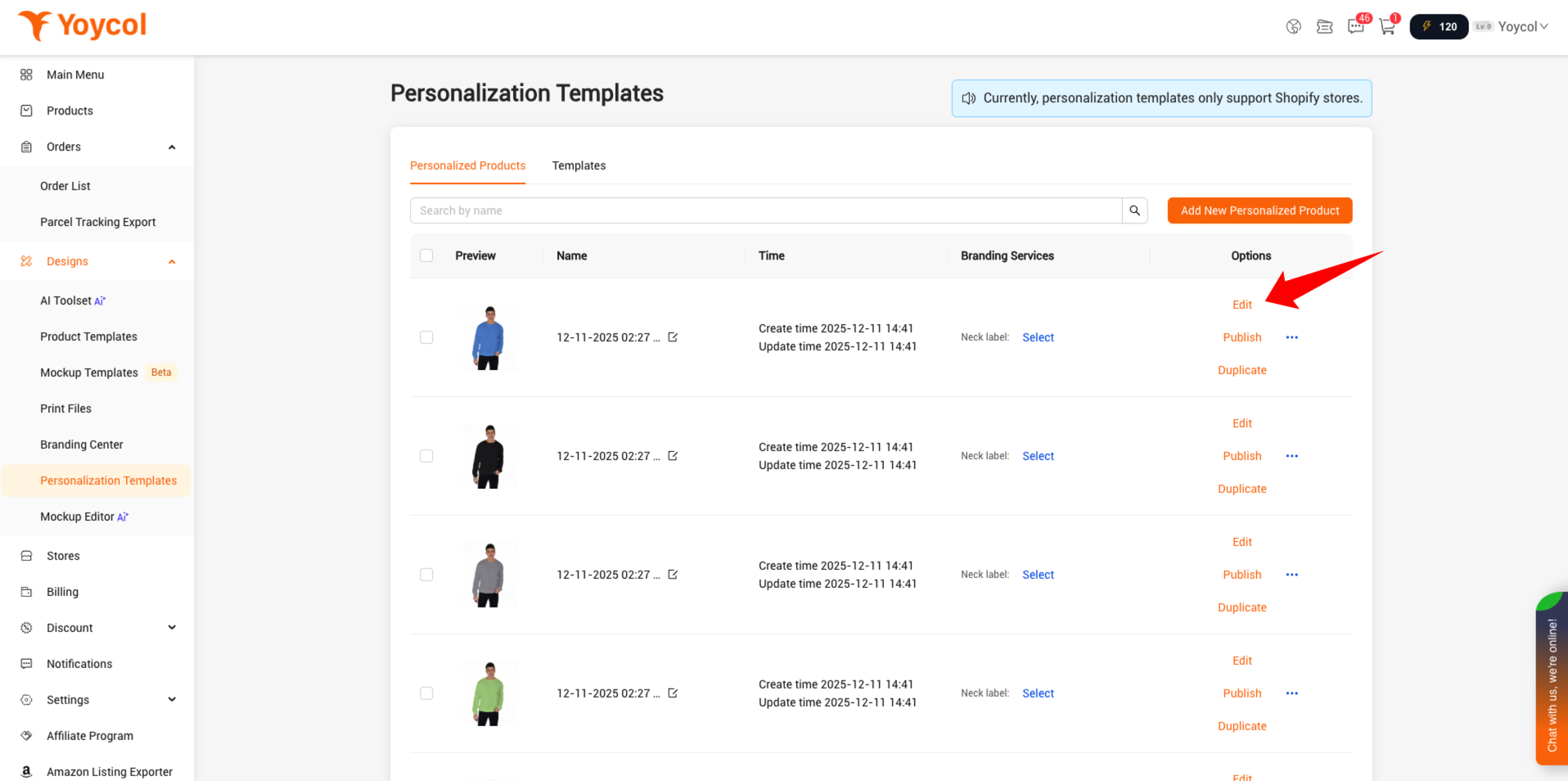
1. Go to the “Personalization Templates” menu, find the product you want, then click “Edit.”
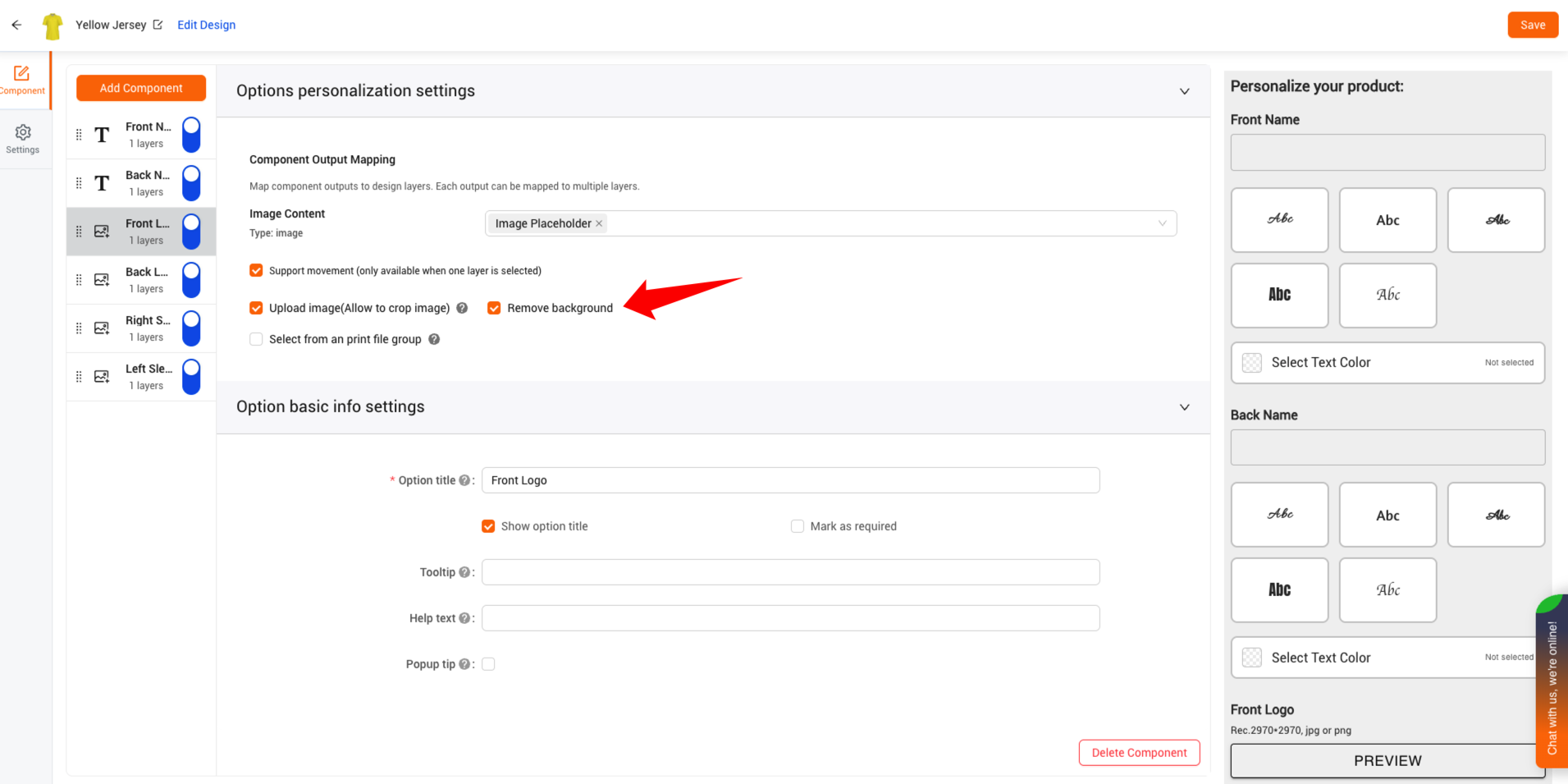
2. Check to enable background removal
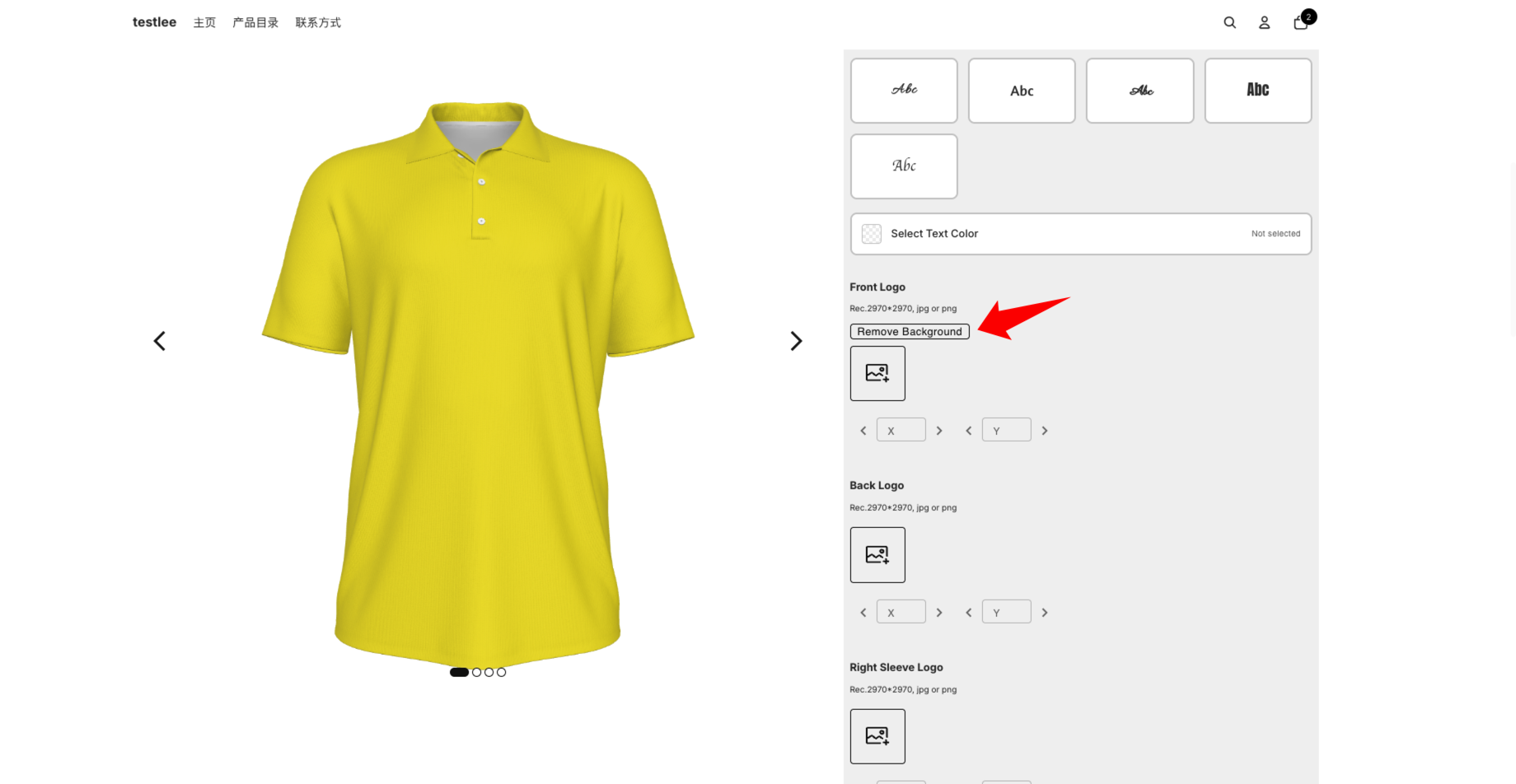
3. On the product page in your store, you can see that the background removal button is already enabled.
How to enable background removal for published personalized products
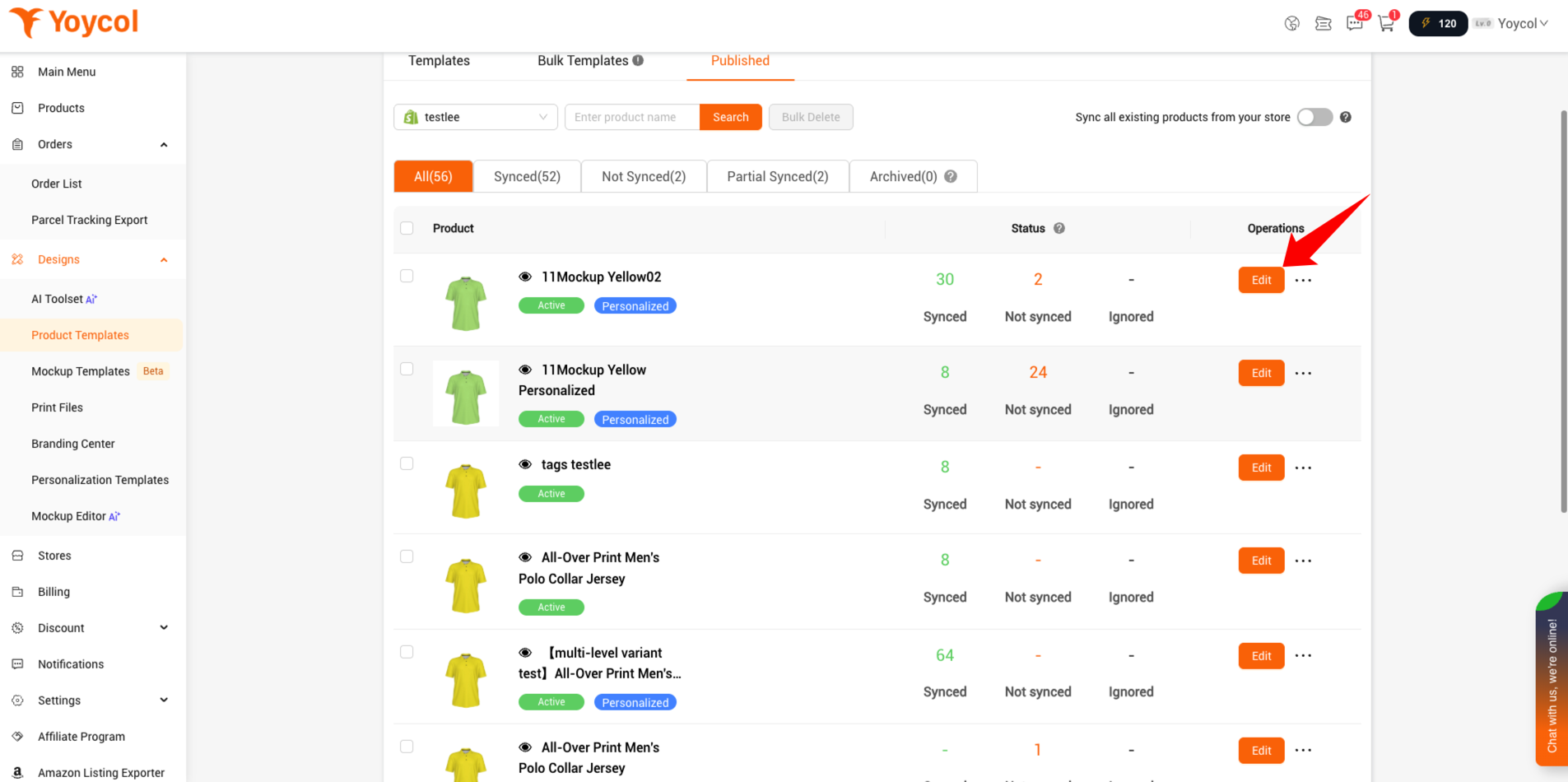
1. Open the “Product Templates” menu, go to the “Published” tab, and select your store.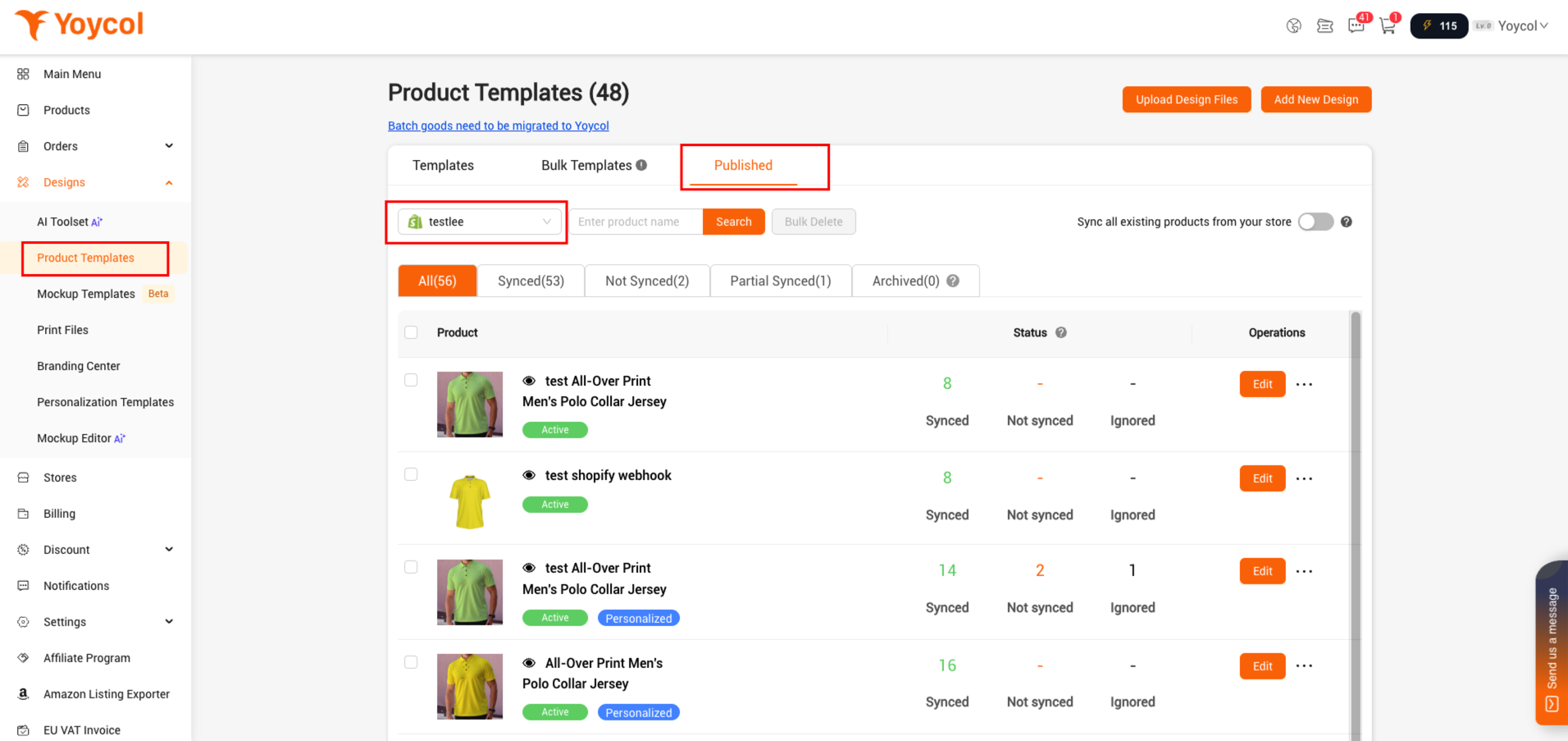
2. Find the product that you want to update the design or link. Click ‘edit’.
If the product is going to be achived, you could find it in 'Archived'.
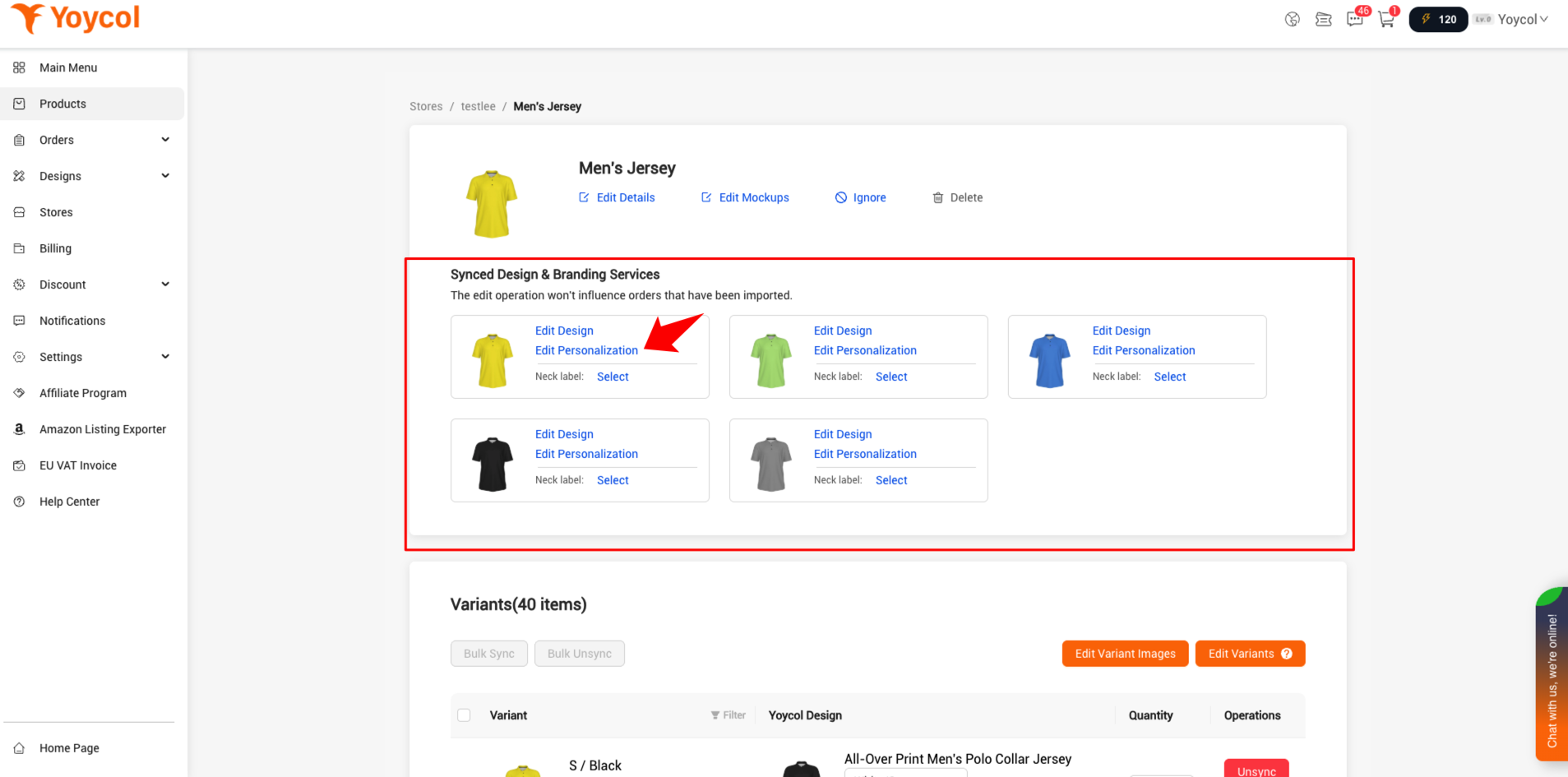
3. Find the design you want and click “Edit Personalization.”
4. Check to enable background removal





