

How to cancel an order?
To cancel an order, you can follow these general steps:
Login Account: Use your account information to log in to the Yoycol platform. Usually, you can find these options in Dashboard, My Orders.
Select an order: Browse your list of orders to find the order you want to cancel.
Open order details: Click or select the target order to open the order details page. On that page, you should be able to find the option to cancel the order, filling in your reason for canceling the order.
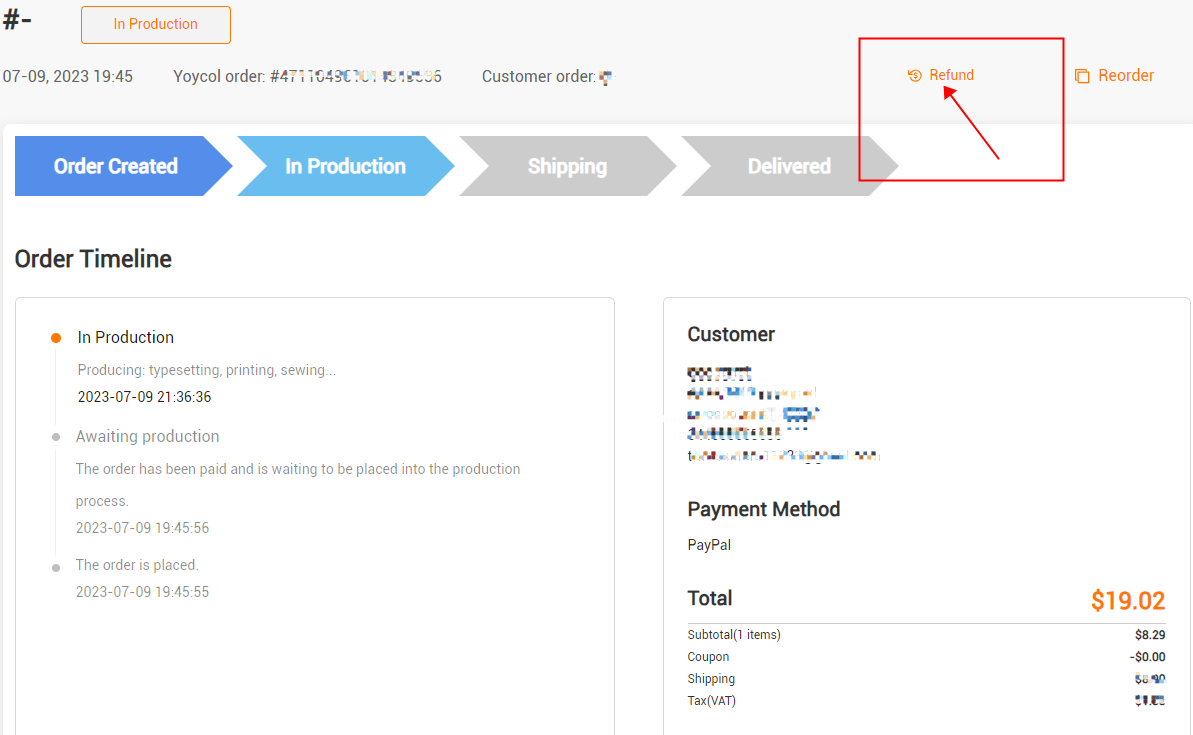
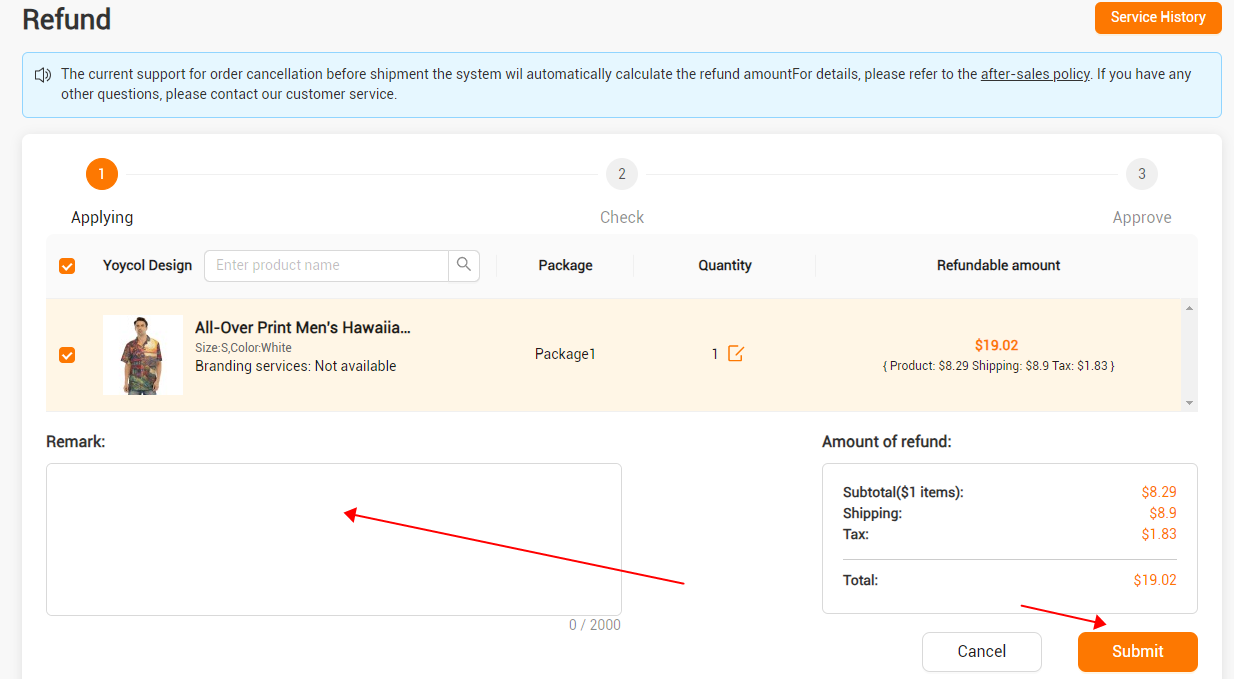
Please note that you can cancel an order through the self-service process in the following cases:
1) Unpaid orders.
2) Orders that have been paid for can be canceled within ten minutes.
2. Refund Amount
1) Refund amount, full refund for unproduced products, logistics and taxes for produced products.
3. Unable to use self-service refund:
1) The order that Yoycol customer service team has refunded for you.
2) The logistics fee in your order is 0.
To confirm the cancellation, please read the cancellation notice carefully to ensure that you understand the possible impact of canceling the order, such as refund policy or other terms.
Due to our automated order processing system, most orders cannot be canceled once placed, as they will be immediately put into production.
If you need to cancel part of your order, please contact us as soon as possible. We will do our best to accommodate your request, but in most cases, the cancellation will not be successful.
If you no longer want the package to be shipped to you, we can refund the logistics fee.
We apologize for any inconvenience if the package has not yet been sent.





