

How to connect your eBay store with Yoycol?
1.Create and activate your eBay account. Then, log in to your Yoycol account and click the "Add New Store" button at the top to connect your eBay store.
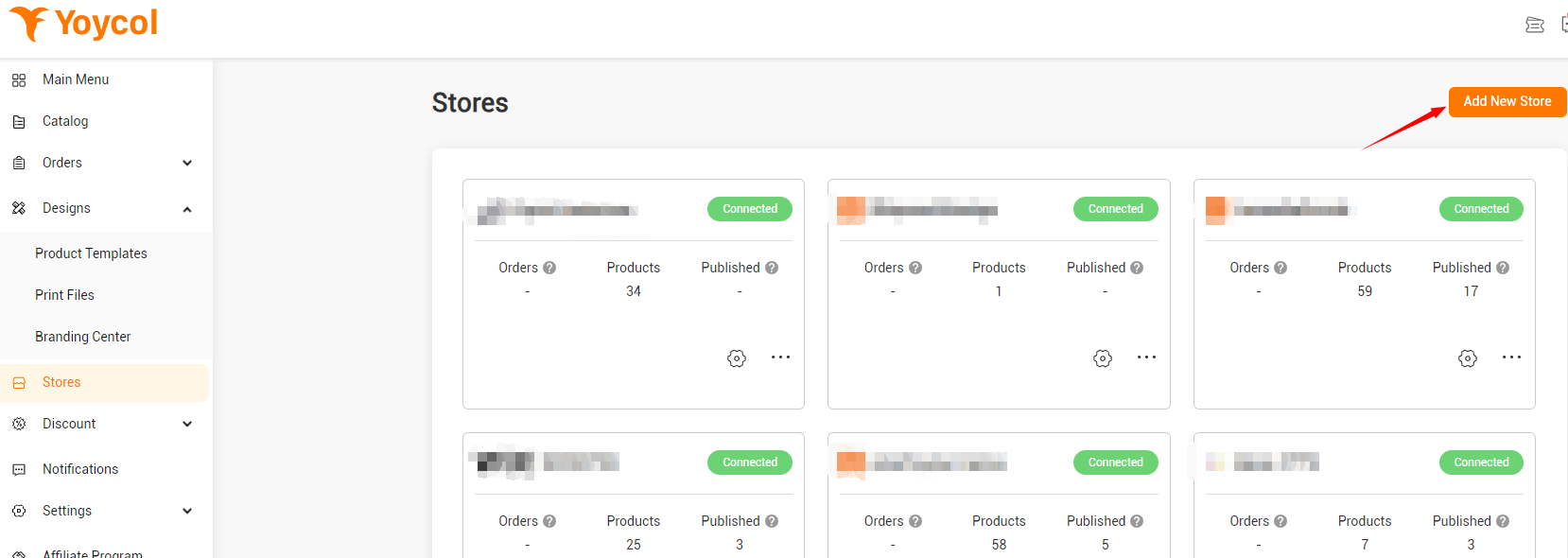
2.Click on "Connect" to access the connection page.
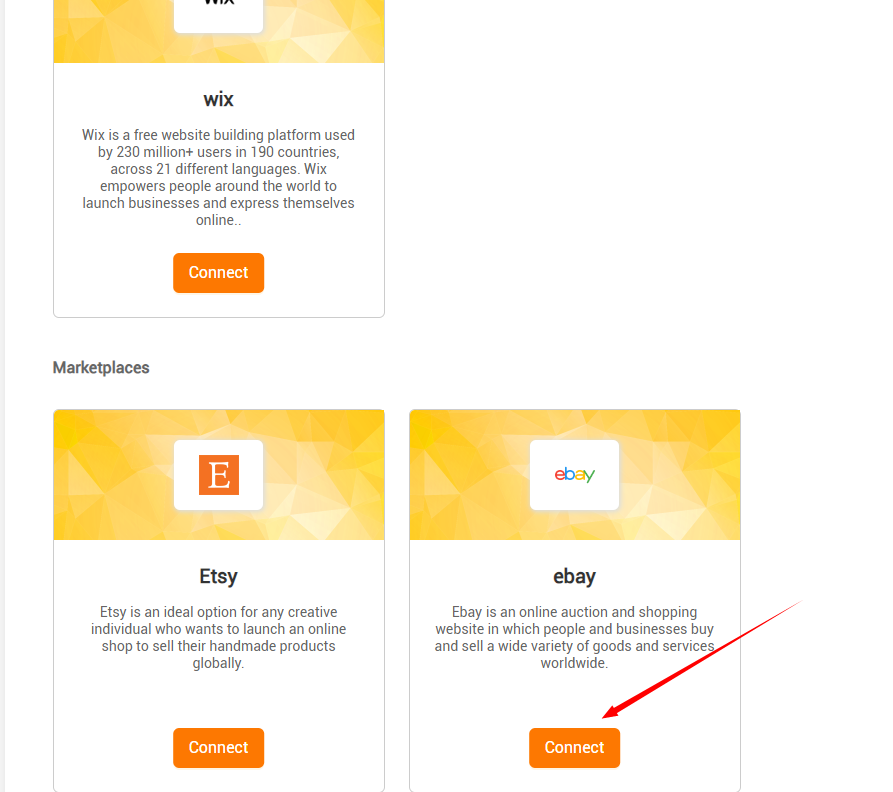
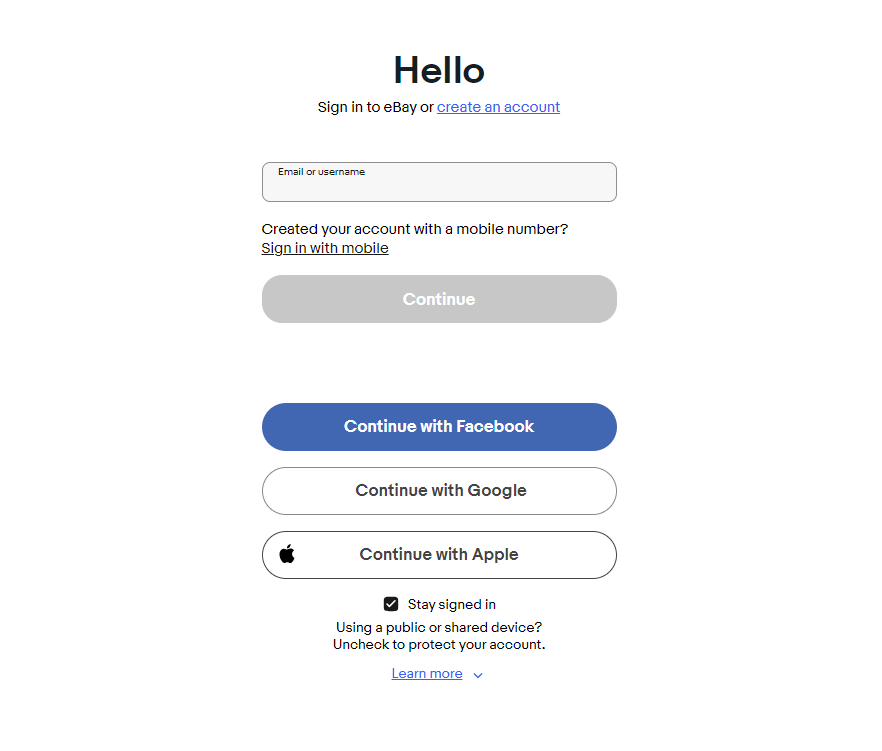
3.After clicking "Connect" you will be redirected to eBay's login page. Please log in your eBay store based on the instructions provided. If you have already logged into your eBay store in the browser, this step will be skipped, and you will proceed directly to the next step.
4.Once you have successfully logged in to eBay, you will receive a prompt to complete the process. After completing the required steps, the page will redirect back to Yoycol.

5.After being redirected back to Yoycol, you will notice that your eBay store is now successfully connected, indicated at the top of the page. From there, you can proceed to push products to eBay Stores and perform other operations as needed.
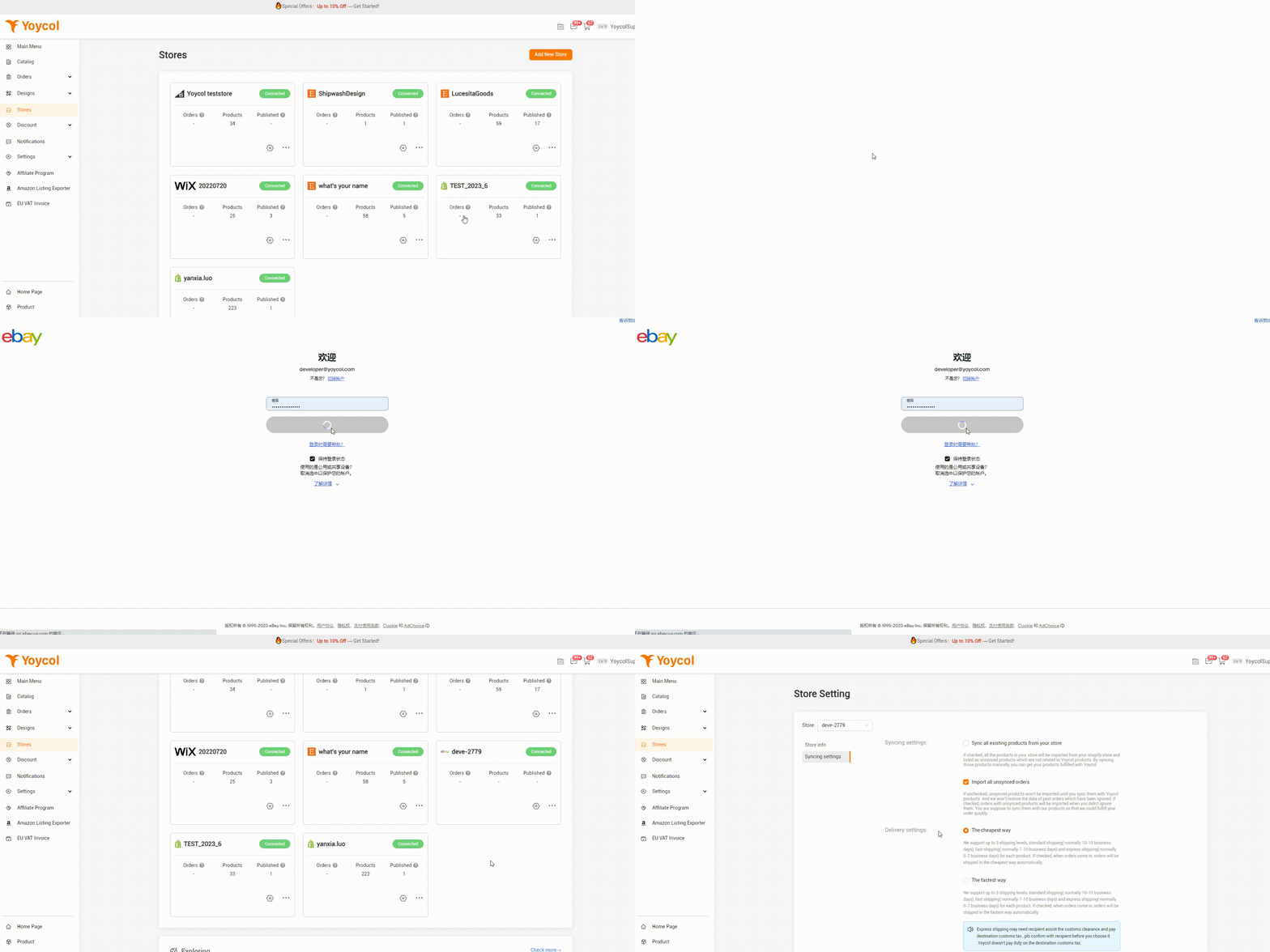
This concludes the guide on how to connect eBay Stores with Yoycol. We hope you find it helpful.
If you encounter any issues while using Yoycol, please contact us via email at support@yoycol.com. We will respond promptly to assist you.





