

Squarespace connection notes and troubleshooting
Use the following information when connecting a Squarespace website to Yoycol or troubleshooting a connection issue.
1. The website is already connected
The same Squarespace website cannot be connected to multiple active Yoycol store records at the same time. If the website is already connected, disconnect the existing connection before trying again.
2. The account has only one website
If your Squarespace account has only one website, no additional website selection is required.
3. Multiple websites are present, but none is available for selection
Check the following items:
- Check whether the target website's subscription or trial has expired.
- Confirm that you signed in to the correct Squarespace account.
- Make sure the account has permission to manage the target website.
4. The store does not appear in Yoycol after authorization
Return to Stores and try the connection again. If the issue continues, contact Yoycol Support.
5. Product changes made in Squarespace are not synchronized automatically
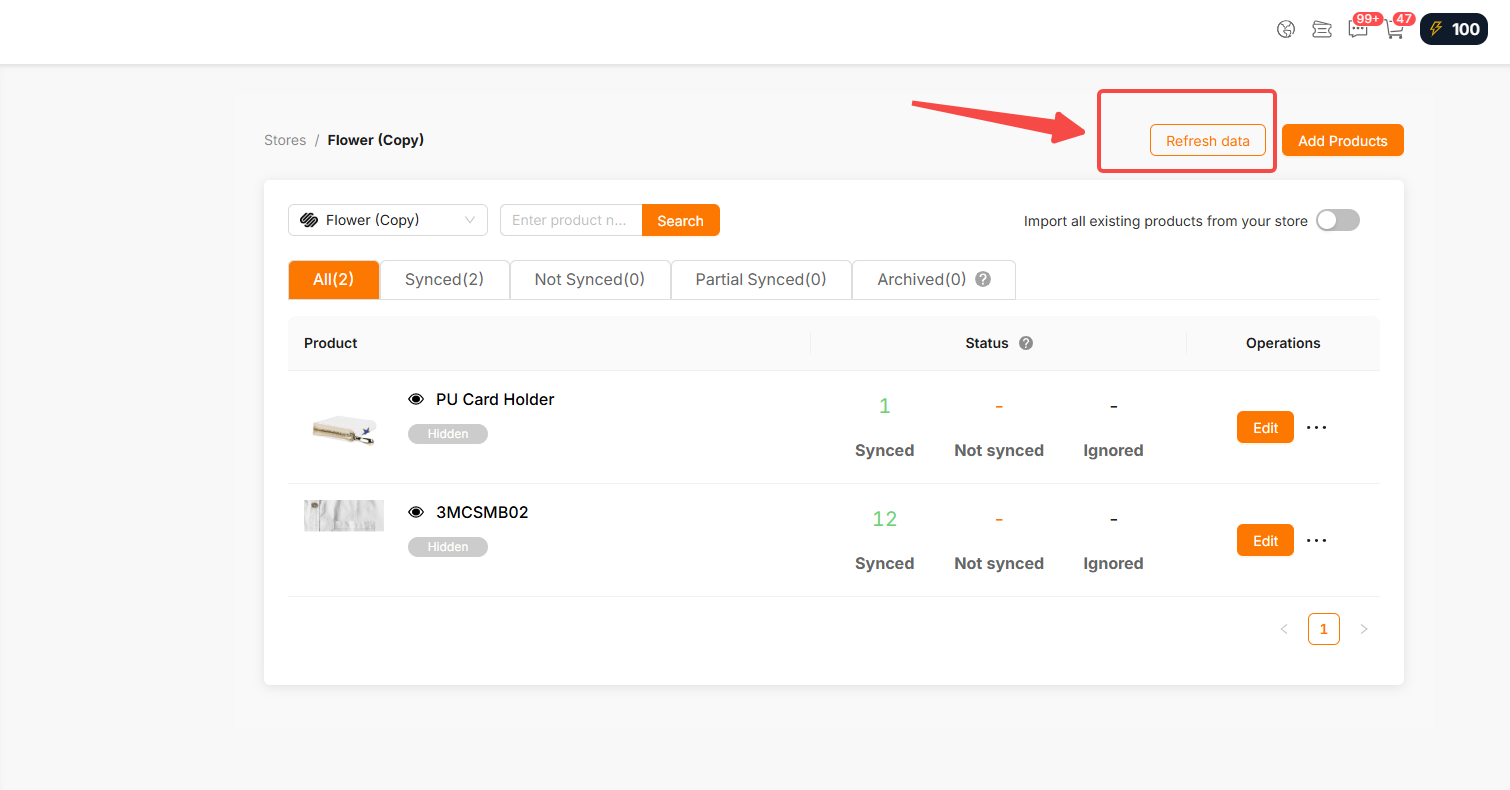
Due to Squarespace limitations, changes made directly in Squarespace to previously published product information are not automatically synchronized to Yoycol. To update the product information in Yoycol, go to Stores -> select the Squarespace store -> Refresh data.
6. Remove the store connection from both platforms
Due to Squarespace limitations, the store connection must be removed manually from both Yoycol and Squarespace. If the connection is removed from only one side, the store may still appear on the other platform, but its data and related operations will be unavailable.





