

Shopify - How to integrate with Shopify?
If you want to link your Shopify store with Yoycol, you need to have both Yoycol and Shopify accounts.
-
Integrate Shopify store from directly
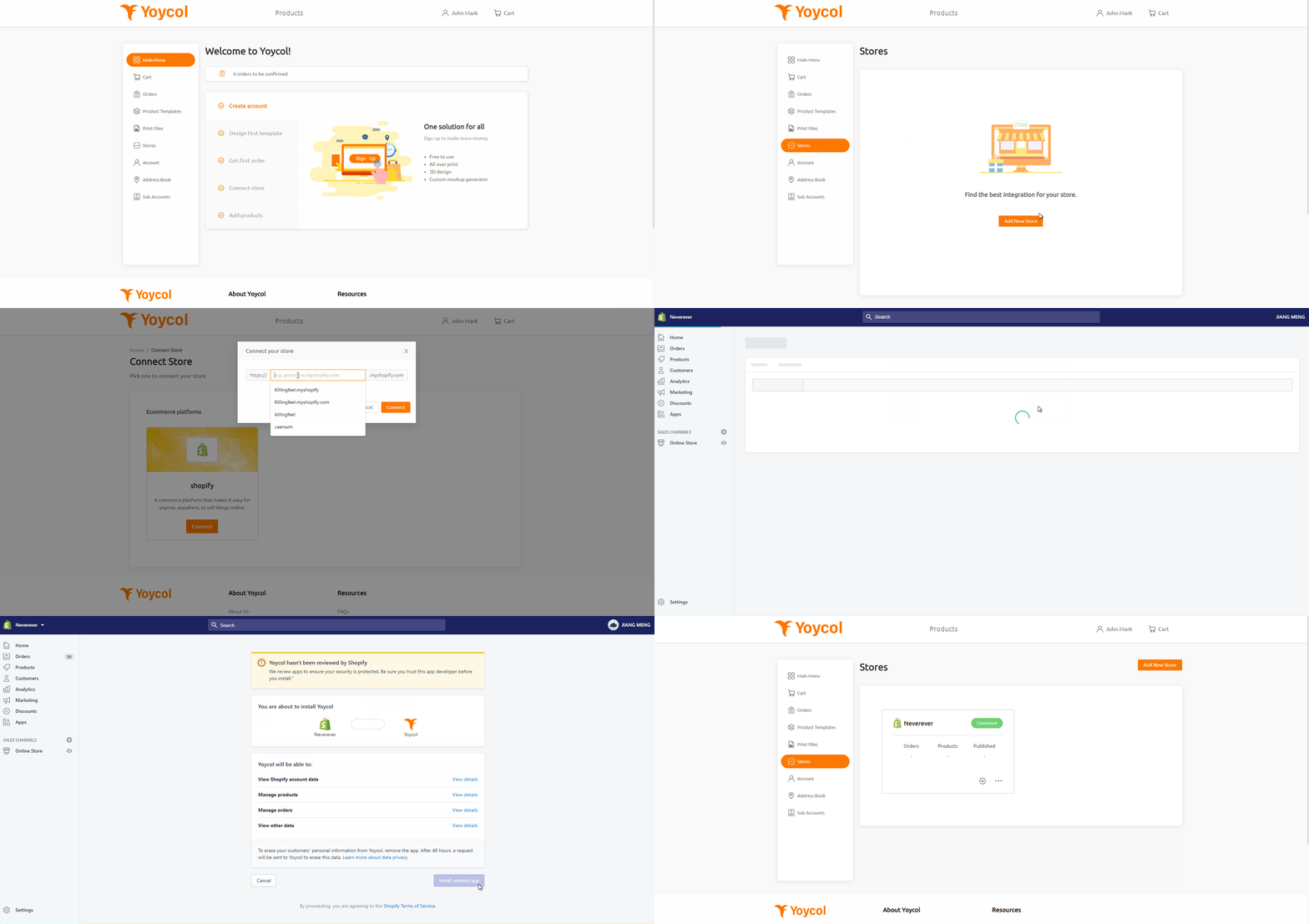
After completing the registration, check your dashboard. Click the "Store" button on the left menu to enter your "Store" management page. Next, view all the integrations tools supported by clicking "Add New Store". Enter your Shopify store's URL in the pop-up window that appears when you click "Connect". And click "Connect" to continue, authorize the installation of the app.
- Integrate Yoycol from Shopify App Store
Follow the steps to complete the integration with Yoycol.
Step1, click the following link, into image1 page, and click 'Add app'.
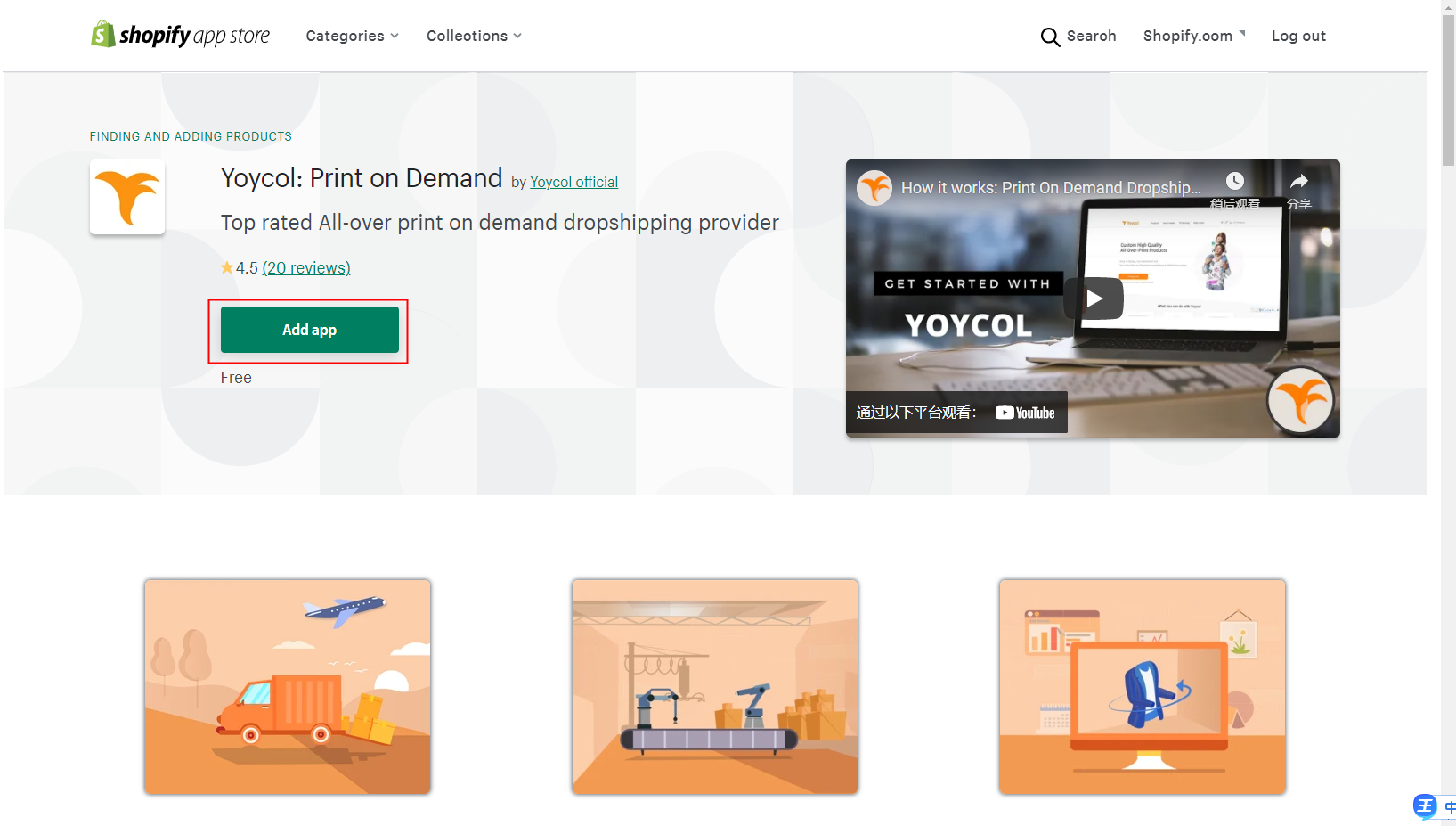
Image1
Step2, sign in your Shopify's Shop/ already log in Shopify, you will turn to step3.

Step3, image2, click ‘install app’.
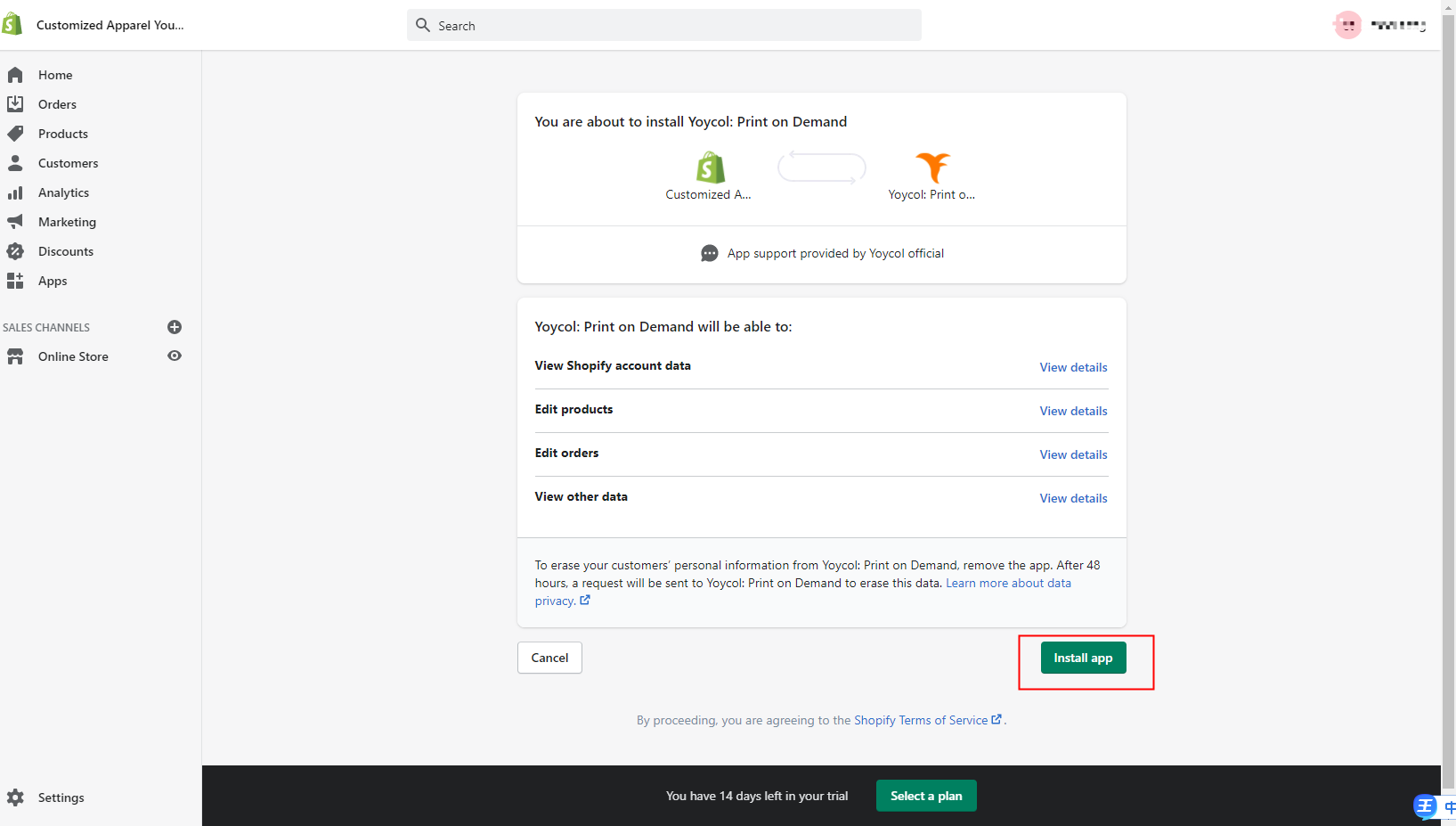
Image2
Step4, if you are new, fill the sign-up chart, or already have account in Yoycol, just click ‘sign in’.
Step5, image4, click ‘connected’, then you integrate your shopify shop with Yoycol successfully.
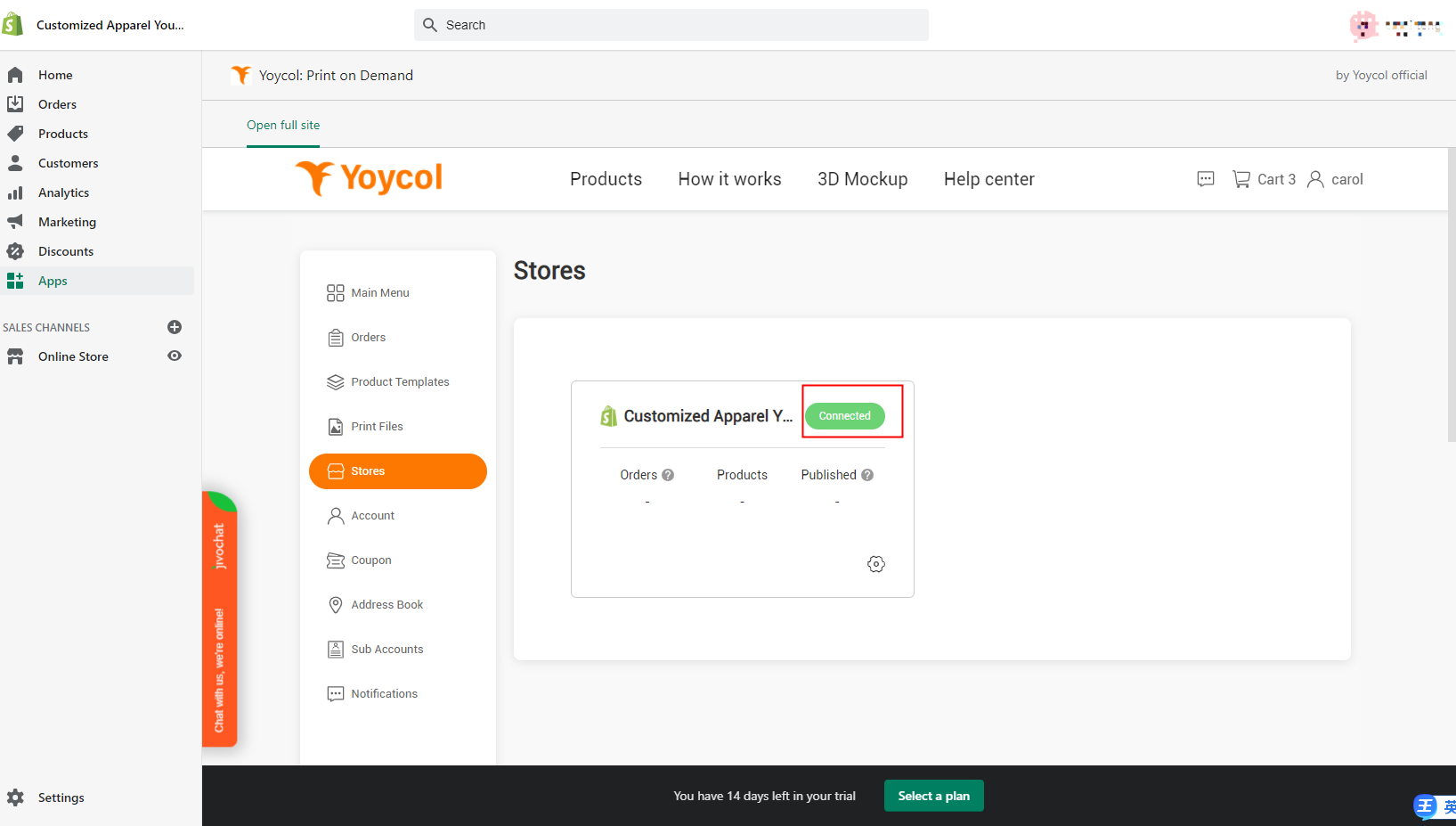
Image4





