

WooCommerce - How to integrate with WooCommerce
Step 1: Download the plugin
Download (Click to Yoycol plugin page.)
Step 2: Upgrade WooCommerce to the latest version
To make Yoycol plugin run normally, before integrating with Yoycol, you need to make sure that your WooCommerce is the latest version.
Step 3: Check your WordPress permalink settings
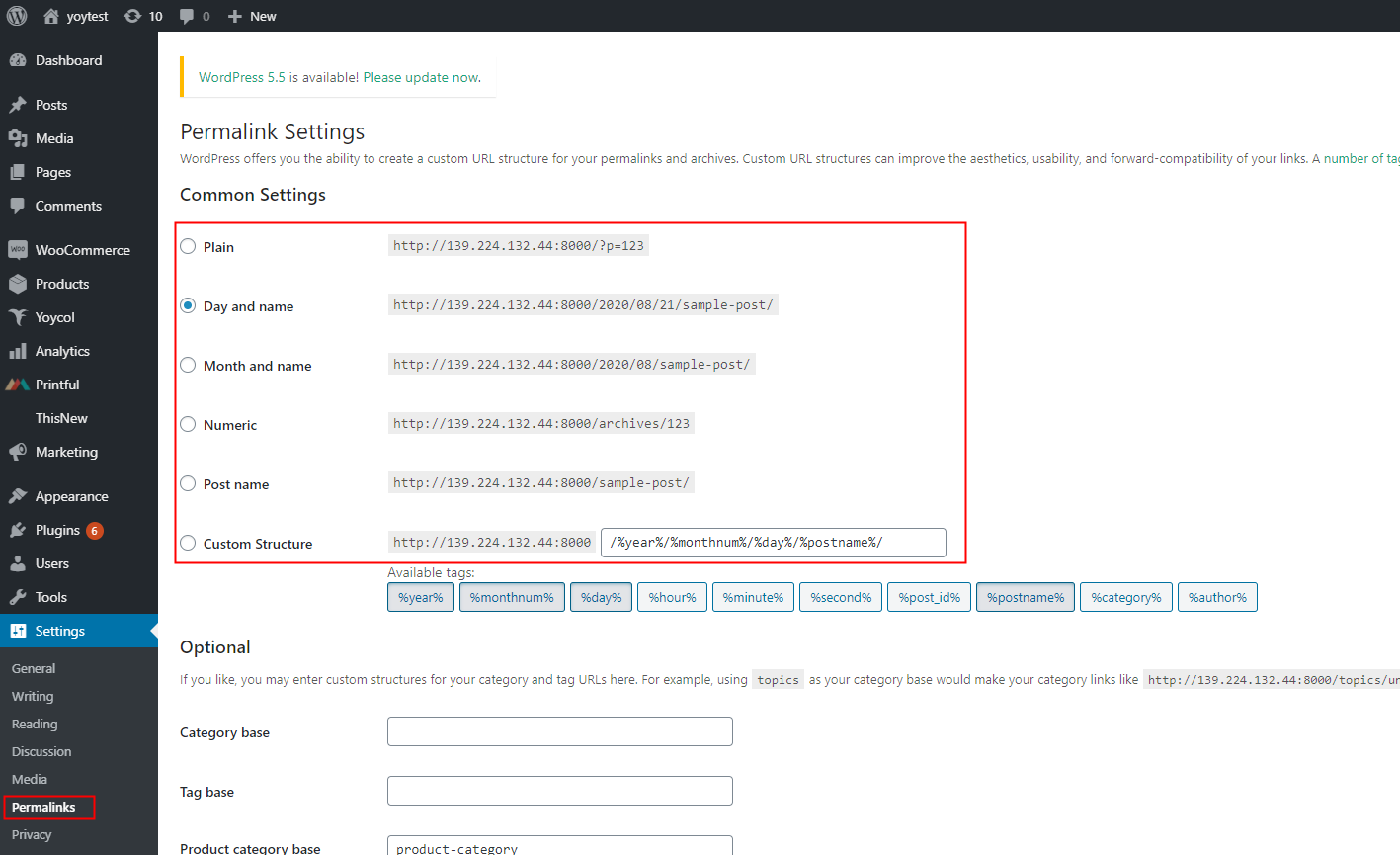
In order to use the WooCommerce REST API, you need to make sure that WordPress permalink setting is not set to Plain.
-
Open WordPress > Permalinks.
-
Select any other option than Plain.
-
Click Save changes.
Step 4: Install the Yoycol plugin
-
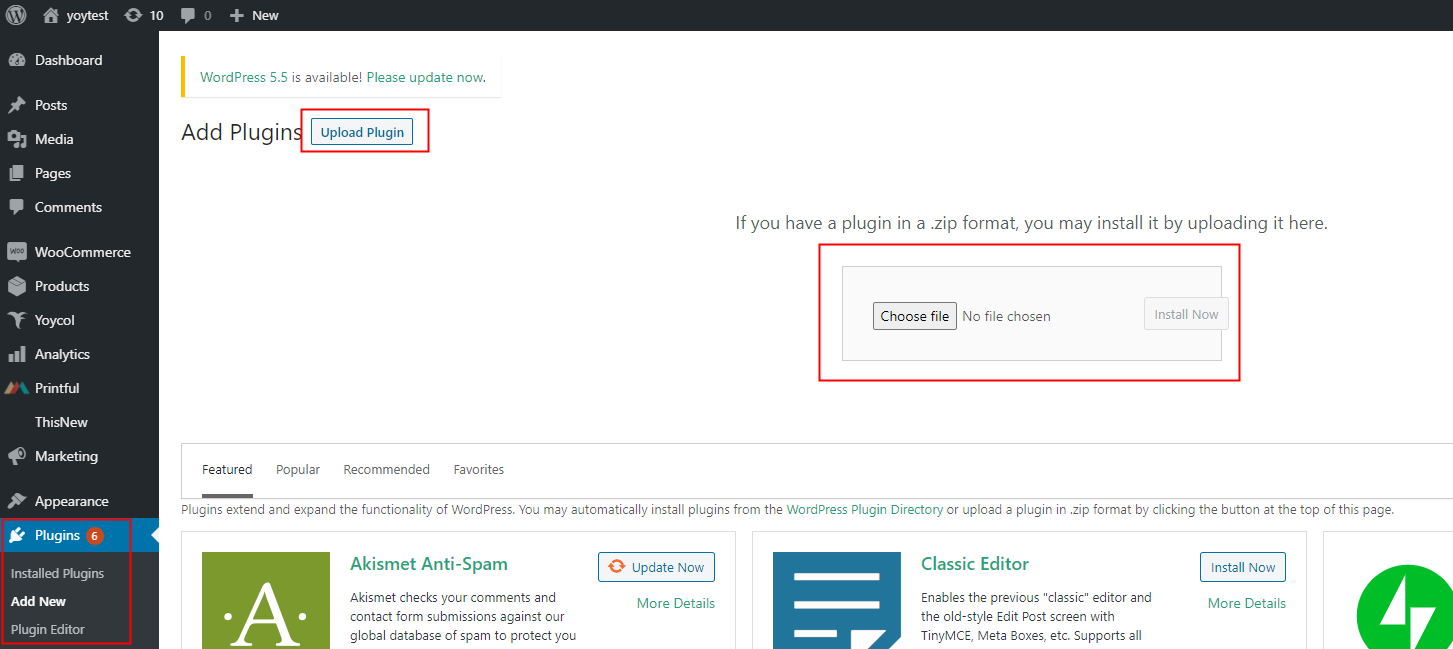
Go to the Wordpress Admin panel. Open Plugins > Add New.
-
Click Upload Plugin. Upload the plugin file you just download and then click Install Now.
-
You will get into intalling process. After installing successfully, click Activate Plugin.
-
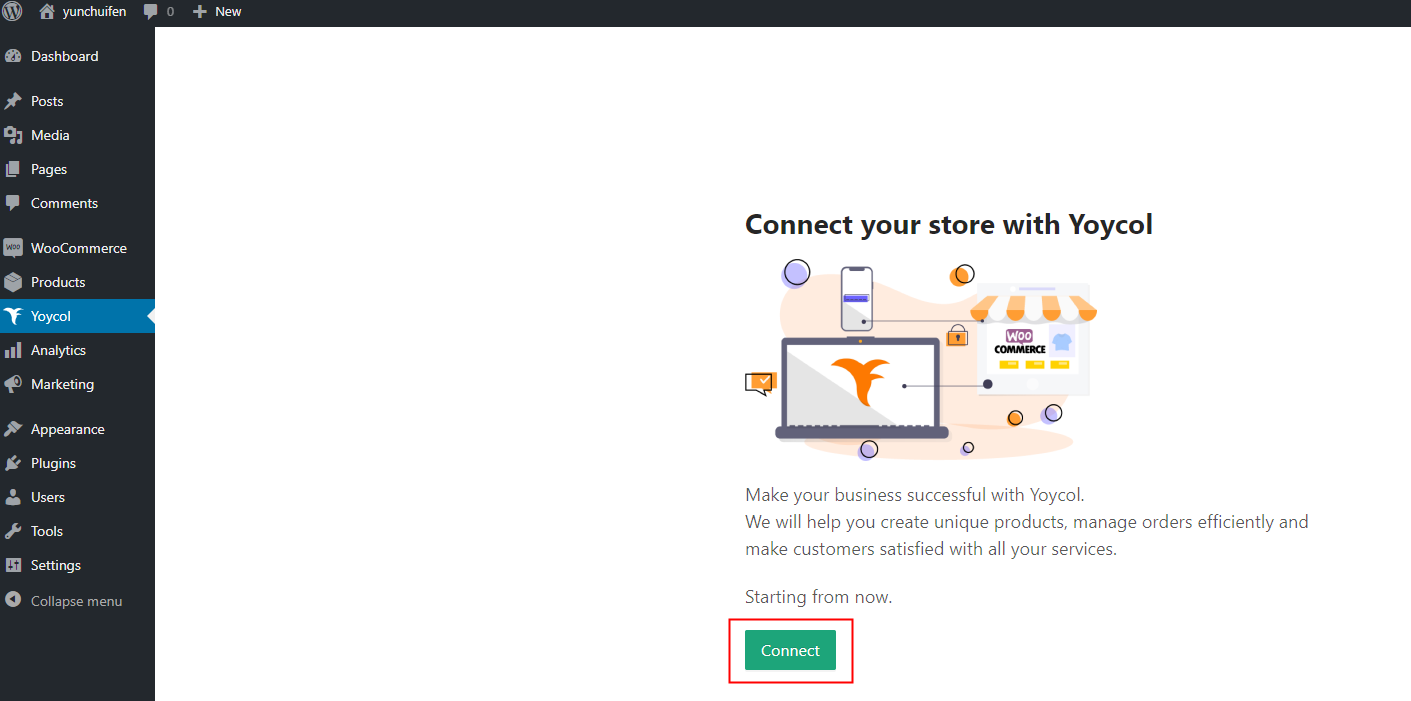
And then you will find Yoycol tab listed on the menu. Switch to Yoycol plugin. Click Connect.
-
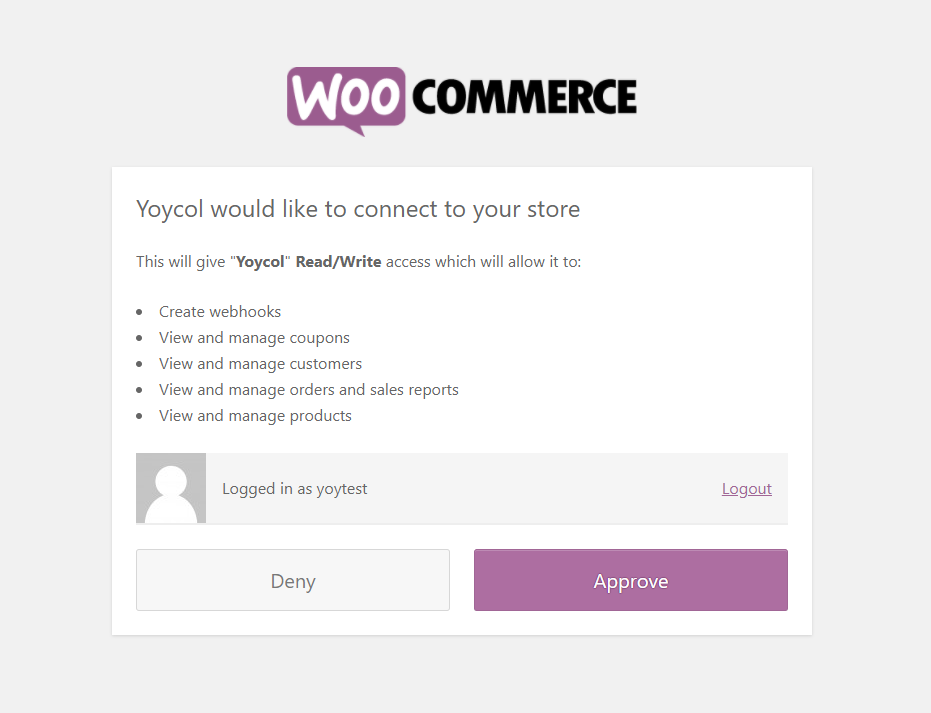
The page will be directed to the authorization page. Click Approve.
-
There is the last step to complete. Just enter the Yoycol account you want to connect. For now, all things are ready! Let's try to import your first product from Yoycol.





