

How to use the Mockup Editor?
💡 AI Model Guide
Easily create or edit models with AI.
Currently optimized for apparel, with more categories coming soon.
Steps:
-
Enter a text prompt, or upload an image and refine with text.
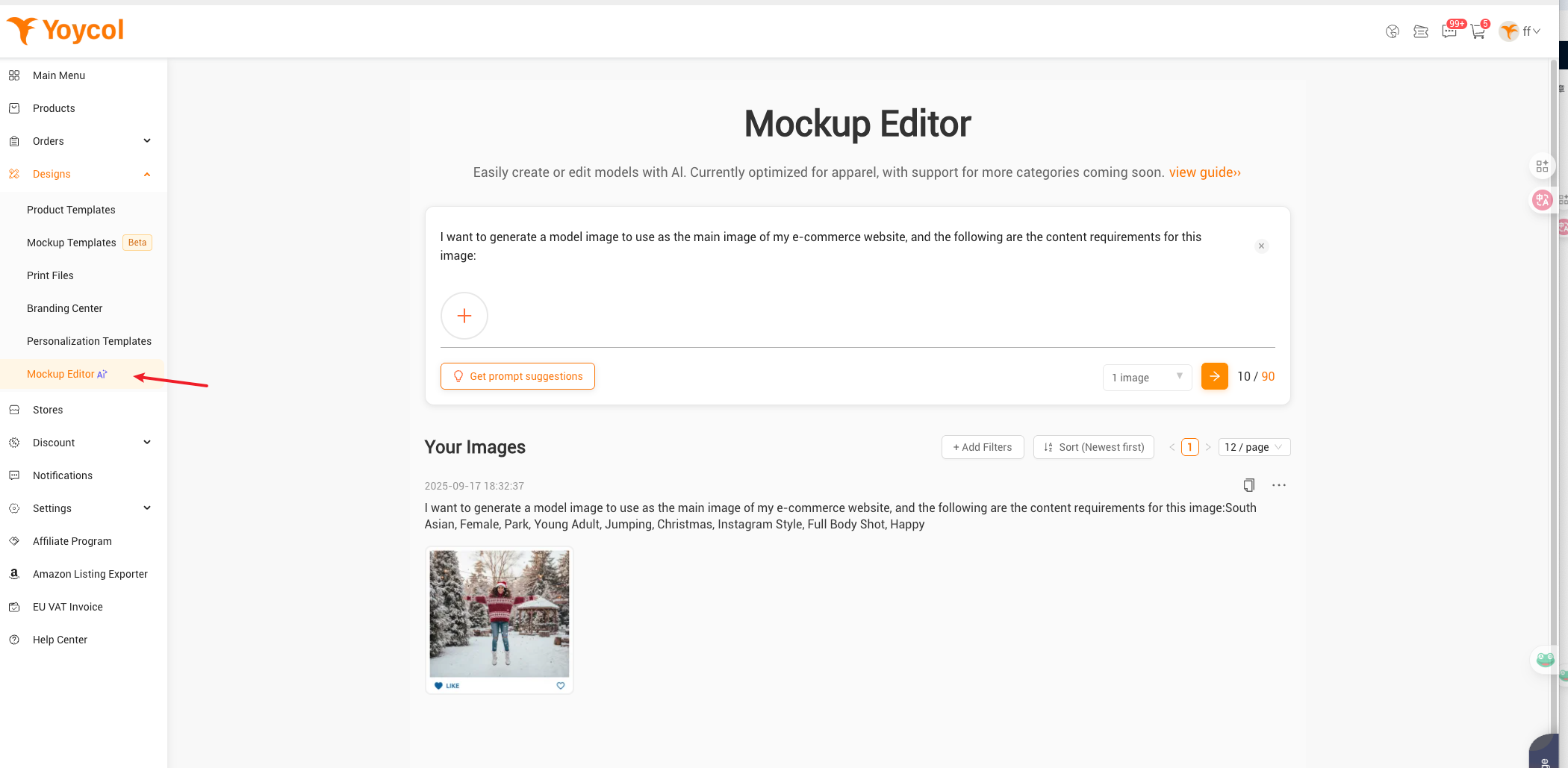
-
Select the generated image and make text adjustments, such as text modification of character expressions, actions, composition, style, etc
- Select the generated mockup and save it to your Model Library.
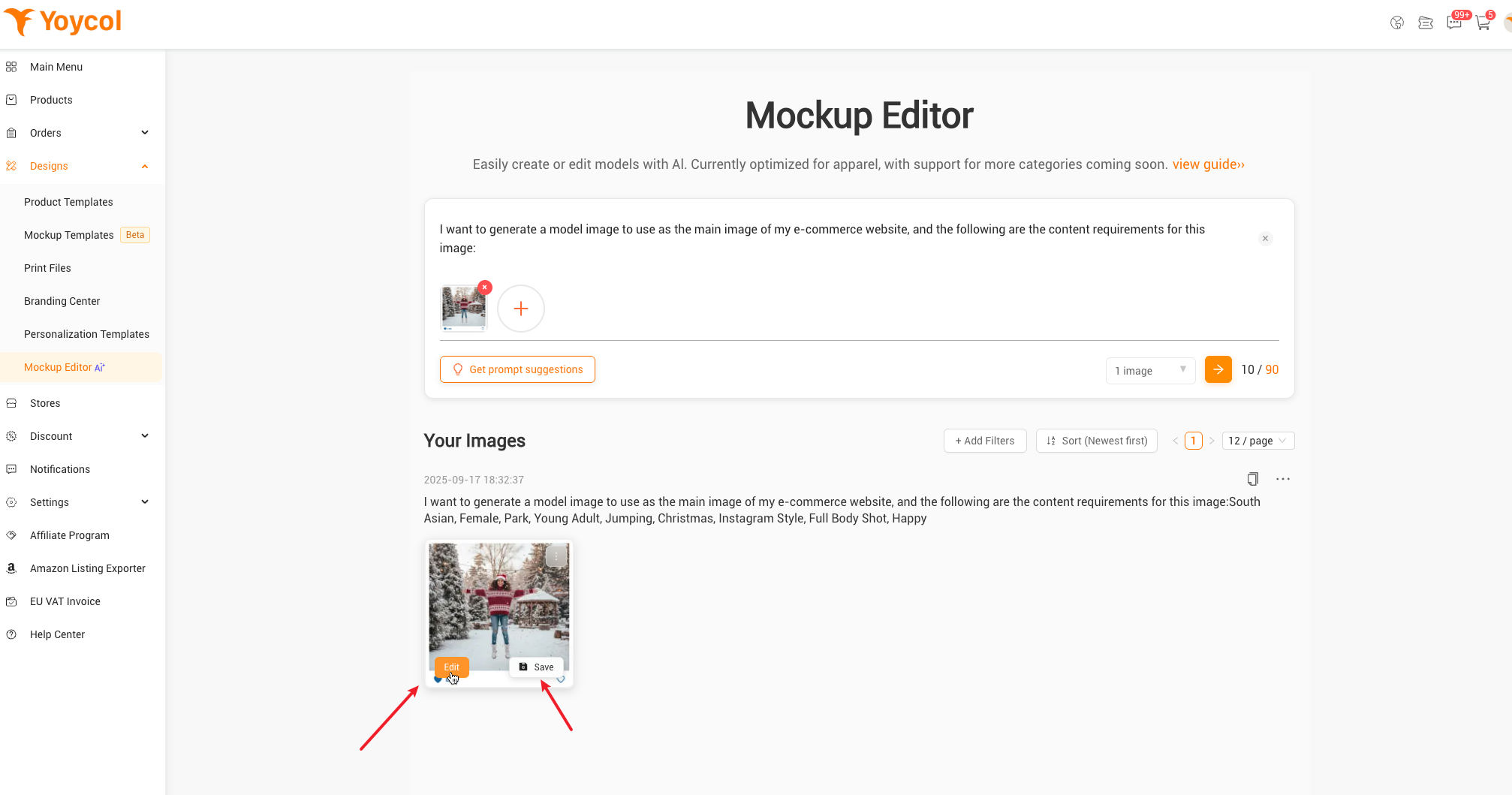
-
Go to the Template page to bulk replace models in templates.
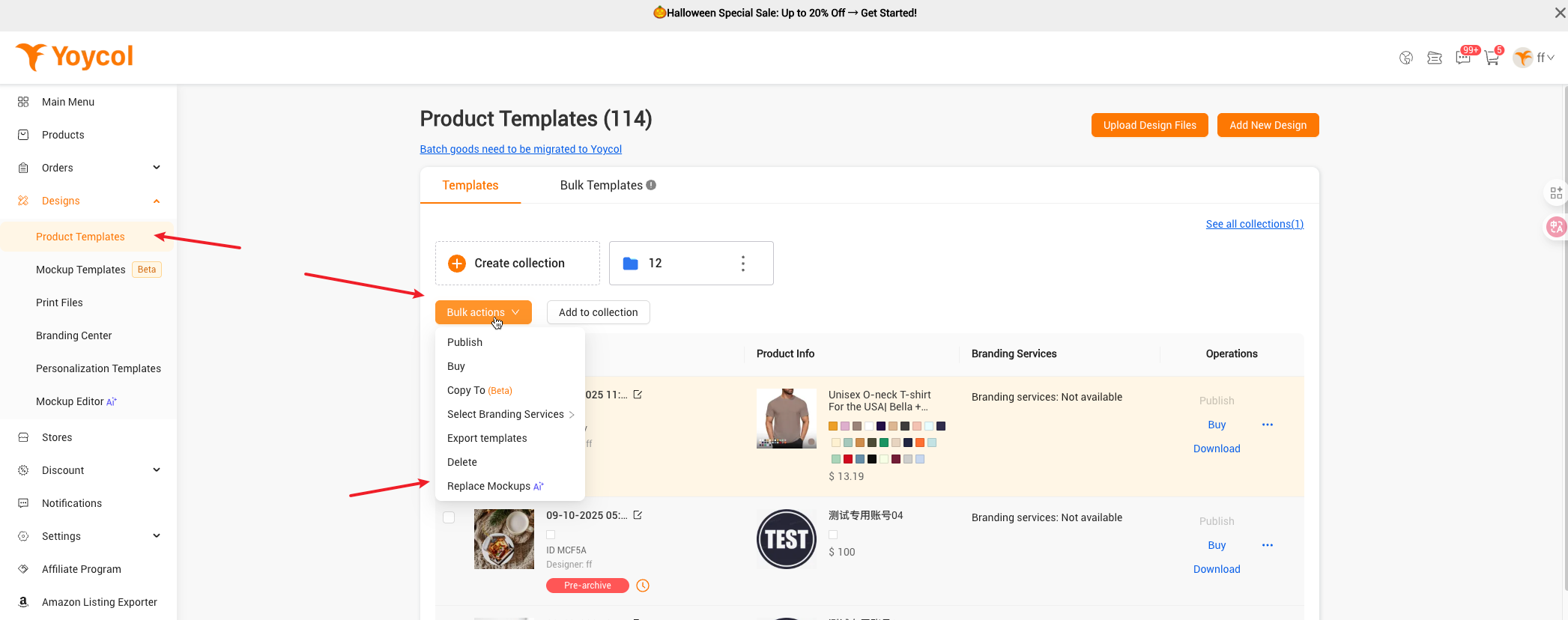
-
Publish the updated templates to your store.
If you have any questions or need assistance, please feel free to contact us at developer@yoycol.com. We're here to help!





