How to make designs in bulks?
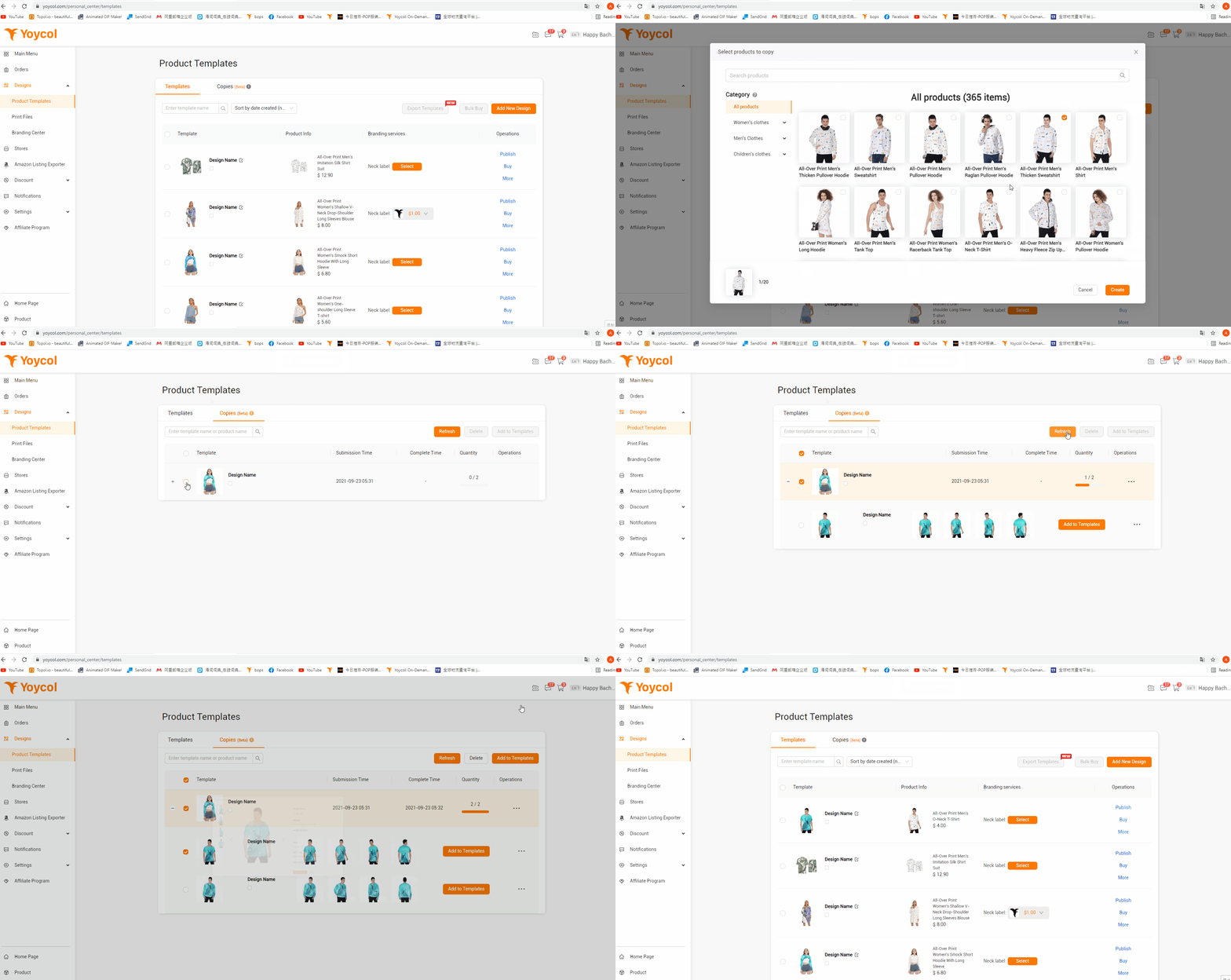
- Choose the product you like and make design
- Save to “Product Templates”
- Click “More”-”Copy To (Beta)”
- Present the page with the products that could use the same design
- Tick the product you want and create
- Choose the design and “Refresh”
- Add the new product to your templates
Tips: There may exist latency during “Refresh”. You could click several times to update.