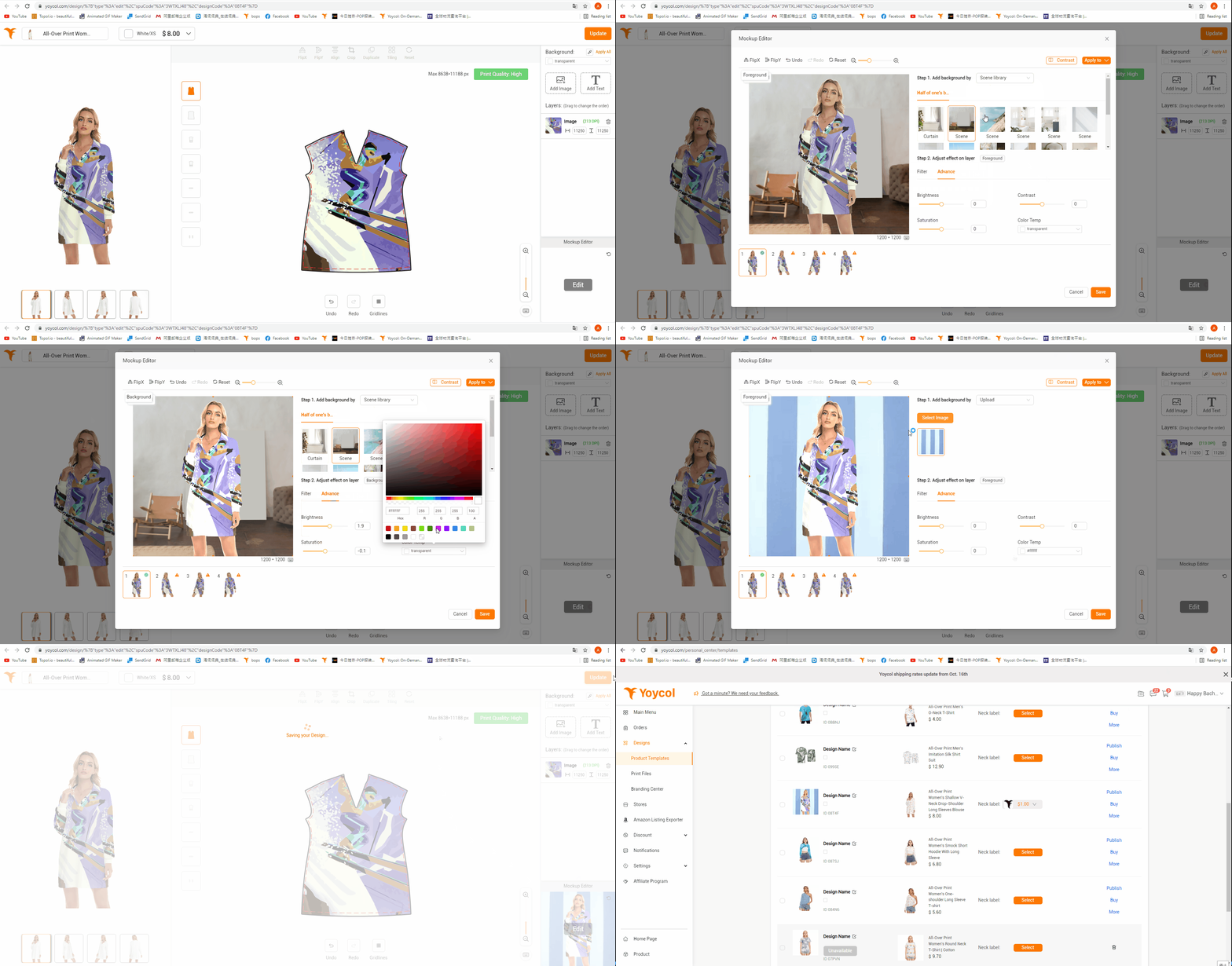
Scenario application
1. Click “Edit”after you finish designing
2. Add background by
2.1 Choose “color”that fits your design
2.2 Choose “scene" available. More scenes will come soon.
2.3 Upload local pictures as scene
3. Adjust effect on layer
3.1 Choose “Foreground” or “Background”
3.2 Filter
3.3 Advance-Adjust “Brightness”, “Contrast”,”Saturation” and “Color Temp” here
4. You could apply different scenarios or “Apply To All”
5. Save-Update
Note: At present, scenario could be applied to about 200 products. It will stretch to more products soon.