Fine - tune the pictures
1. Function Introduction
1.1 remove background:
Function: Remove the background color from the image
Limitations:
-
Image formats: PNG, JPEG, JPG, BMP.
-
Image size: no more than 40 MB.
-
Image resolution: greater than 32×32 pixels and less than 10000×10000 pixels.
-
The URL address cannot contain Chinese characters.
Note: The edges of the image after removal may still have some background color.

1.2 Segment
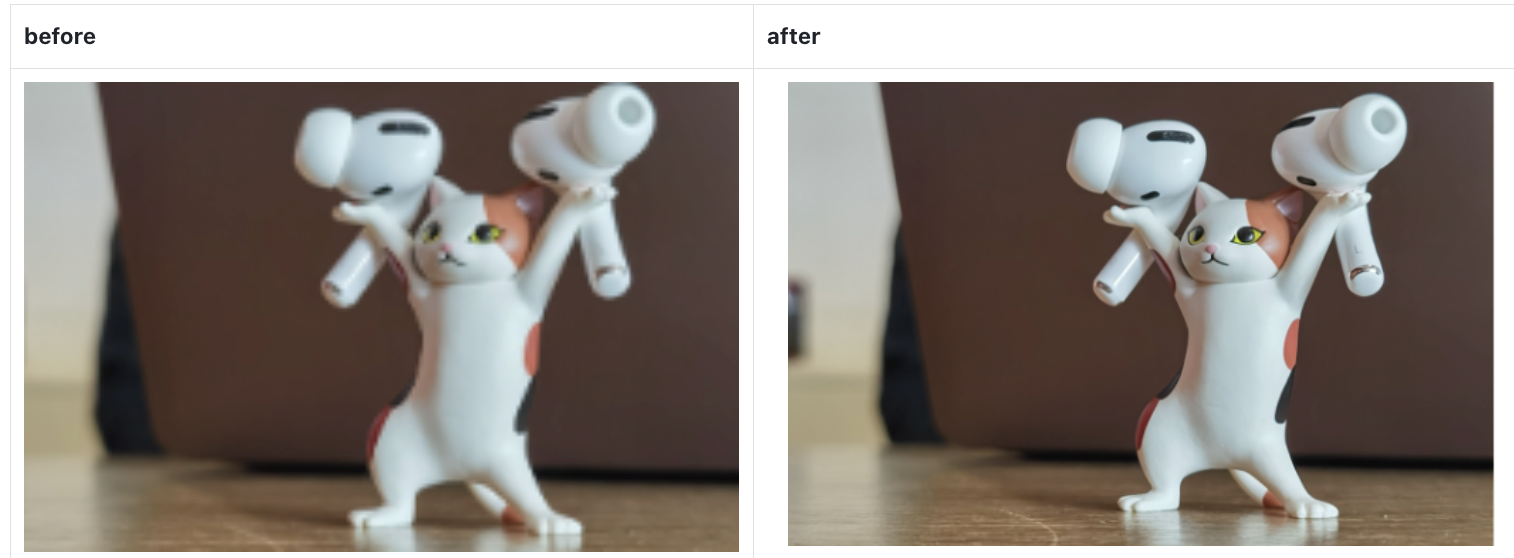
can improve the resolution of the image
Limitations:
Image formats: JPEG, JPG, PNG, BMP, WEBP, HEIC.
Image size: no more than 3 MB.
Image resolution: not less than 32×32 pixels, with the long side not exceeding 1920 pixels and the short side not exceeding 1080 pixels.
The URL address cannot contain Chinese characters.
2.how to use
Each person has 100 points per day, and 1 point is consumed each time
2.1 Design
On the design page, after clicking on an image, you can choose to use these two functions. Processed images will not be saved. If you need the images to be saved, please go to the print file page for processing.
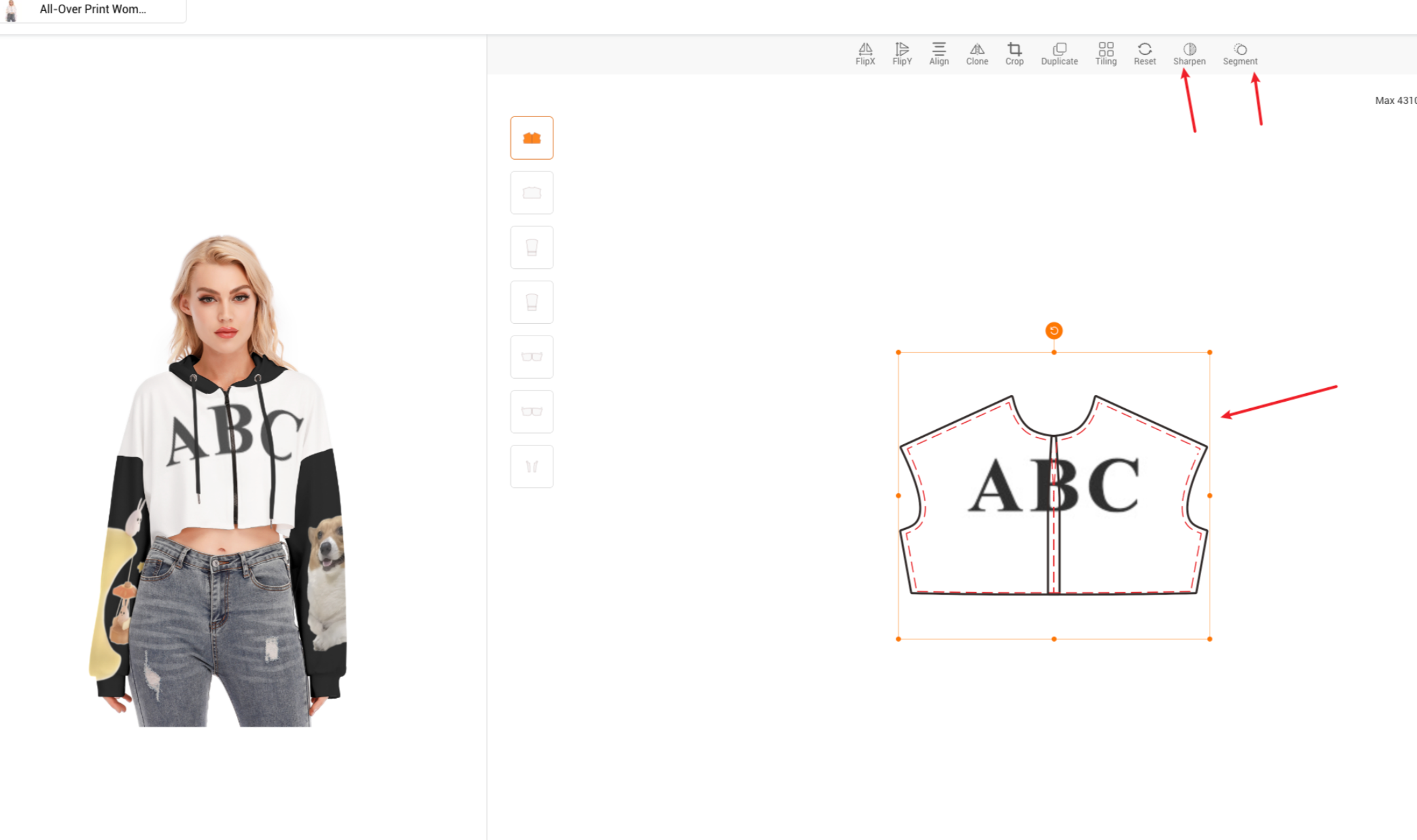
2.2 print files
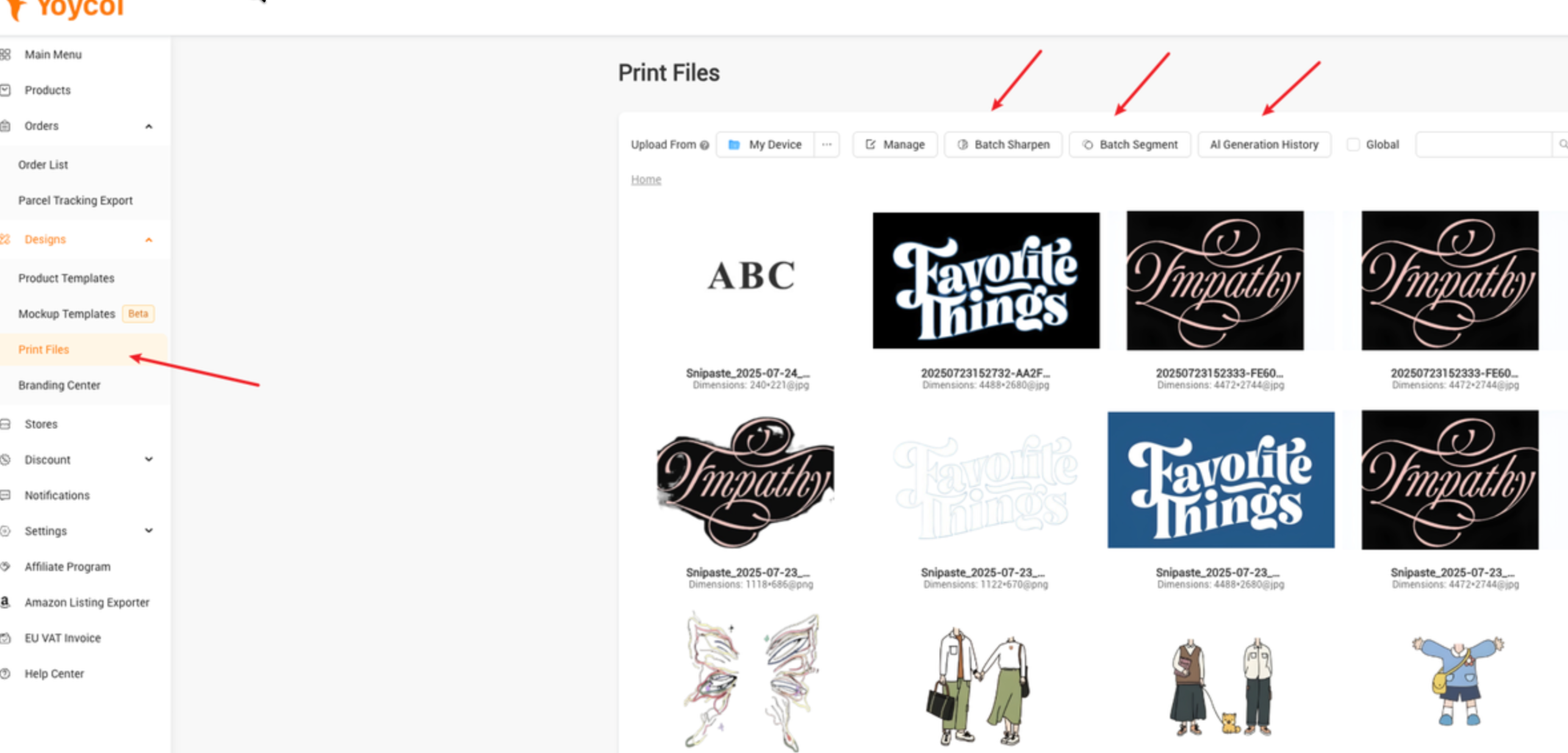
Step 1: On the print file page, after clicking batch sharpen or batch segment, you need to select images for processing
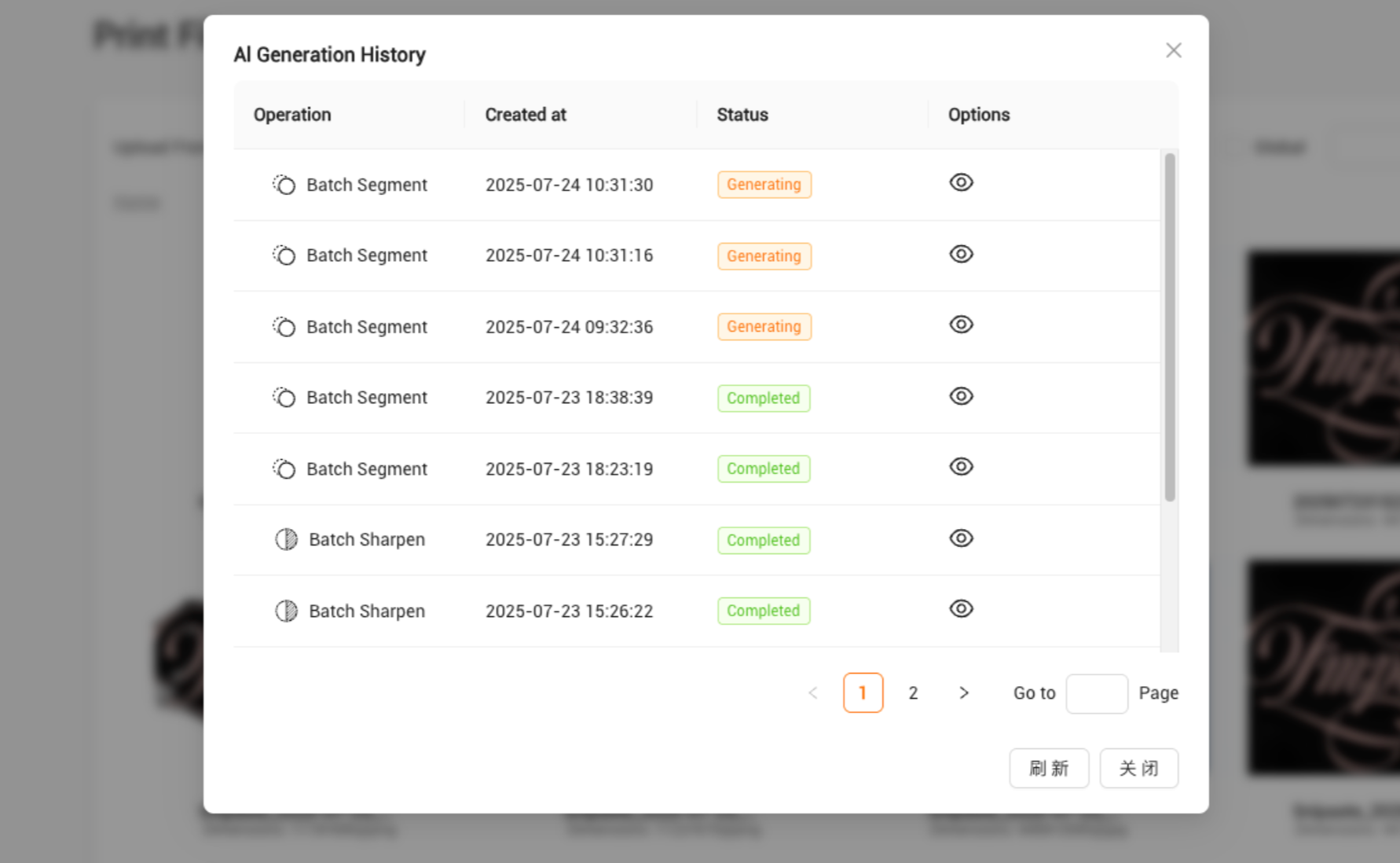
Step 2: On the AI generation history page, check the generation progress
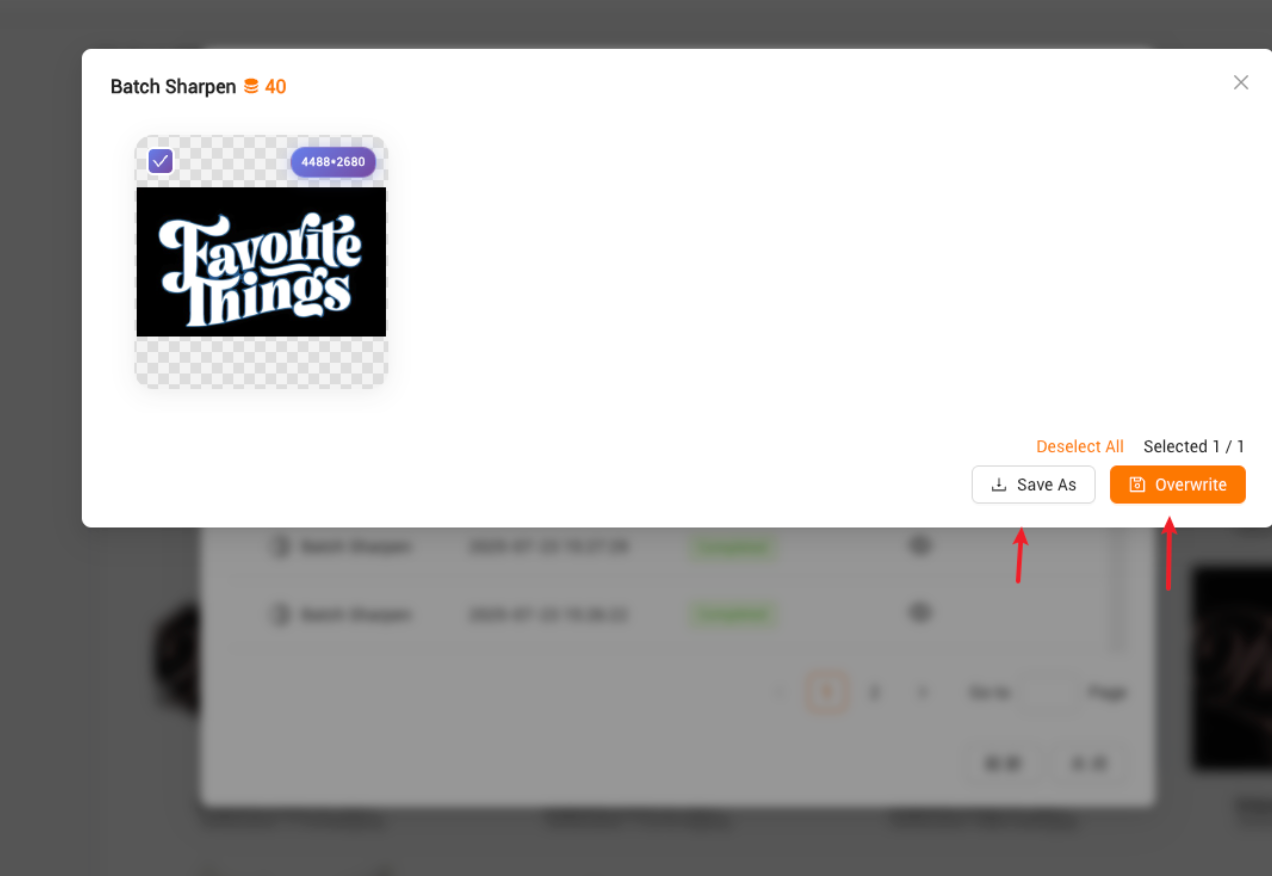
Step 3: Select the corresponding image, and confirm whether to replace the original image or add a new one