

How to create different designs in bulk?
2. Batch Design - Specific Solution Process Introduction
Design in batches, copy designs to other products
2.1 User Scenarios
-
There are many materials, and each product only needs a small number of elements (pictures or text). A large number of designs can be generated by direct replacement

-
There are many square continuous picture materials, and a large number of designs are generated by batch replacing pictures
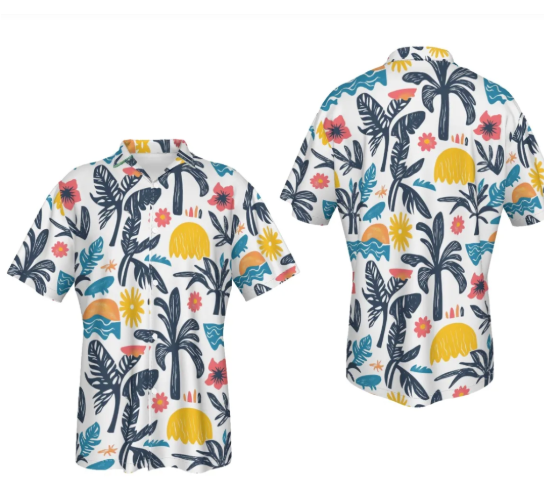
-
C - side customization

2.2 Operation steps
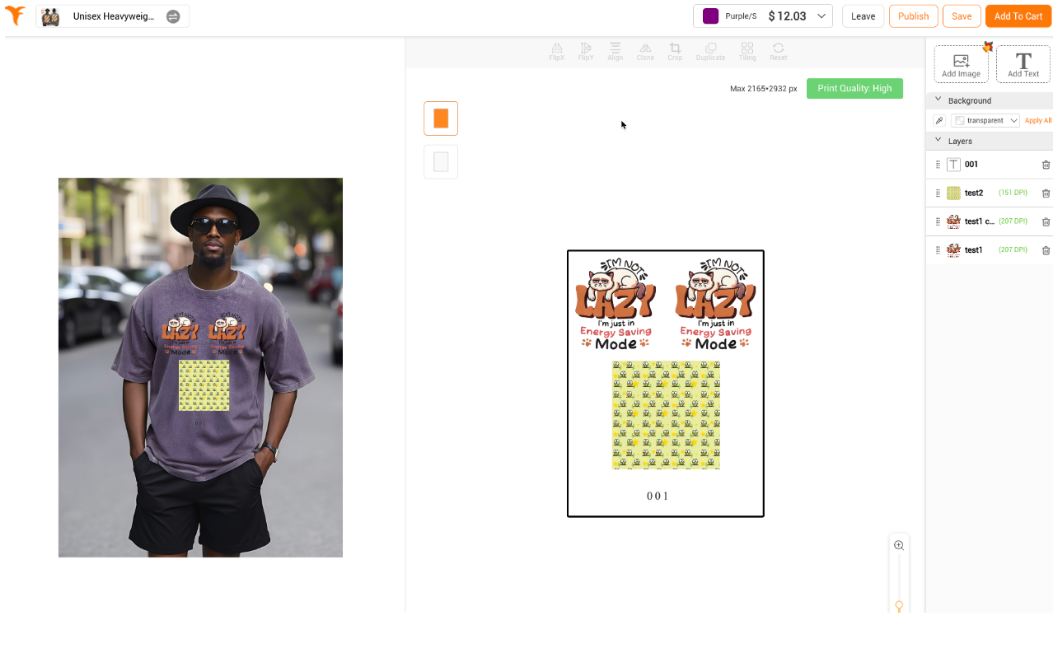
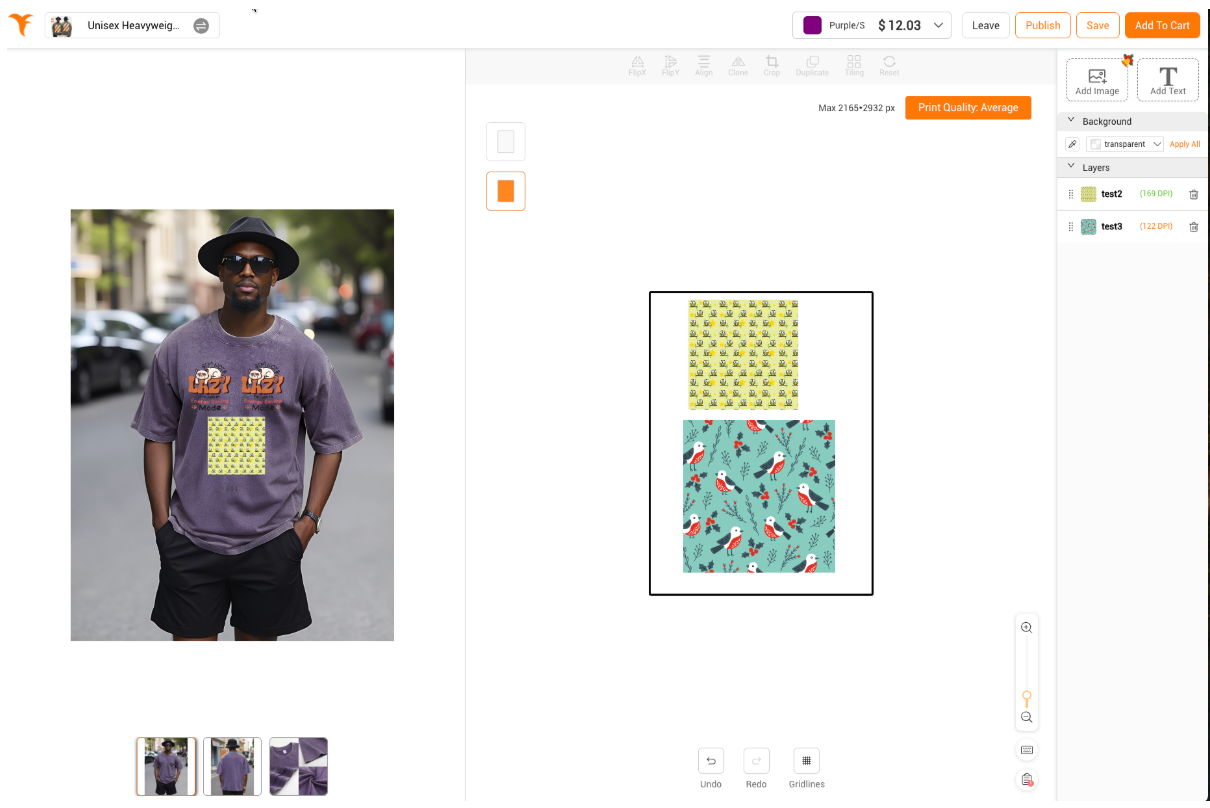
Step 1: Design a template first.
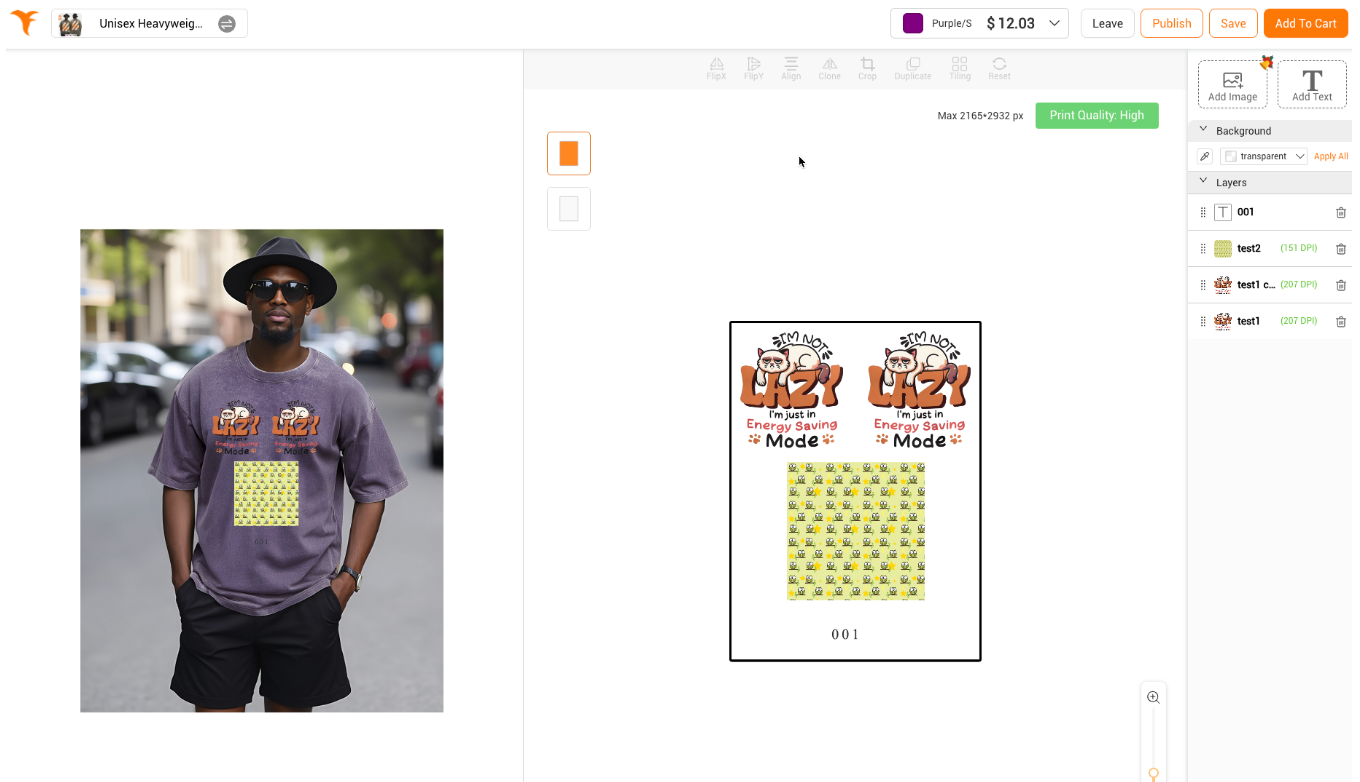
First, select a product and create a design that includes images and text
|
 |
|
 |
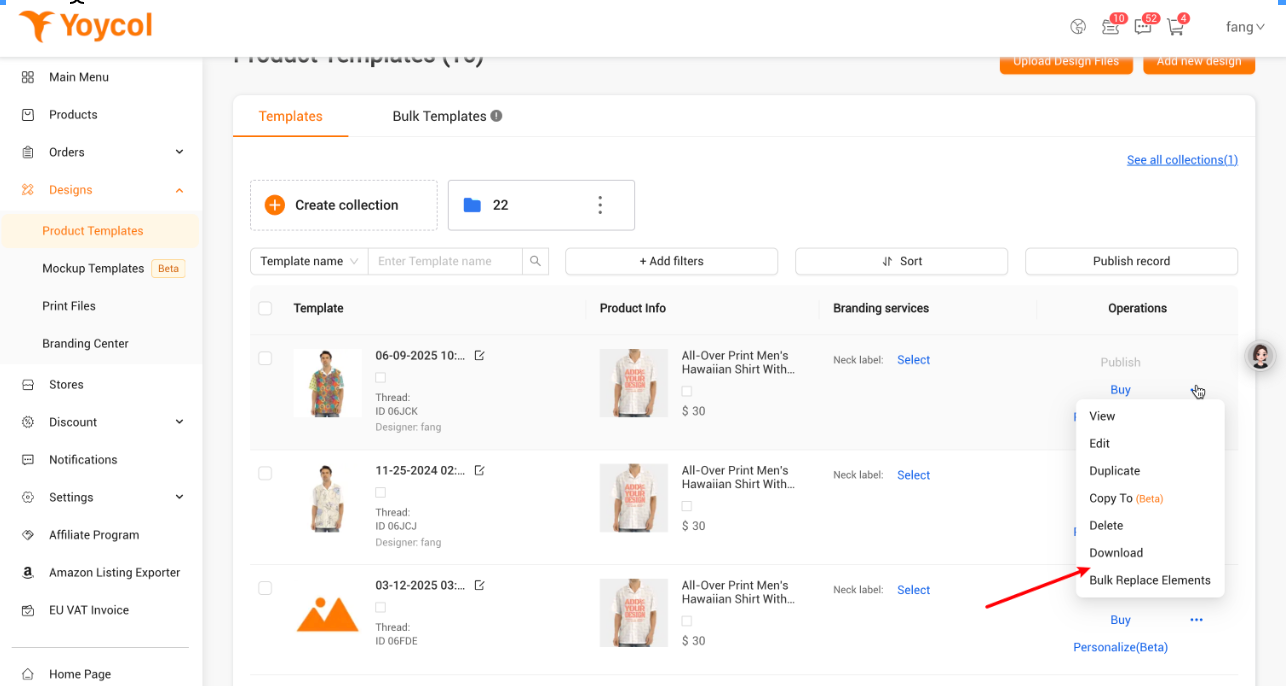
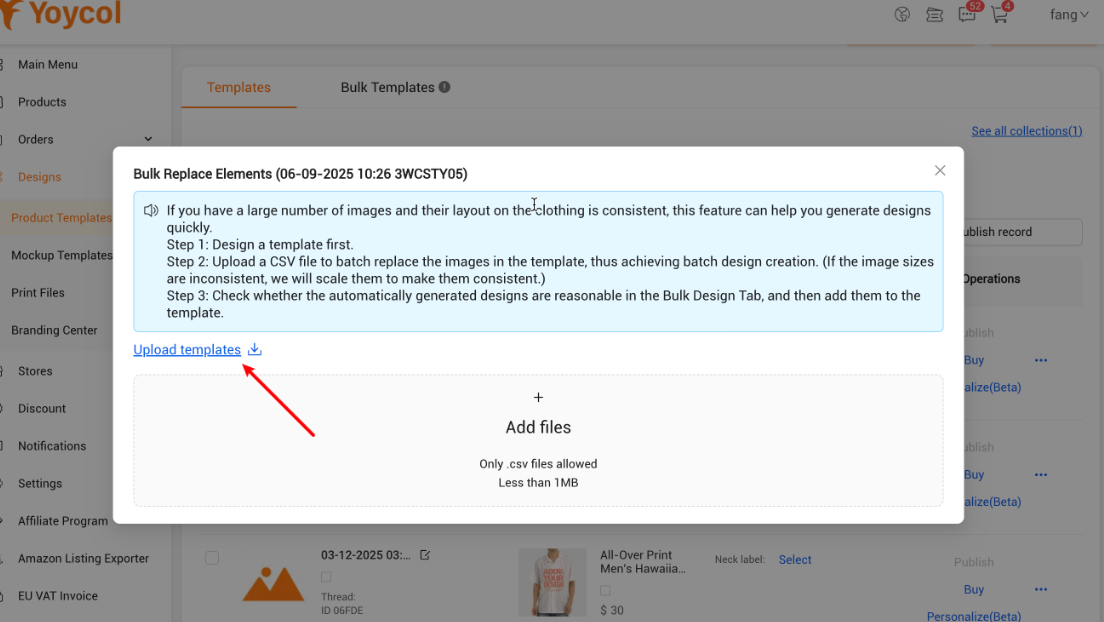
Step2:Download design templates
|
Find the entrance
|
 |
|
Download template
Download rules
Case
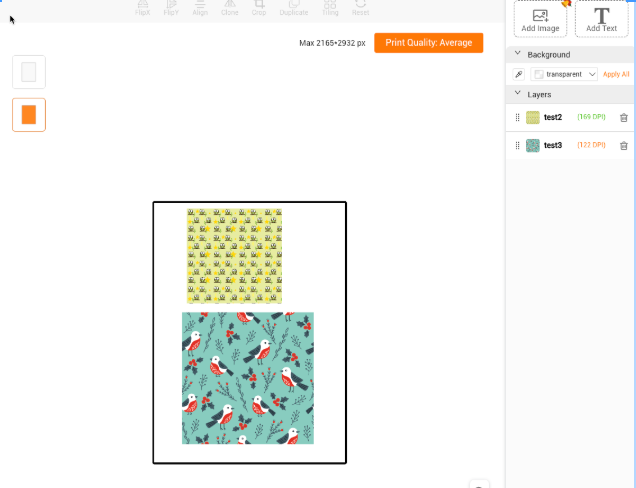
The correspondence of the exported Excel is as follows
|
    |
|
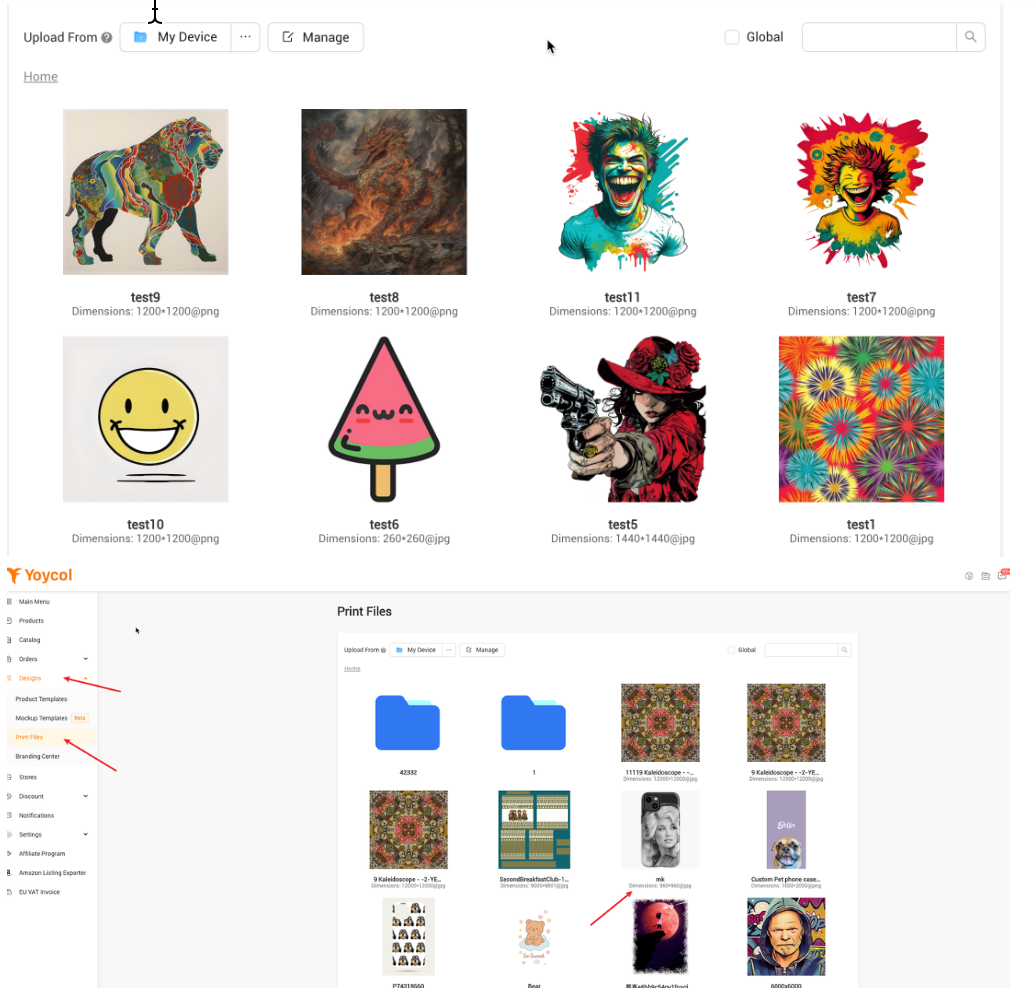
Upload an image and get the image name
Attention
|
 |
|
Generate the imported excel
|
 Currently only 20 tasks can be imported
|
Step3:Update the image names in the Excel
Select template and import excel to generate design
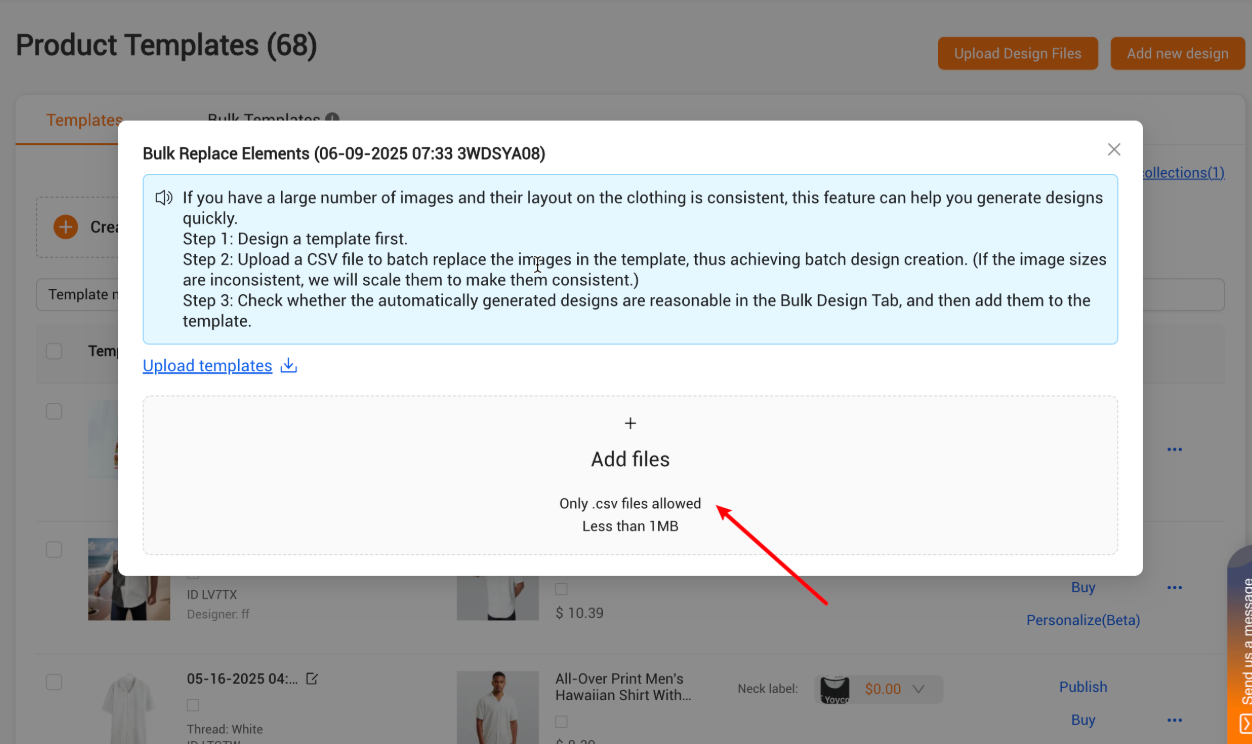
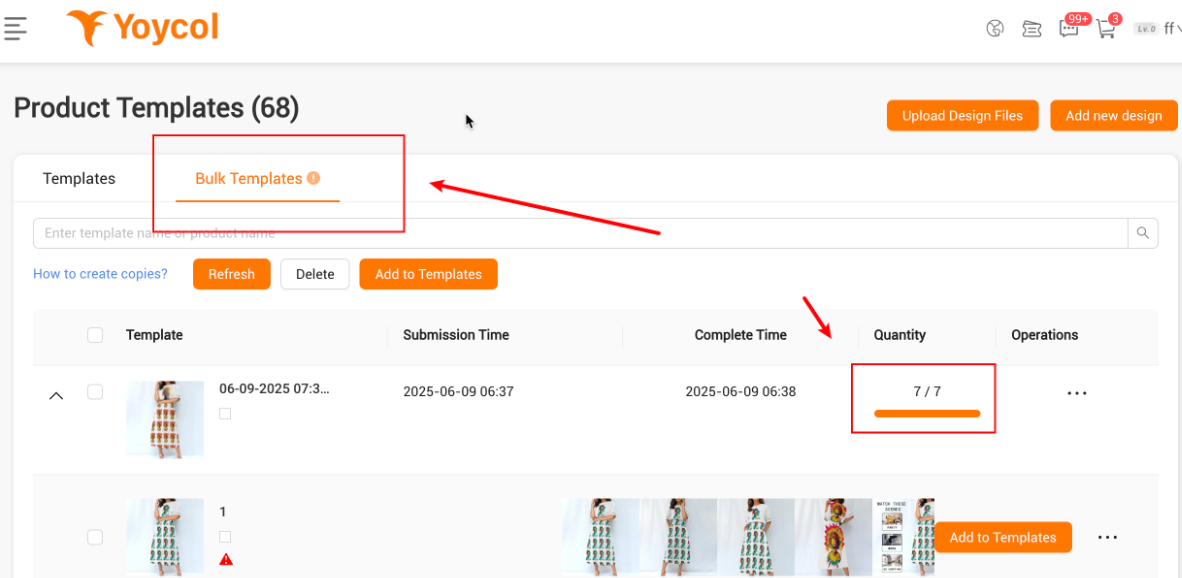
After generation, check the task and confirm that the designer is okay. You can add to template
2.3 Q&A
-
What are the requirements for the images in the material library?
-
The image name cannot be repeated, otherwise the system cannot determine which image to use
-
-
Is the upload method only csv?
-
Yes
-
-
For other questions or requirements, please contact us





