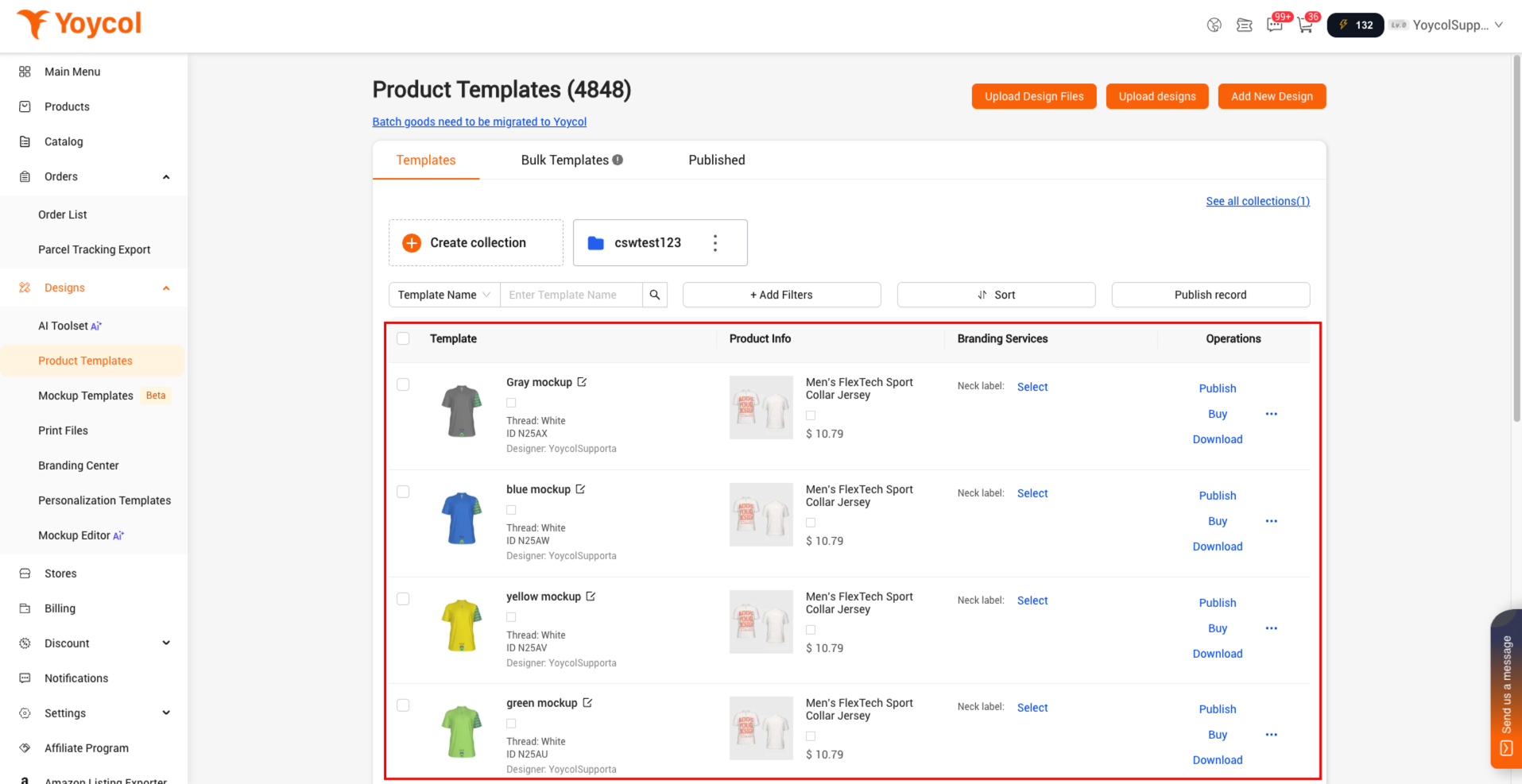
How to design in bulk using PSD files
If you prefer designing with PSD files, this workflow can help you quickly create Product Templates in bulk in Yoycol and then proceed with placing your orders.
1. Find the SPU.
Locate the corresponding product, enter the product page. In the URL, the content after the last "/" is the SPU.
For example, in https://www.yoycol.com/product_detail/3WCSTY05/All-Over-Print-Men's-Hawaiian-Shirt-With-Button-Closure, 3WCSTY05 is the SPU.

2. Generate your design and save the link.
Contact our customer support team to obtain the PSD file for the SPU. Use the PSD file for your design, then save it as an image (JPG or PNG) and generate an image link.
3. Create the design CSV
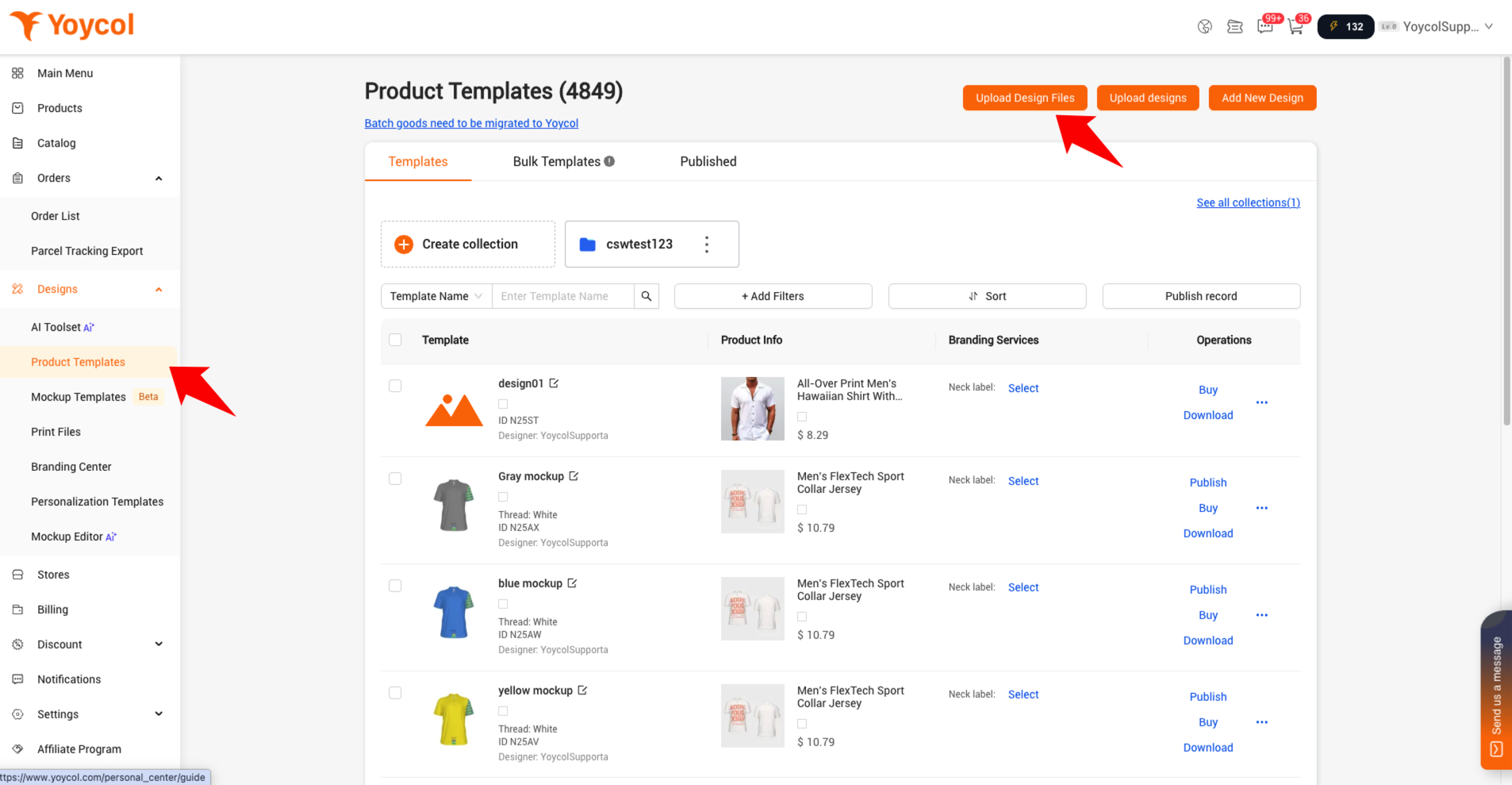
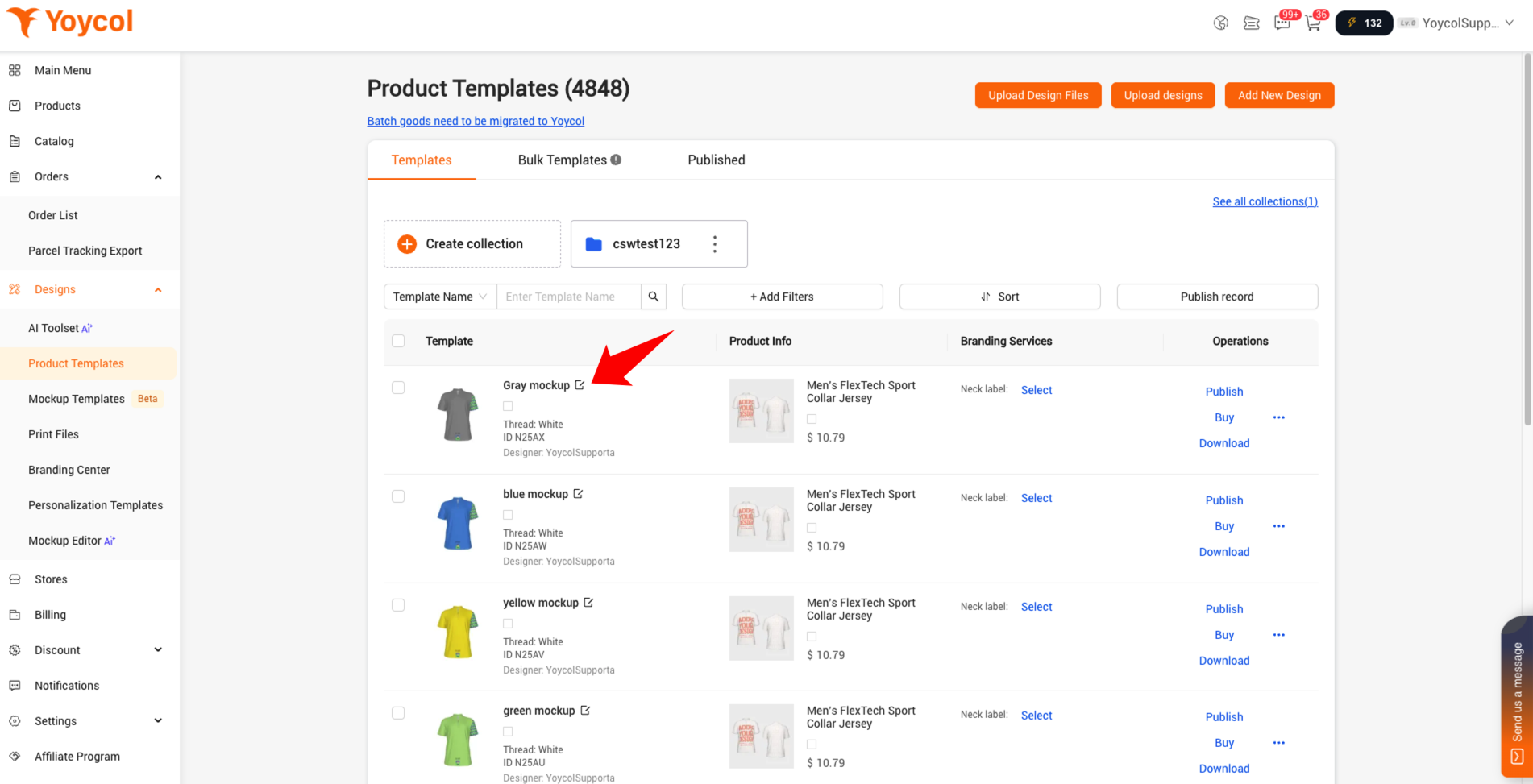
a. On the Tempalte page, click on “Upload Design Files”.
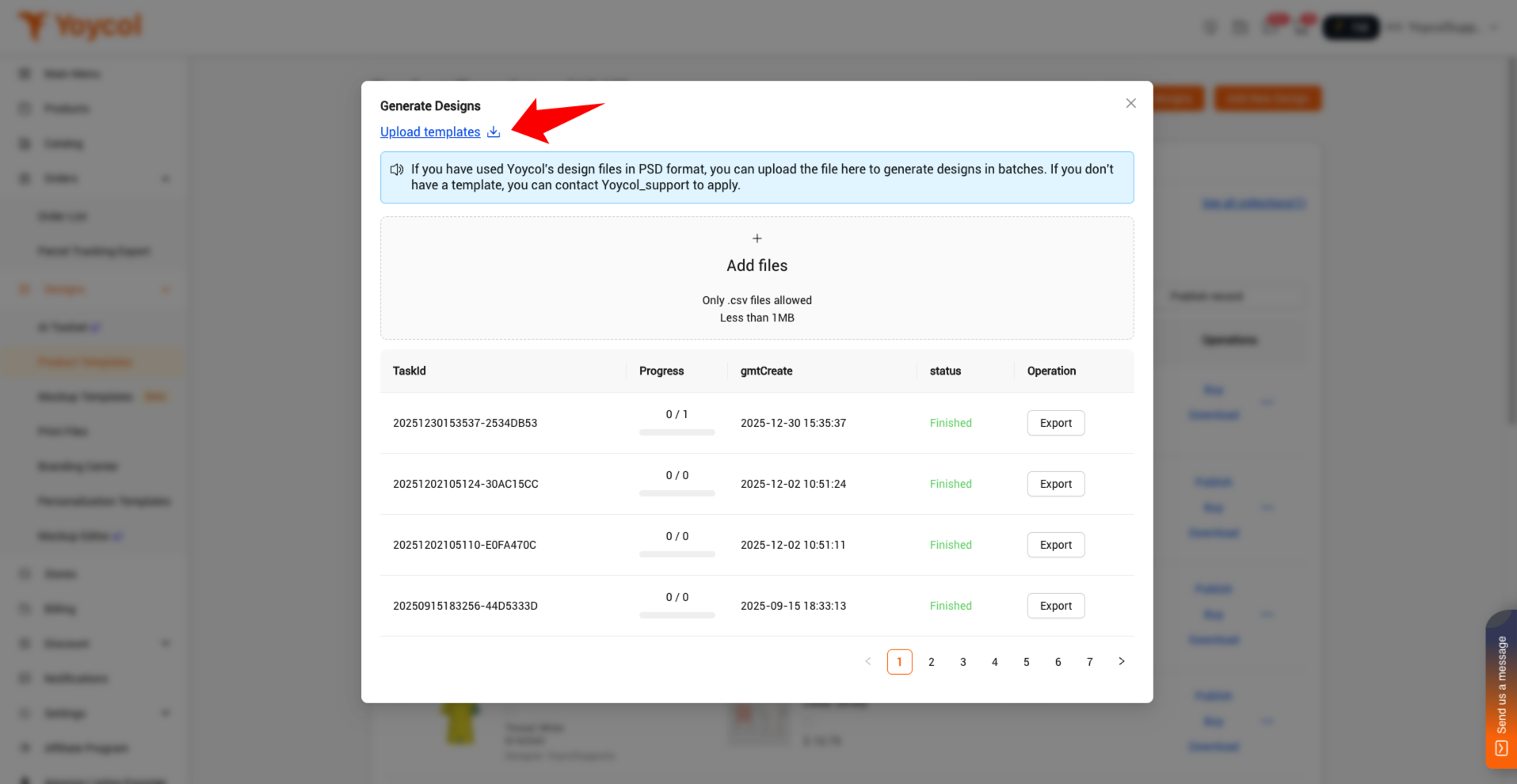
b. Download CSV template
c. Set the CSV content
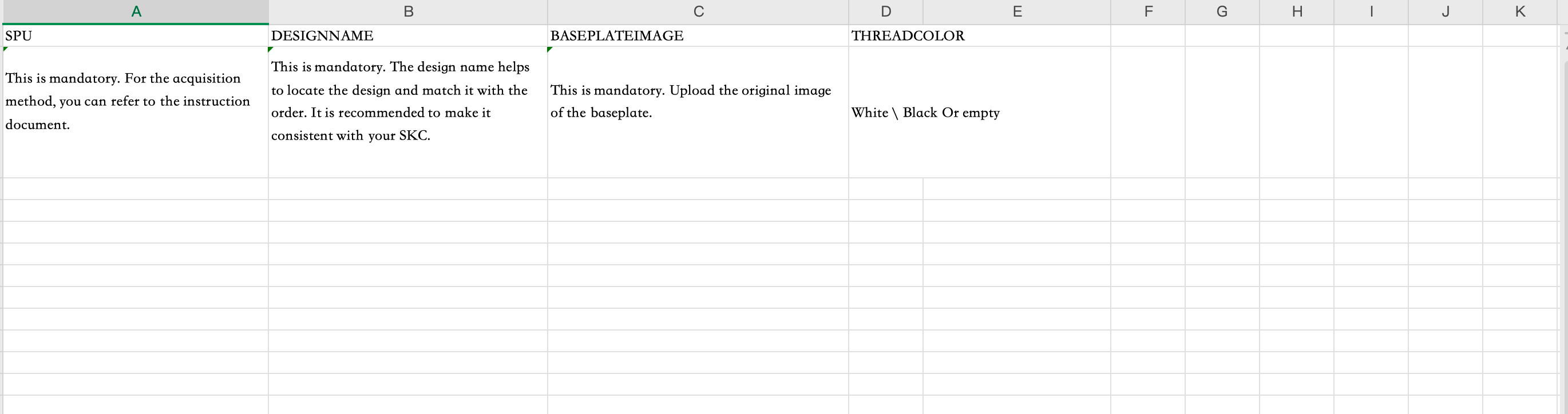
In the “BASETEMPLATEIMAGE” column, you need to fill in the image link that was generated earlier.
This is the position where the designname you set is displayed, which makes it convenient for you to quickly locate the design.
For the same design with different sizes, you only need to create one template.
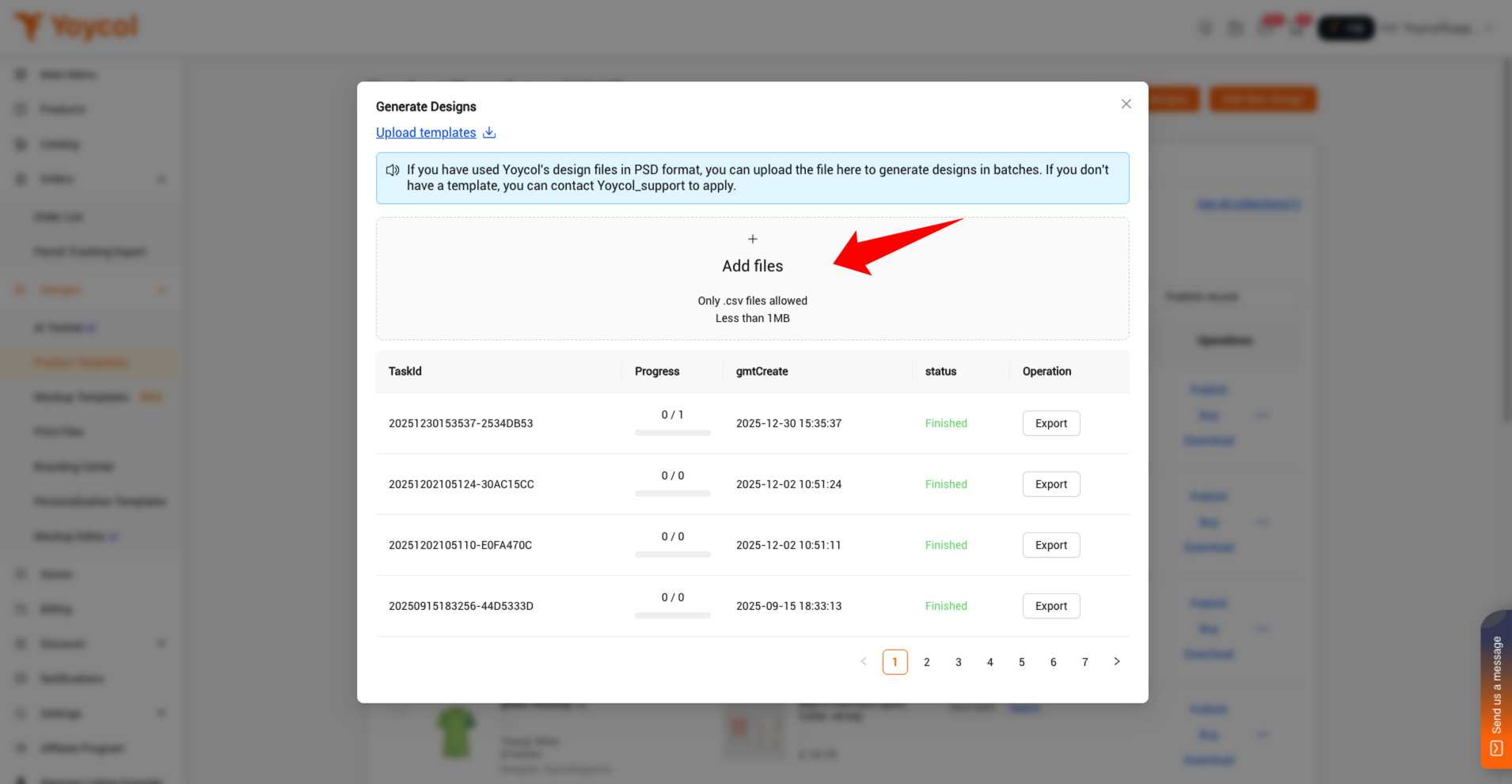
4. Upload the CSV file.
Check the creation progress. A 100M picture usually takes 30 seconds to generate. If it is completed, you can export the results to create an order.
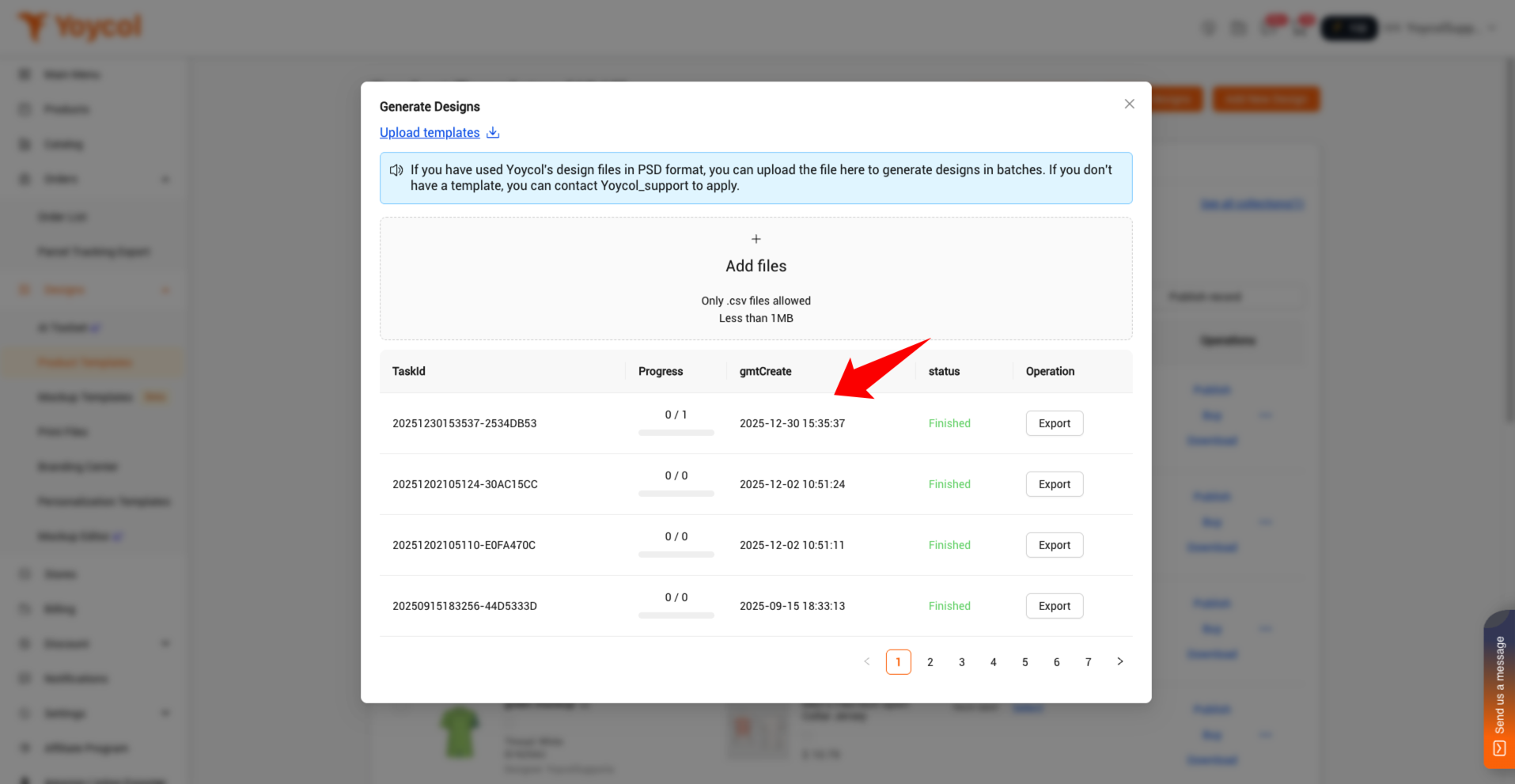
Once the system has completed the process in the b, you will be able to view the generated design.