

What to do when visiting Yoycol with Safari Chrome?
For customers using Safari Chrome, if you visit Yoycol website with Safari, it may turn blank. It’s recommended to use Google, or you could operate in Safari 15 as below.
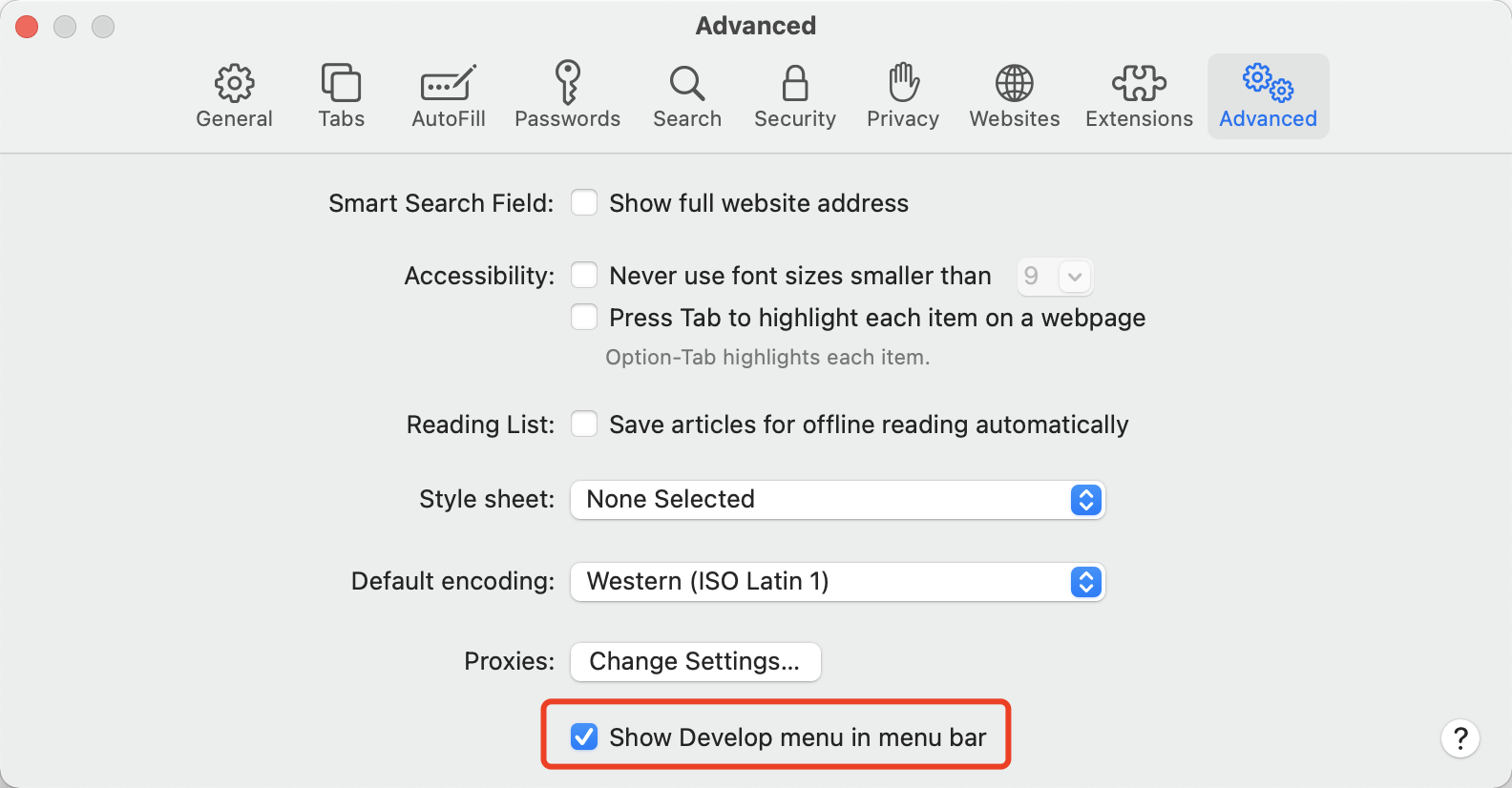
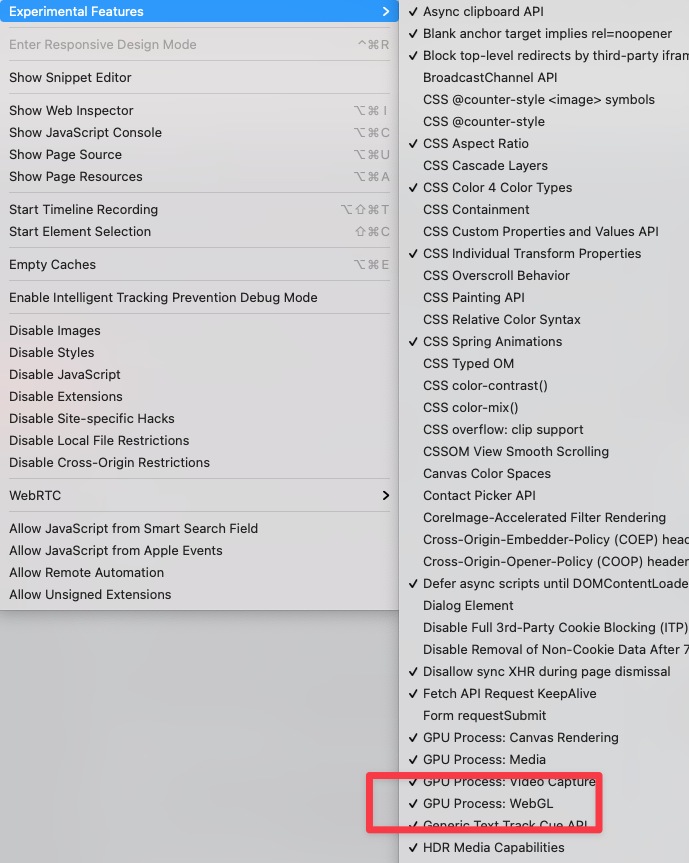
Click Advanced > Show Develop menu in menu bar > Experimental Features > Tick GPU Process: WebGL
The issue that “GPU Process: WebGL” is not enabled by default is a whole separate question. Hope that it will get fixed by Apple soon.





