

How to Set Up Branding Services on Yoycol?
Create your brand, design a neck label and package, purchase packaging inventory, and link your branding services to a compatible product template. Follow these six steps to get started.
1. Log in to your Yoycol account.
2. In the left sidebar, expand “Designs”.
3. Click “Branding Center” to open the page shown below, then follow Step 1 to create your brand.
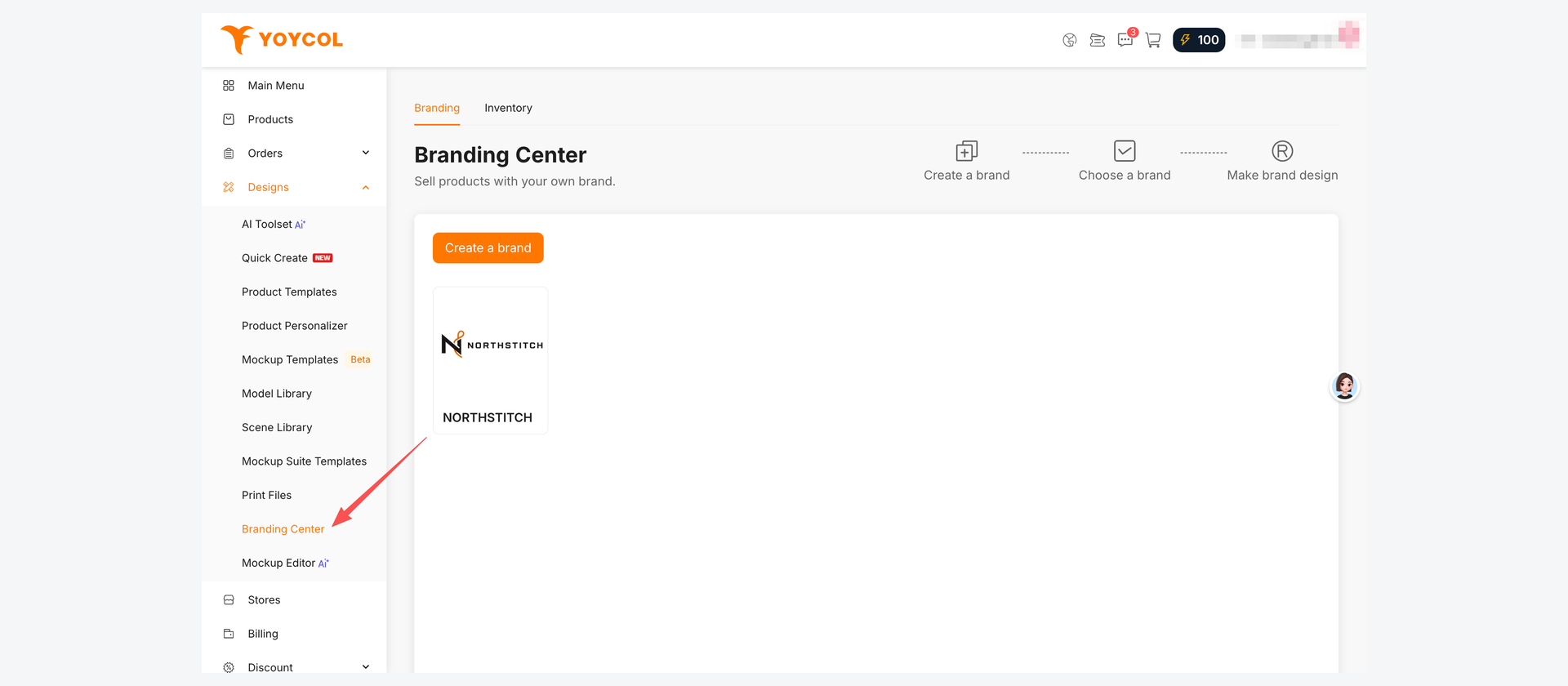
Step 1 Create your brand
1. Open Branding Center and click “Create a brand”.
2. Upload your logo and enter the brand name your customers will recognize.
3. Click “Create a brand” to save your brand.
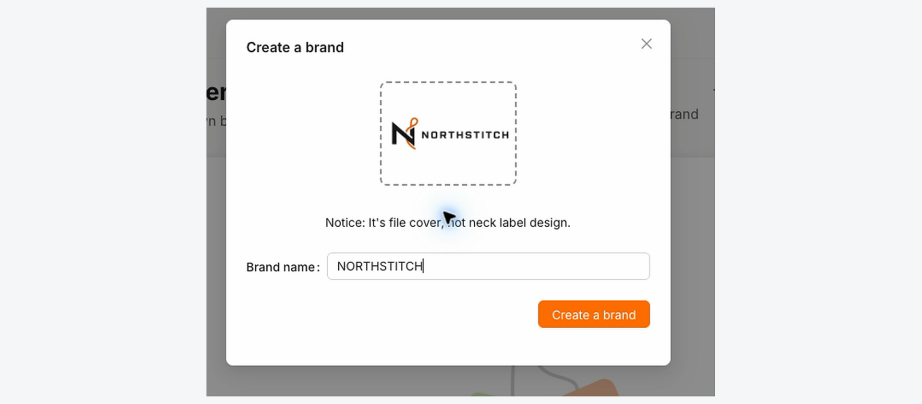
Step 2 Choose the brand to use
1. Find the brand card you just created in Branding Center.
2. Click the brand to open Branding Services and begin setting up your materials.
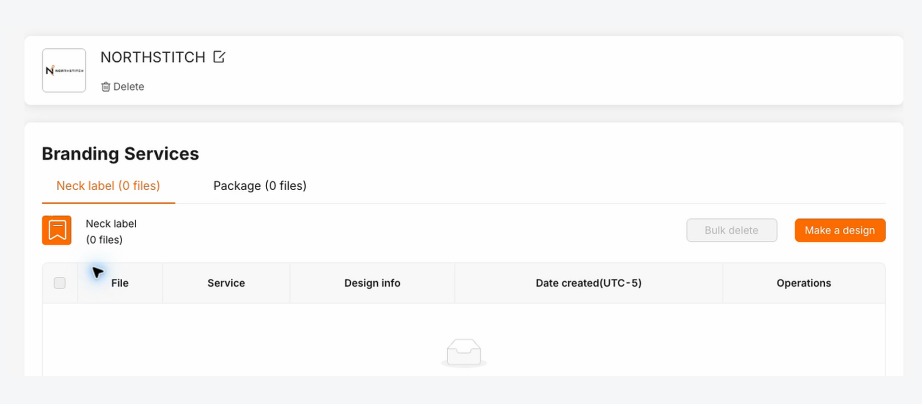
Step 3 Design and save a neck label
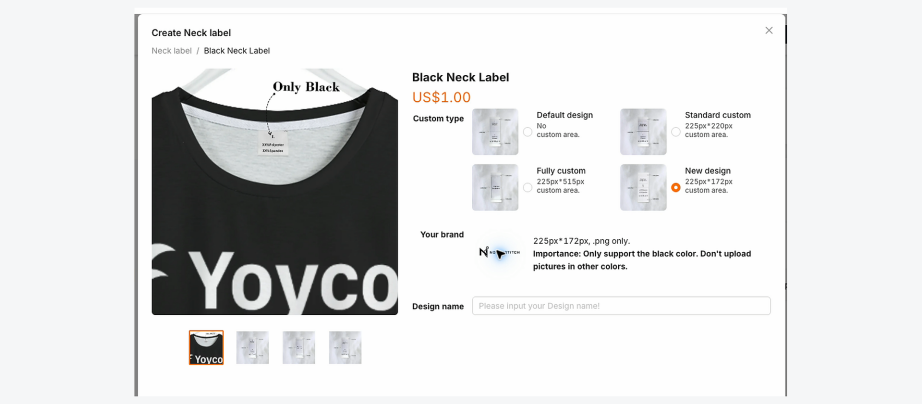
1. Click “Make a design” and choose Black Neck Label.
2. Select “New design” and upload artwork that meets the label requirements shown on the page.
3. Enter a design name, then save the design to Branding Center.
Step 4 Create and save your package
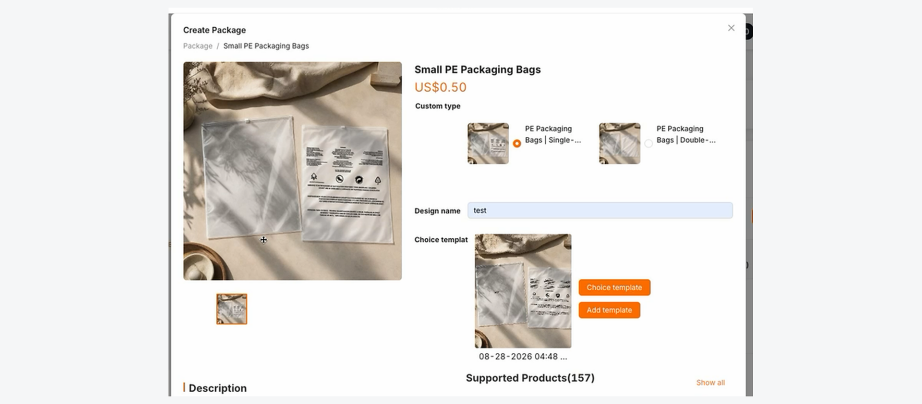
1. Open Package and click “Make a design”.
2. Choose the package type and enter a clear design name.
3. Click “Choice template”, select a ready-made template, then save the design to Branding Center.
Step 5 Purchase package inventory
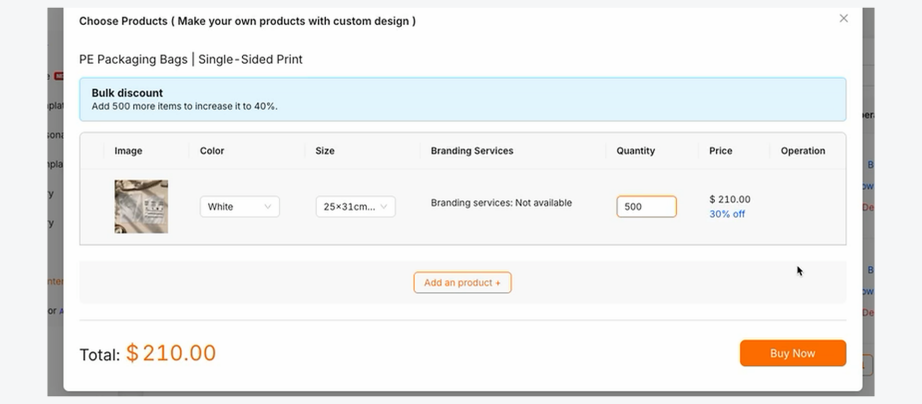
1. Open the Inventory tab and click “Buy” for your package.
2. Enter the required quantity, then click “Buy Now”.
3. Review the order confirmation page and place the order when you are ready.
The video walkthrough ends at order confirmation. It does not place or pay for the order.
Plan your branding inventory
Neck labels are produced on demand with each customer order. No advance inventory is required.
Packaging, hang tags, and insert cards must be ordered in advance and kept in stock. Insufficient inventory may delay production of the entire order.
Step 6 Link branding services to a product
1. Open Product Templates and find a compatible template.
2. Click “Select” beside Package and choose your saved package.
3. Click “Select” beside Neck label and choose your saved neck label.
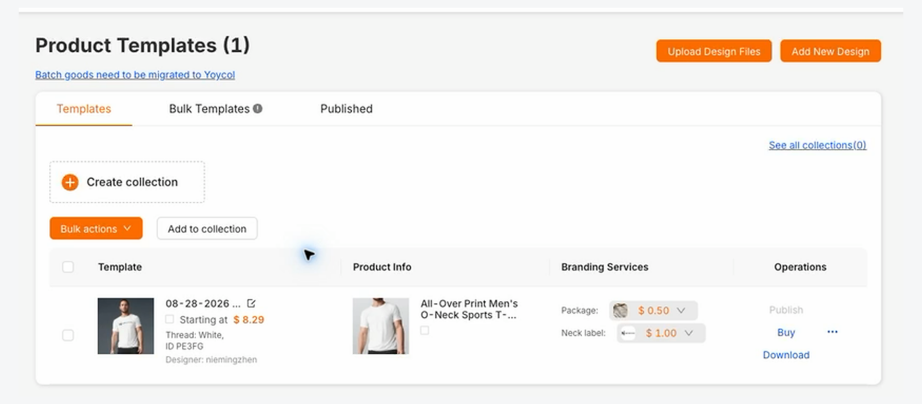
Your saved package and neck label are now linked to the product template. Keep pre-stocked branding materials available for future customer orders.





