

How to deal with pre-archive products?
1. What is pre-archive?
Pre-archive means that the product will be removed from online products catalog in the near future due to some inevitable reasons. Some of them are listed below:
- Factory is unable to produce
- 3D mockup modification
- Fabric upgrade
- Other inevitable reasons
2. Where to check whether my products will be archived?
a.Yoycol Dashboard
1. Click 'dashboard'- 'menu' - your store/ Click 'dashboard' -'store' -your store
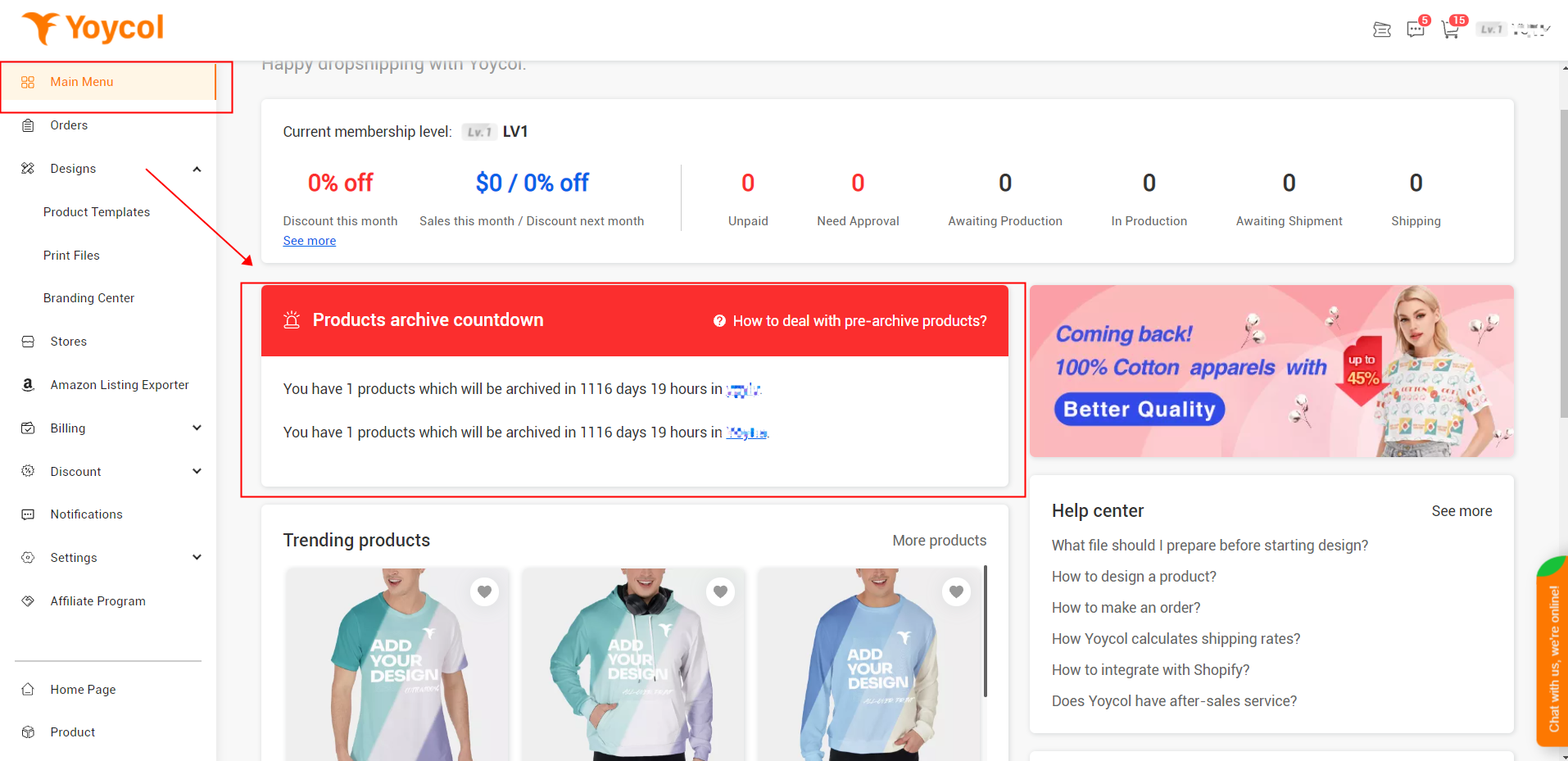
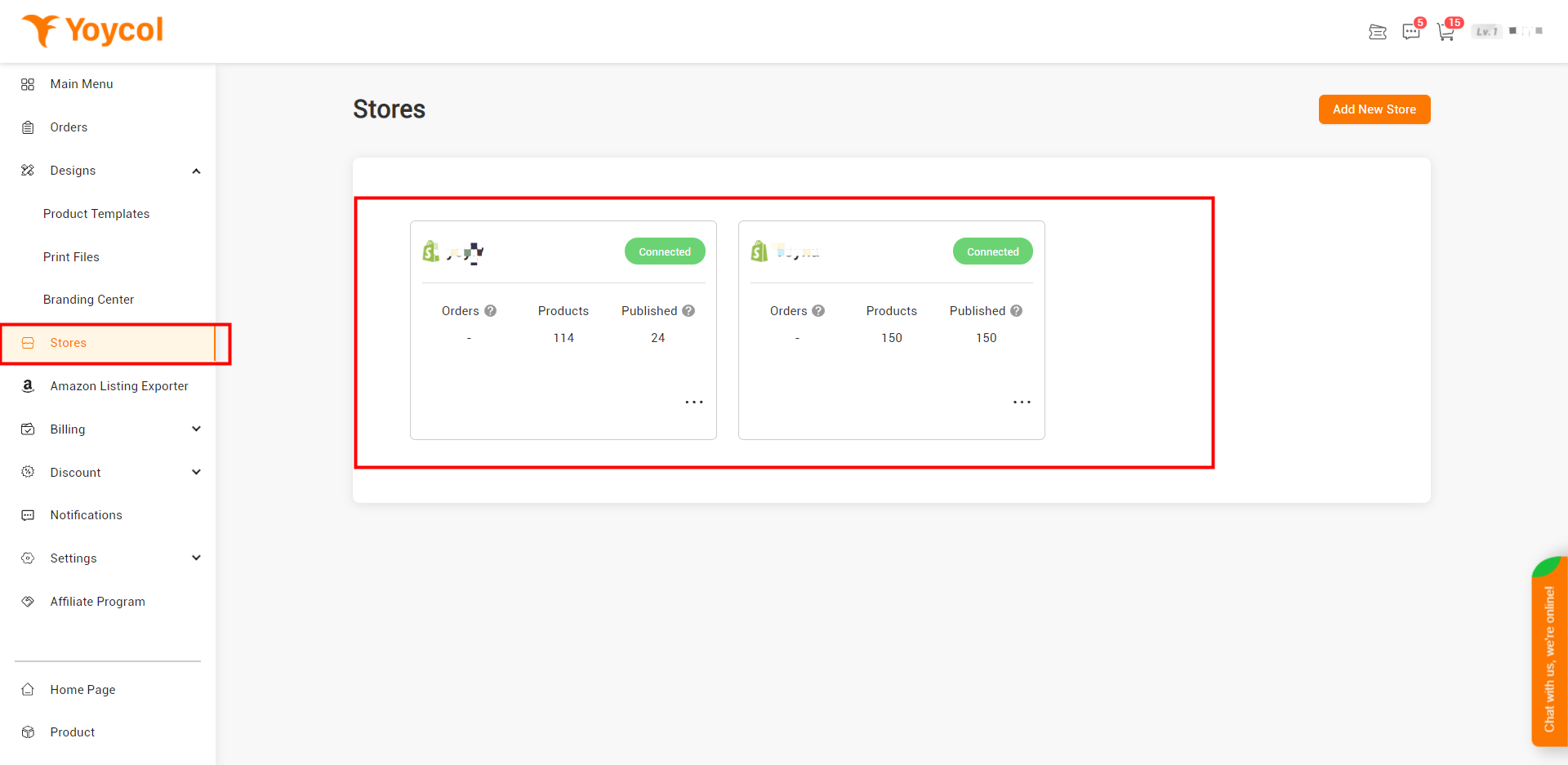
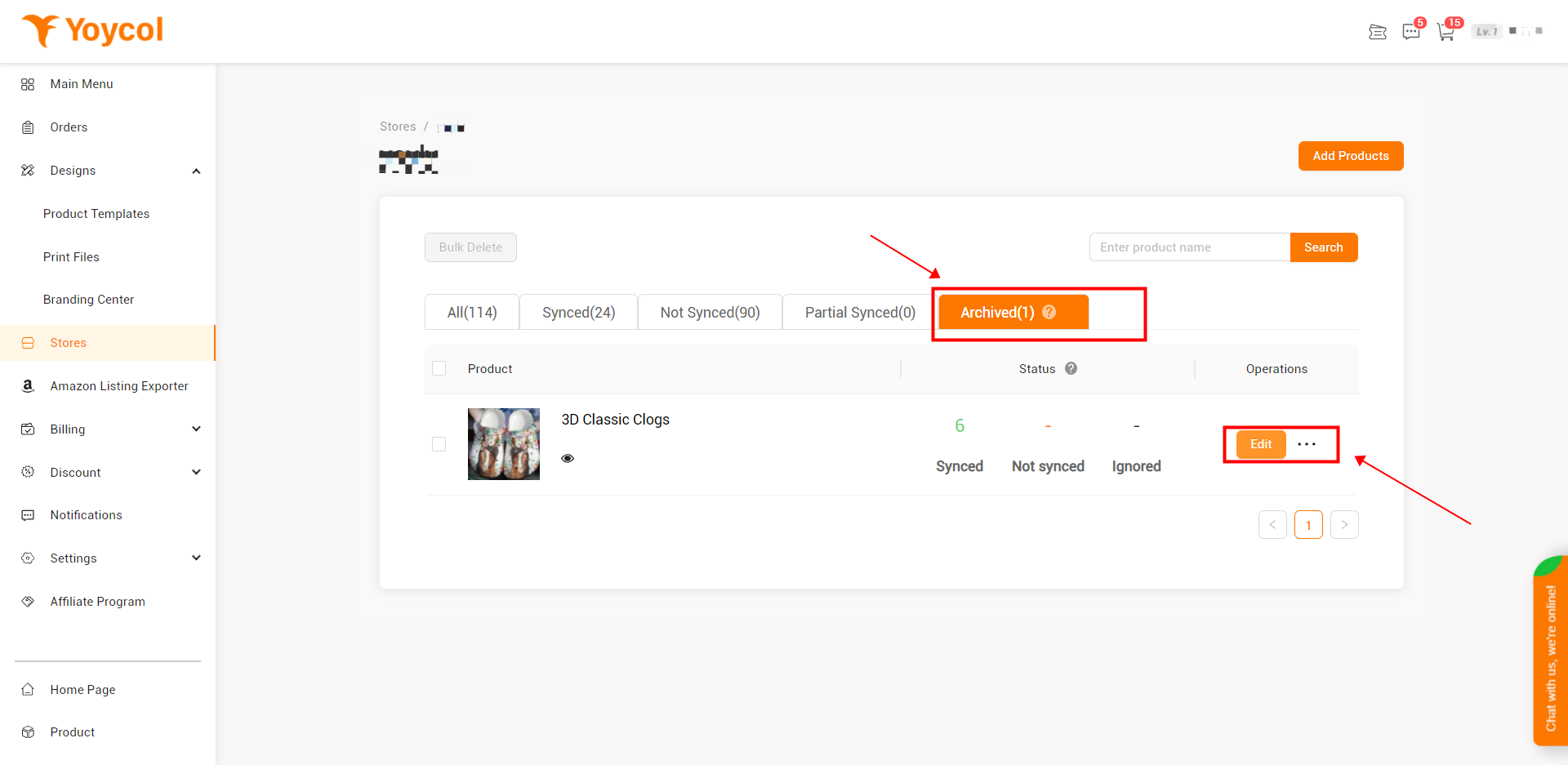
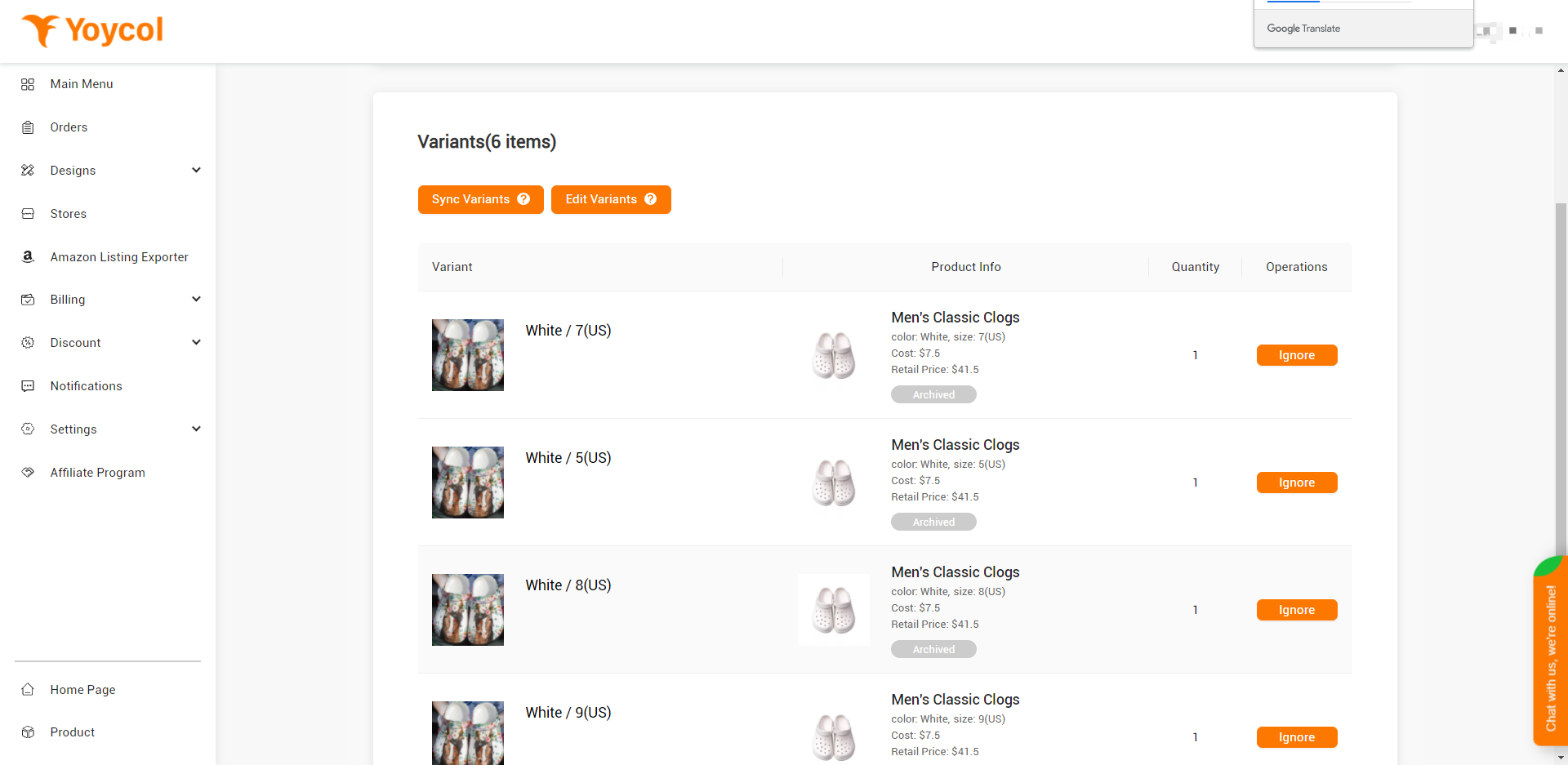
2. Click ’archived’- ’edit’.
Notice: ‘Archived’ here includes ‘pre-archive’ and ‘archived’. You need to click ‘edit’ to know further information.
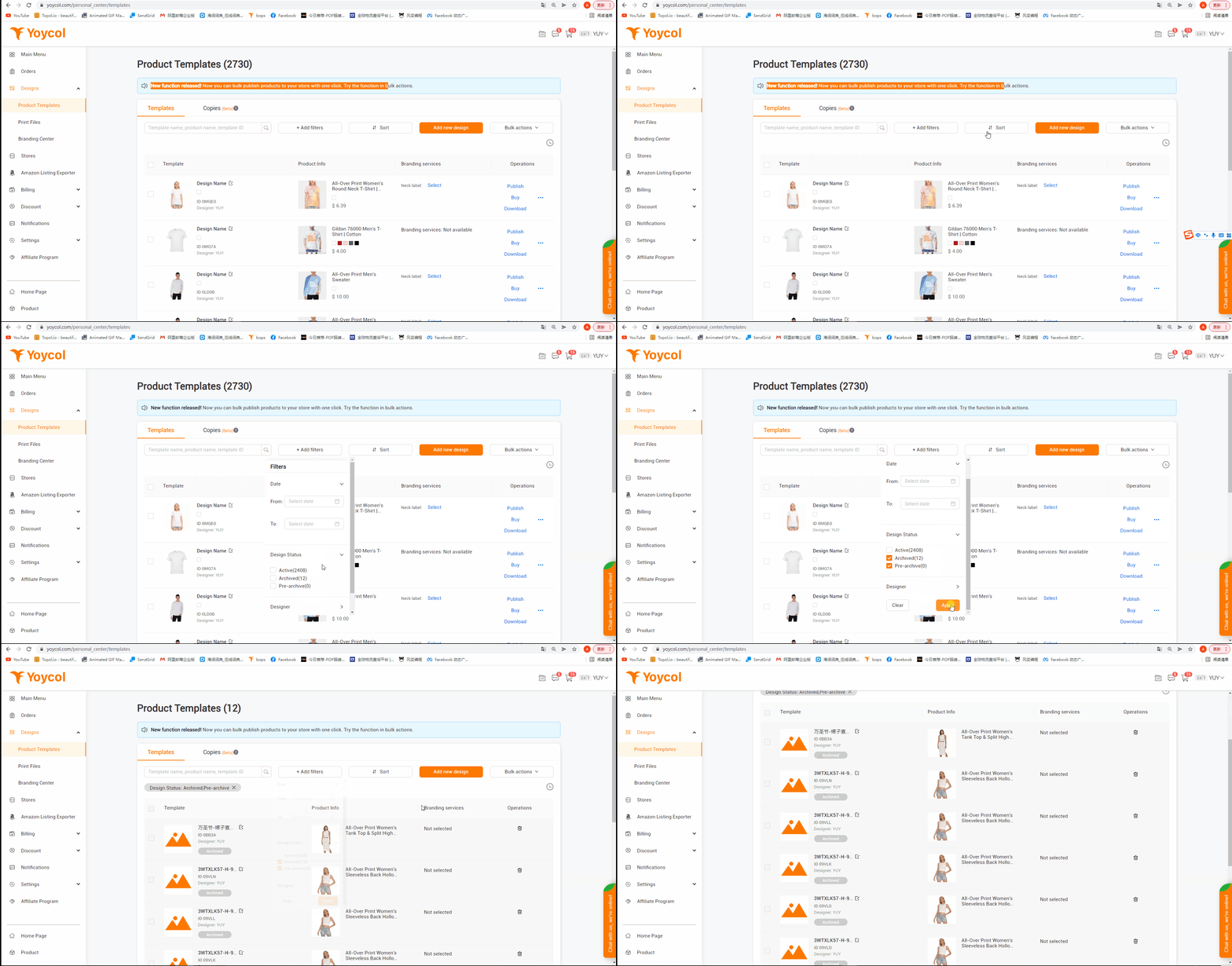
b. Yoycol Products Templates
Click ‘design’ - ’products templates’ - ‘add filters’ - ‘design status’ - tick ‘archived’ & ‘pre-archived’ -click ’apply’
c. Banner below product title
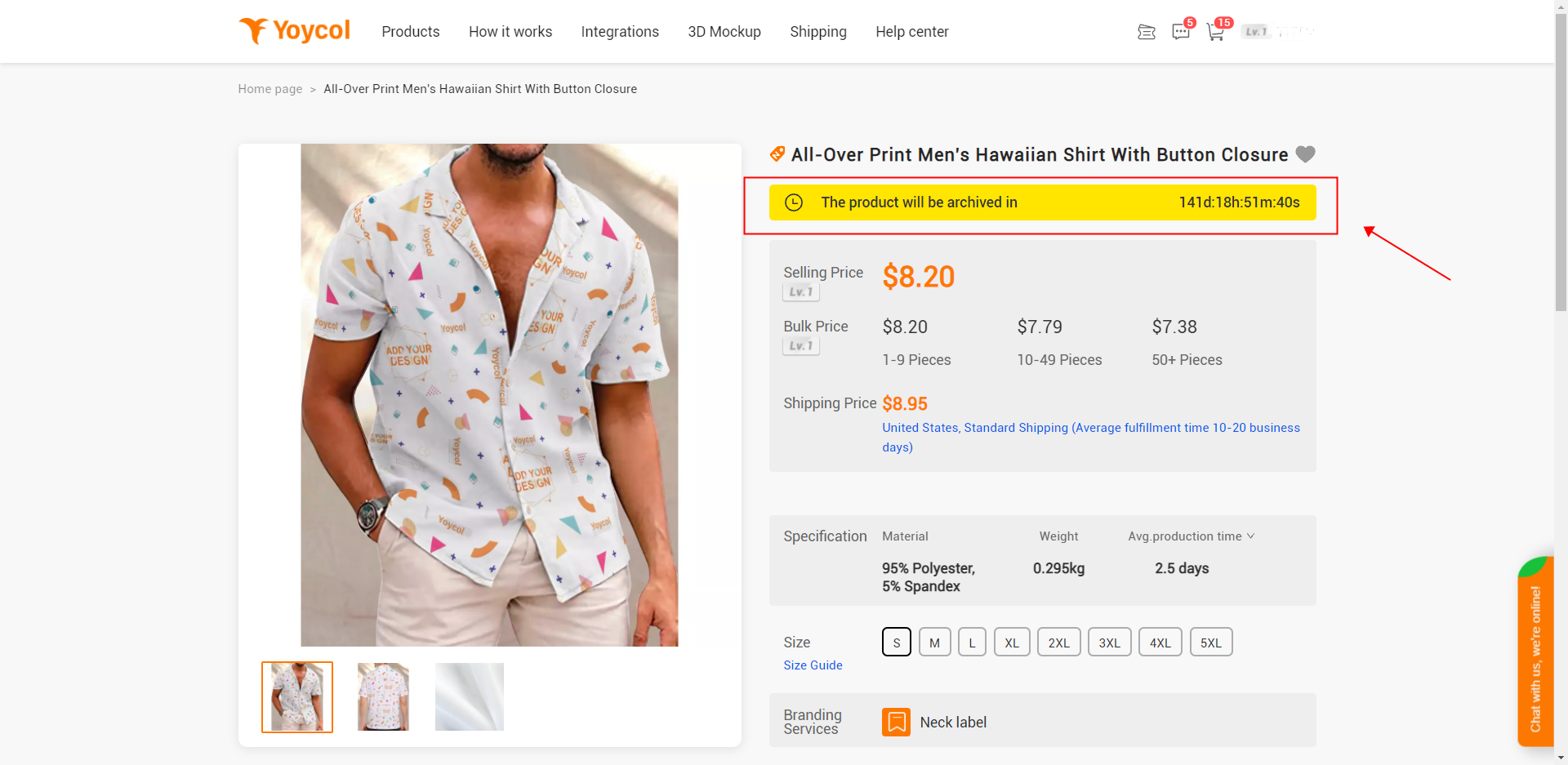
3. What should I do?
a. If Yoycol will provide the product in a new link, you could re-design on the new one or use “copy to”function to achieve design transfer. Then sync to your old product in the store. About how to do this, please click here.
b. If Yoycol no longer produces the product, but you can find other suppliers to produce, please ‘unsync’ the product with Yoycol.

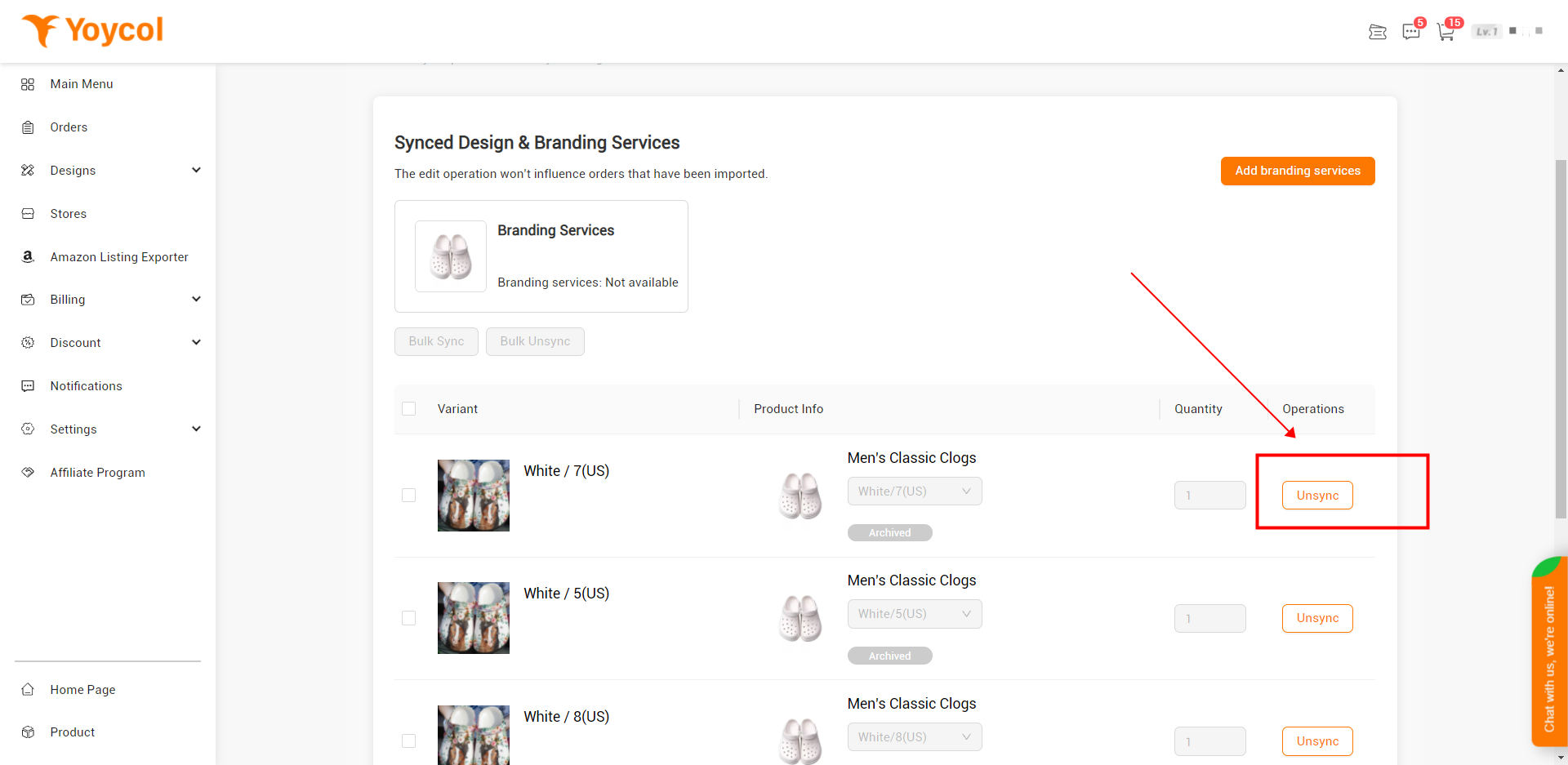
c. For other conditions, to avoid unnecessary lose, please delete the product from your store.
If you have any questions, welcome to contact us.





