

How to manually import orders for Etsy store?
Due to a recent Etsy OpenAPI security upgrade, automatic order synchronization may be temporarily unavailable for some users. If you experience this issue, please place the order manually using one of the following two methods.
- Place the order manually using a CSV file
- Place the order manually via the shopping cart
1 . Place the order manually using a CSV file
If you have a large number of orders or an order contains many items, please refer to the following guide to place orders using a CSV file.
How to import orders using CSV file?
2. Place the order manually via the shopping cart
If you only need to import a small number of orders and each order contains only a few items, you can manually add the products to the cart and place the order directly.
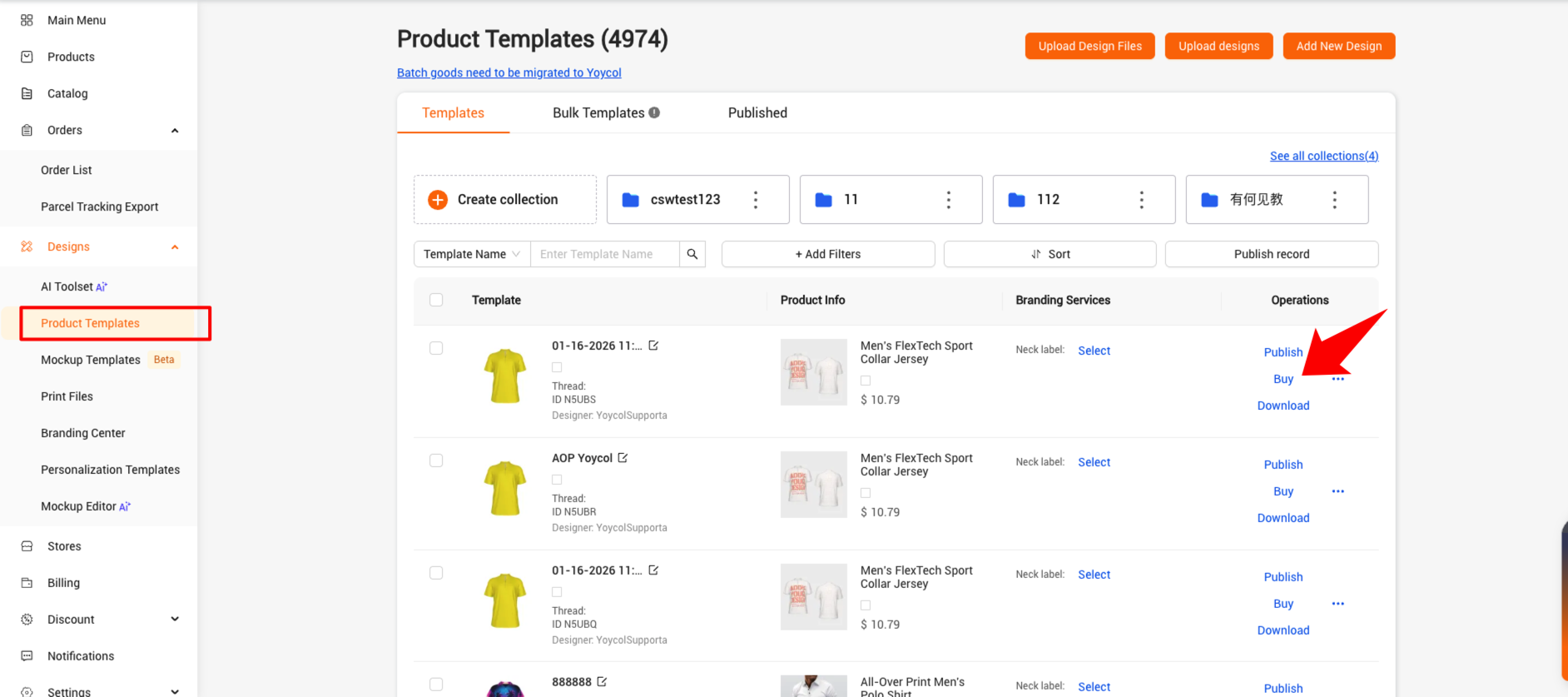
(1) Go to Product Templates, find the product, and click Buy.
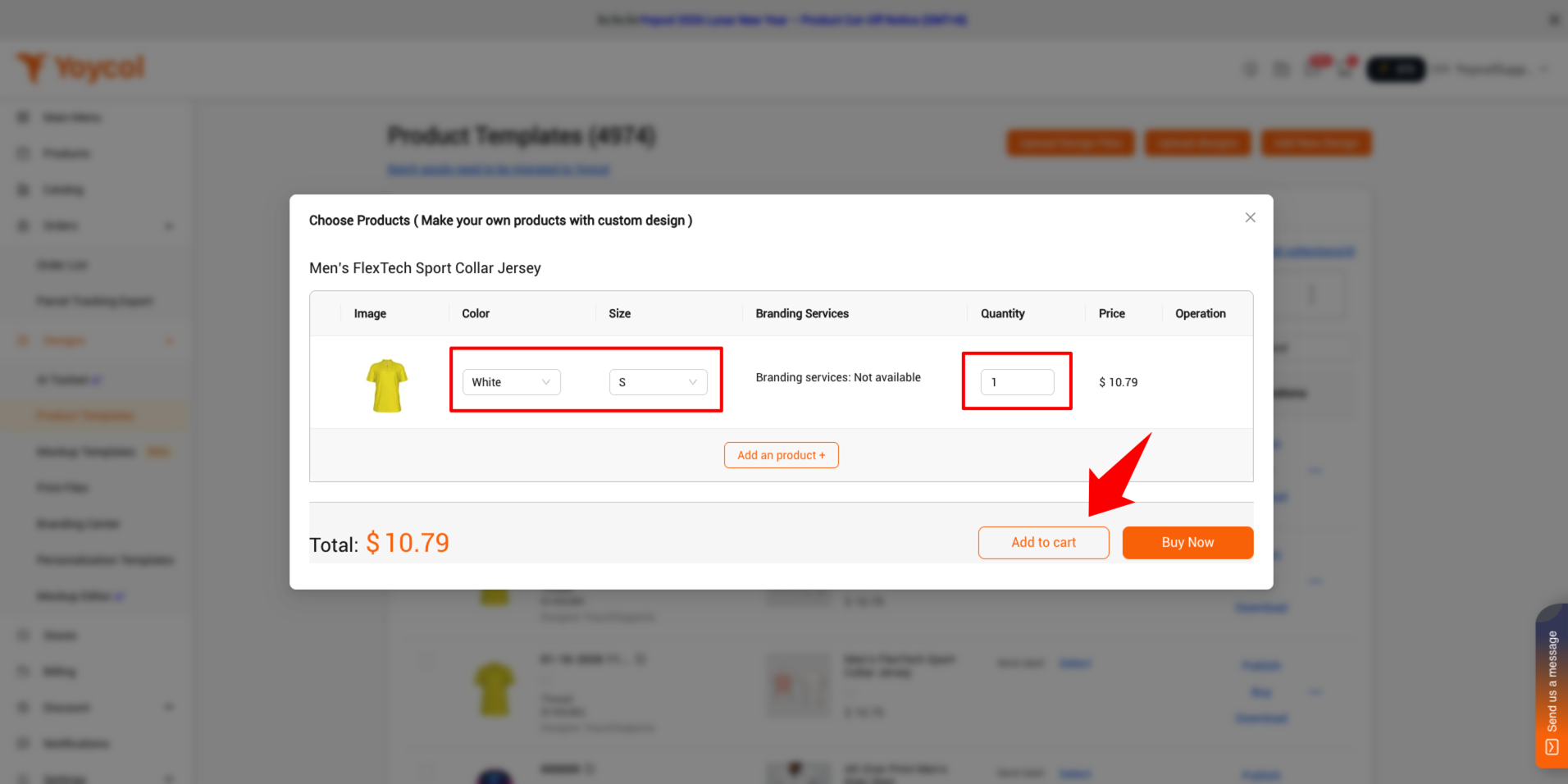
Select the correct variant and quantity, then click Add to Cart.
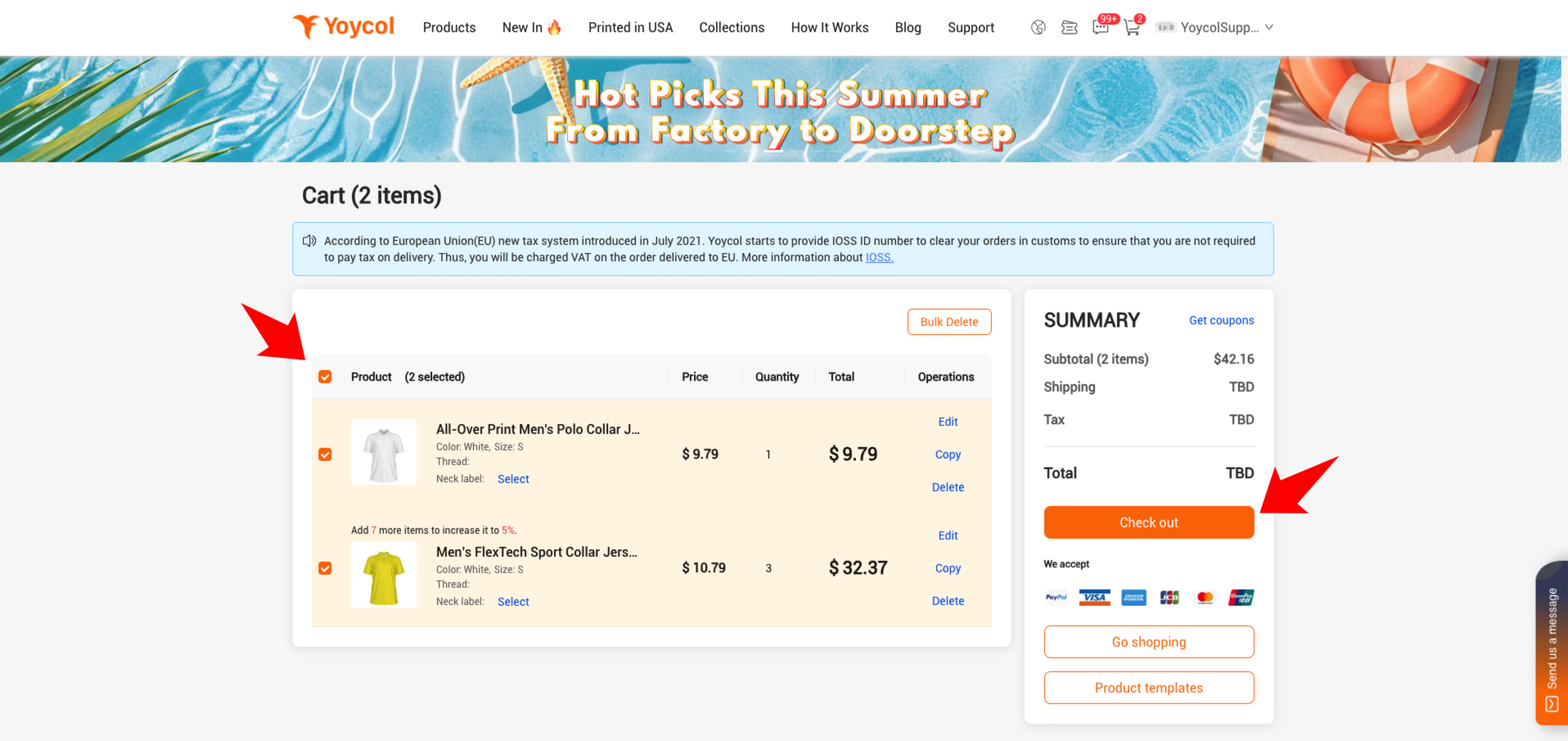
(2) Add all items from the same Etsy order to the cart, select all, then click Check Out.
(3) Add the Etsy order shipping address.
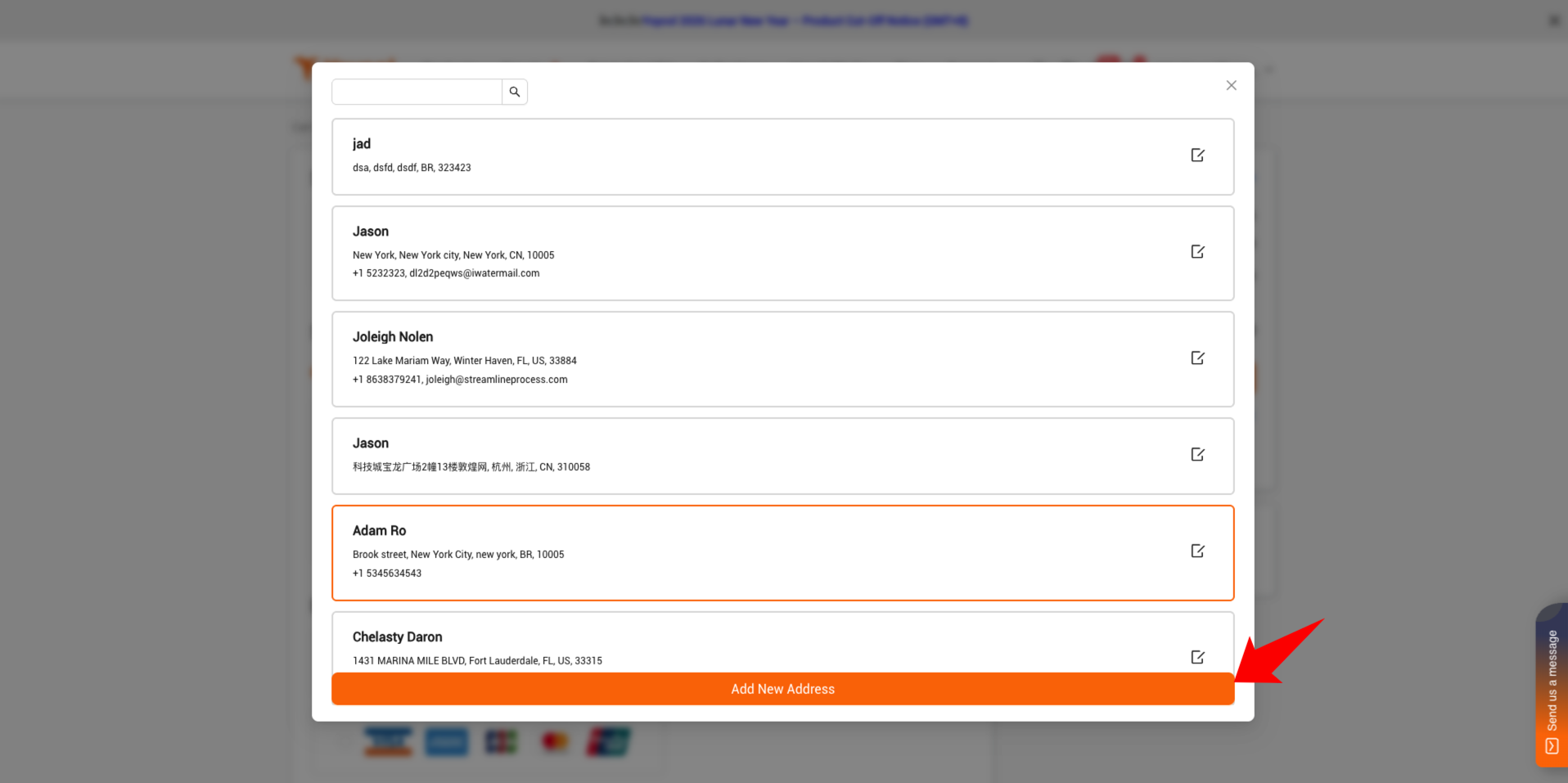
Click Change, then Click Add new Address 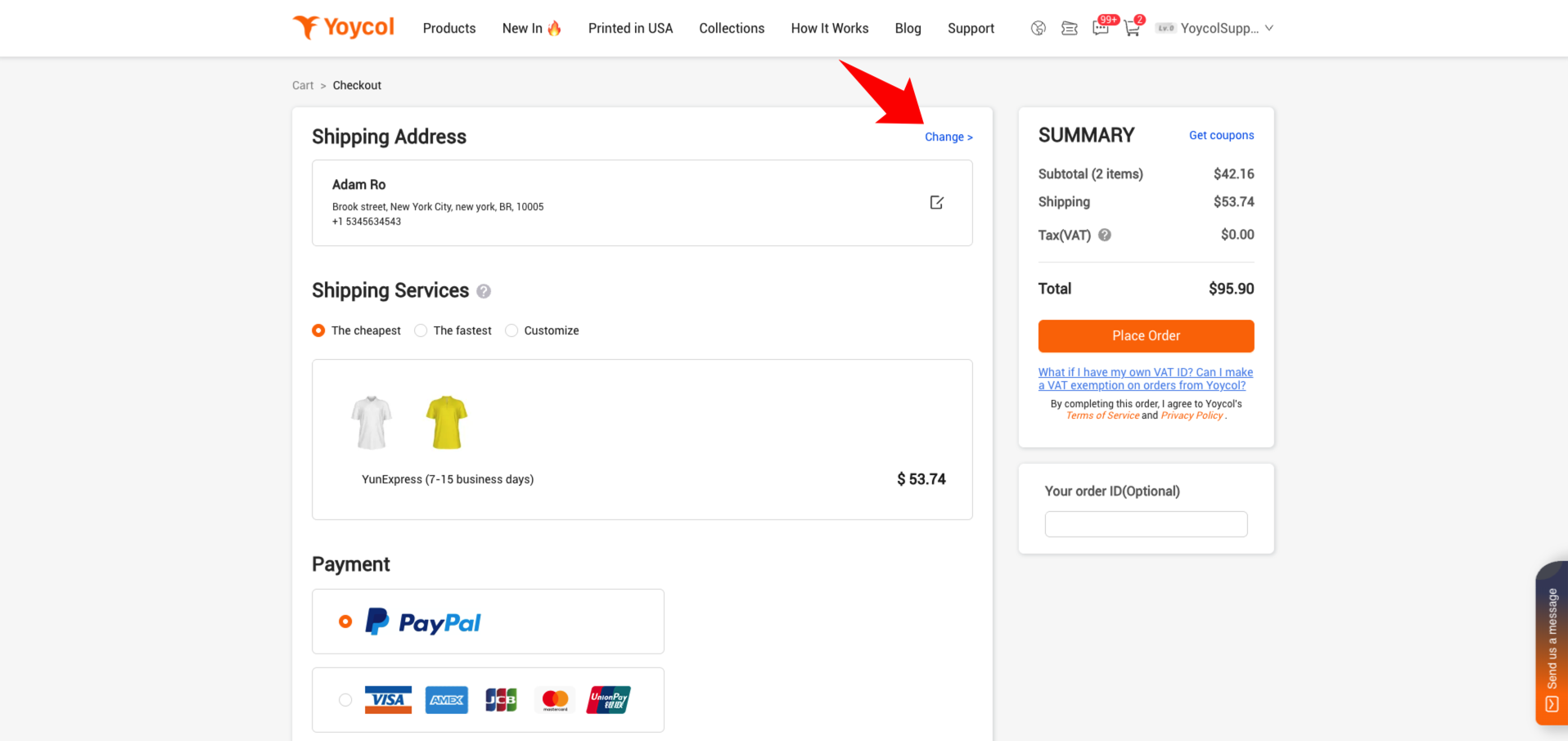
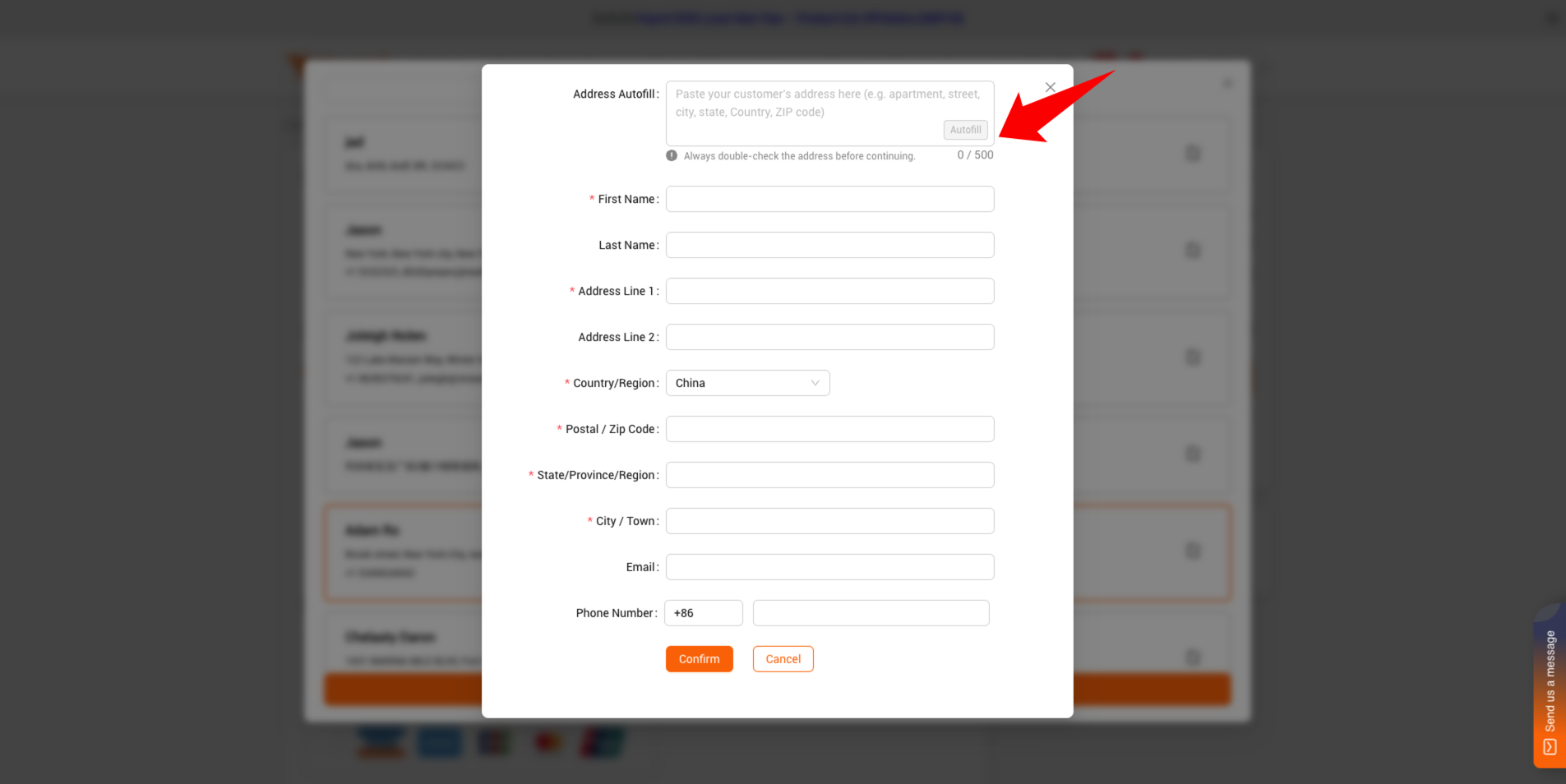
Copy the order address from the Etsy Dashboard, paste it into the pop-up window below, then click Autofill. The system will automatically recognize and fill in the address. After confirming it’s correct, click Confirm.
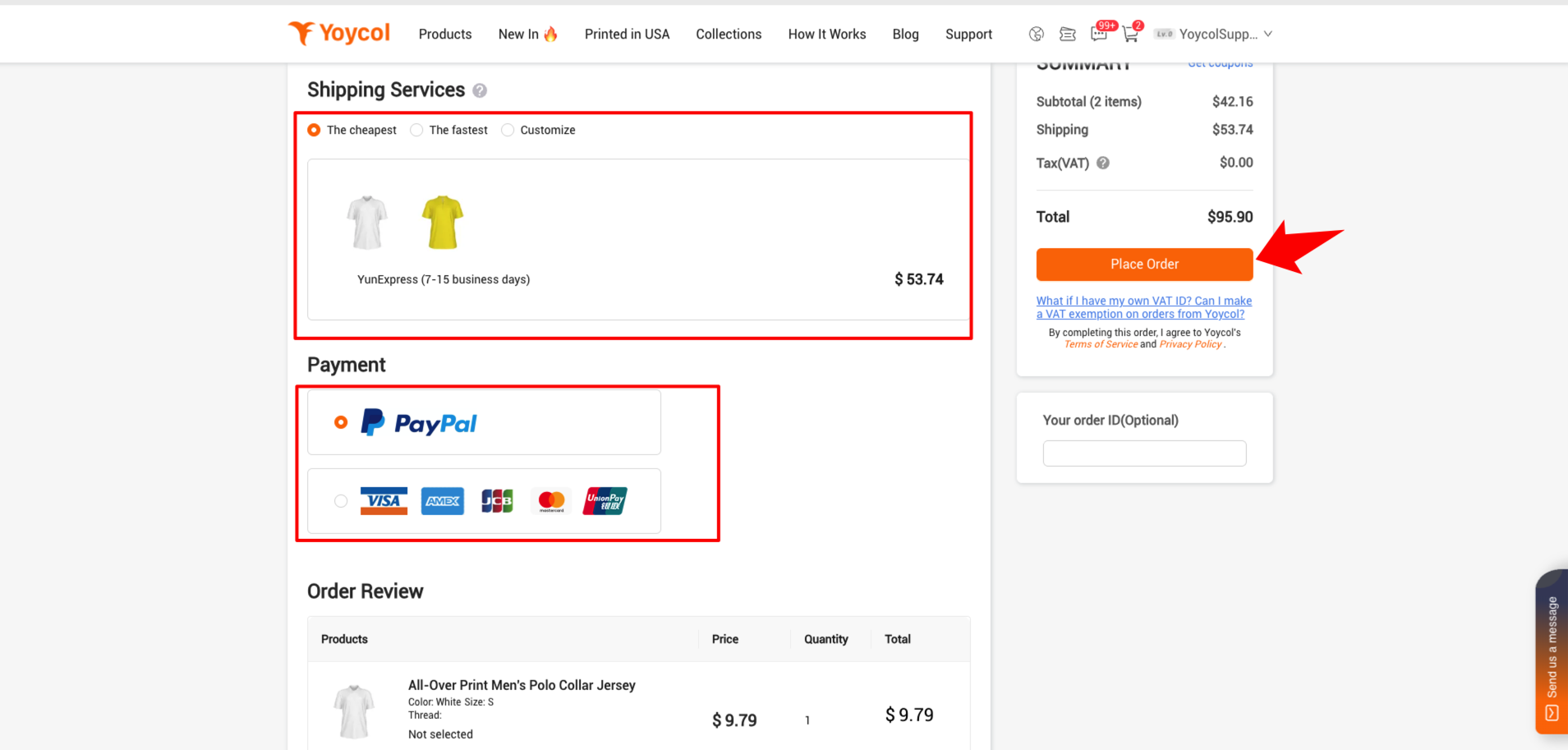
(4) Select the shipping service and payment method. After confirming that all order details are correct, click Place Order, then pay for the order.
(5) Repeat the above steps for each Etsy order until all orders are completed.





