

How to deal with "Need Approval" Orders?
Not synced (now is need apporoval) orders always appears when the not synced products have been imported. The order needs to be manually confirmed:
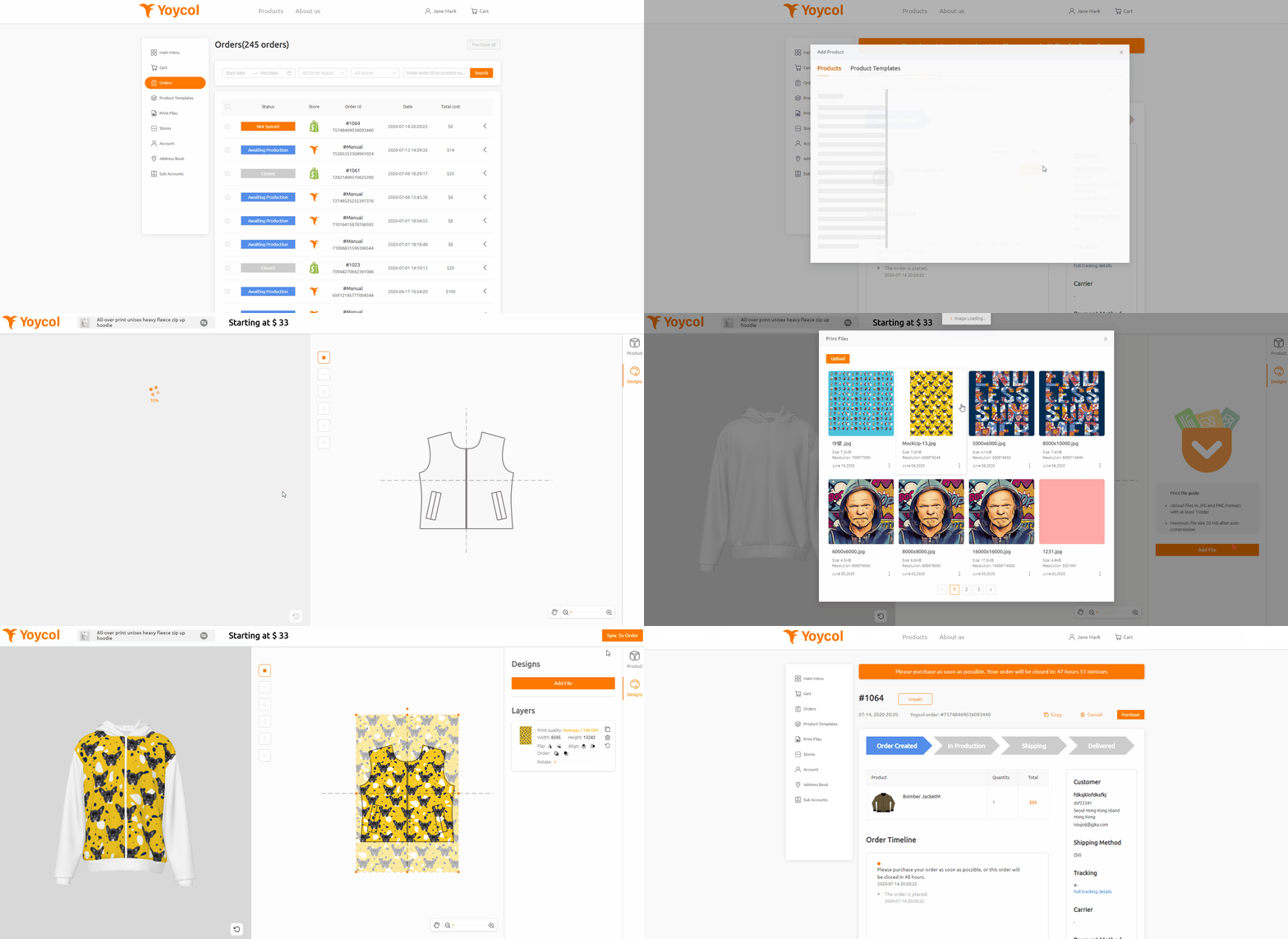
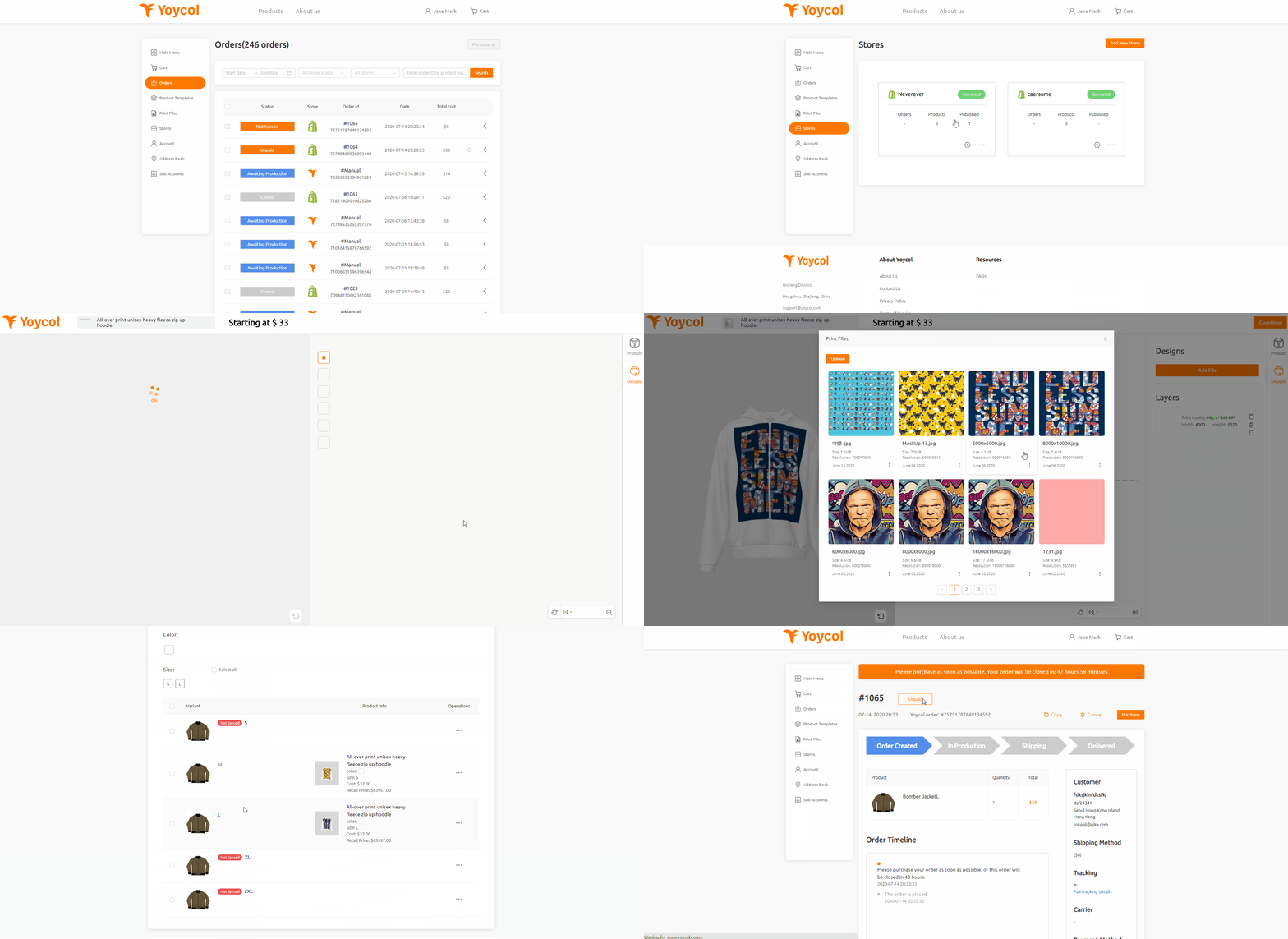
Sync product
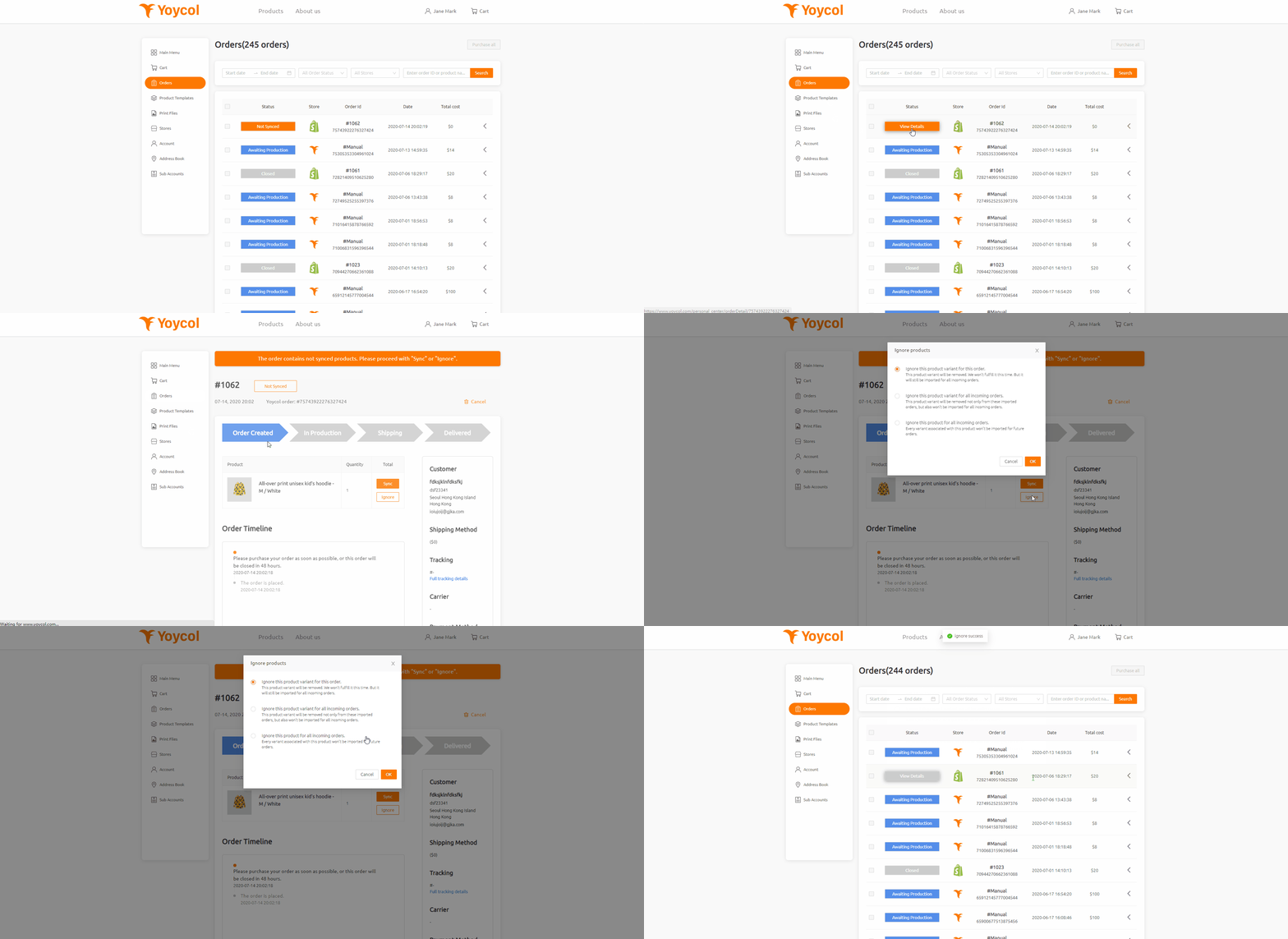
Ignore product
Click "Ignore" to finish submitting the order. You can ignore by three ways:
-
Ignore this product variant for this order.
-
Ignore this product variant for all incoming orders.
-
Ignore this products for all incoming orders.
-
Order details
- In the store
1. All orders relative to this product will not be imported.
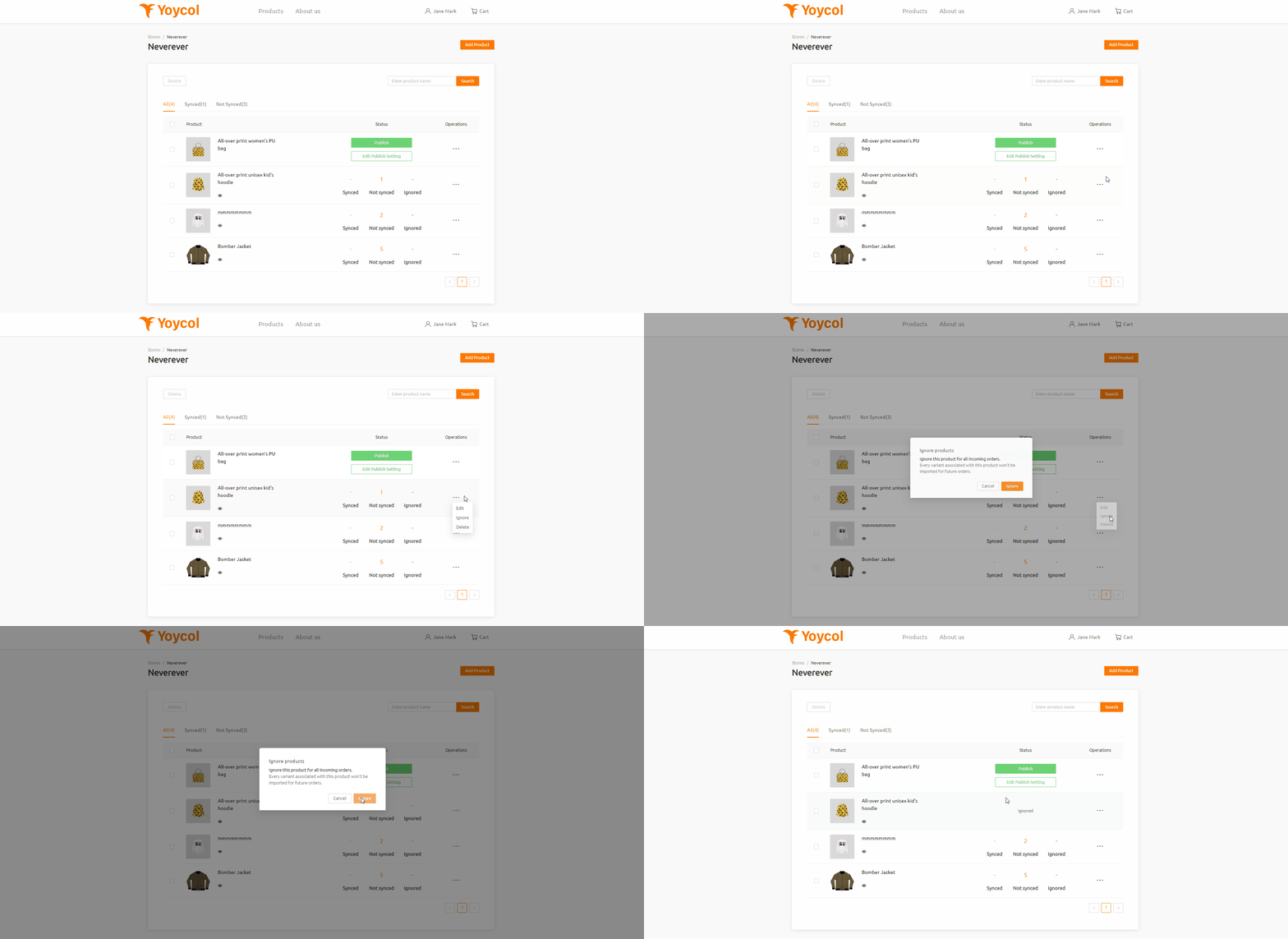 2. All orders relative to this product variant will not be imported.





