AI Mockup - How to use Private Models' functions
Dress swap
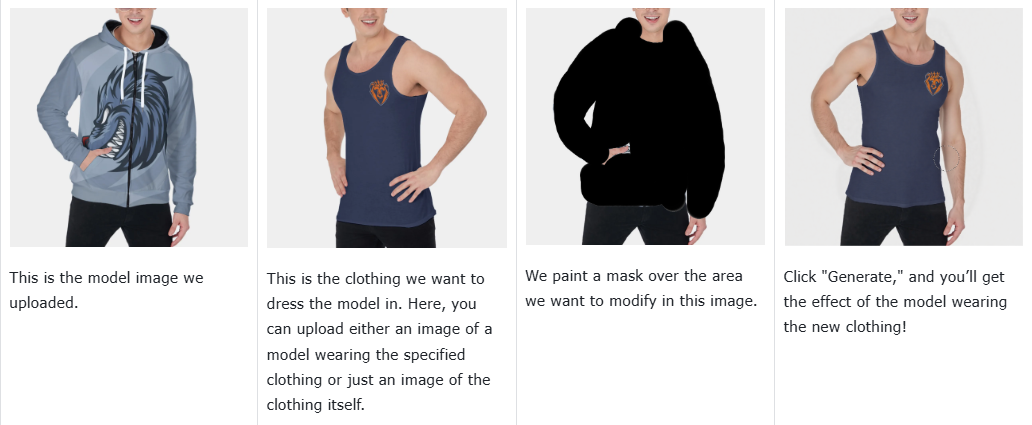
With this function, you can accurately replace your designed product onto a model image you uploaded.
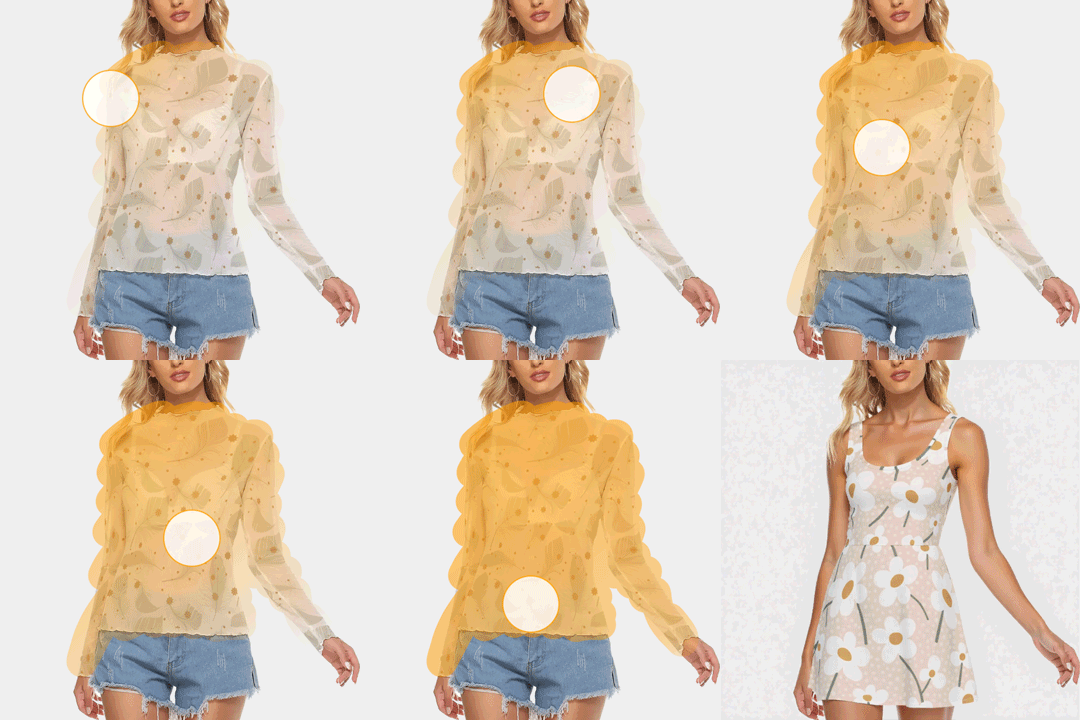
Core Steps:
-
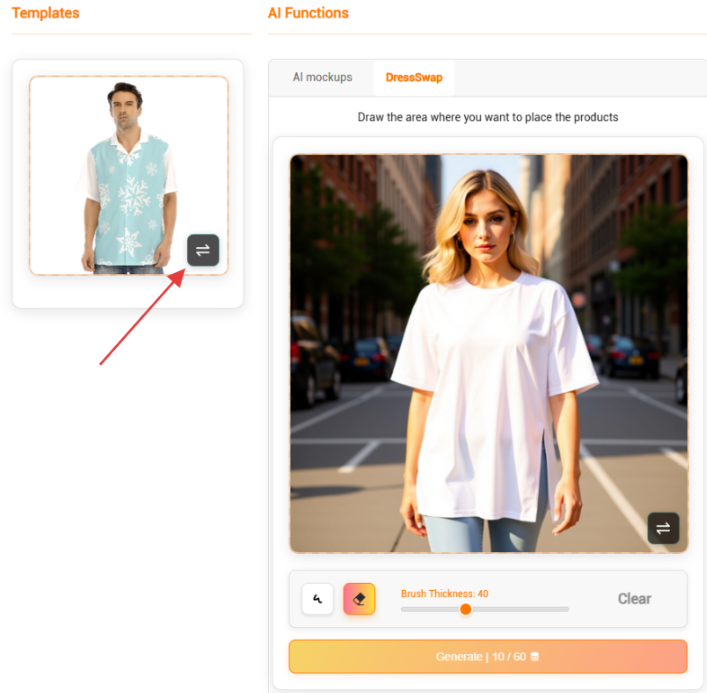
Select an existing mockup
-
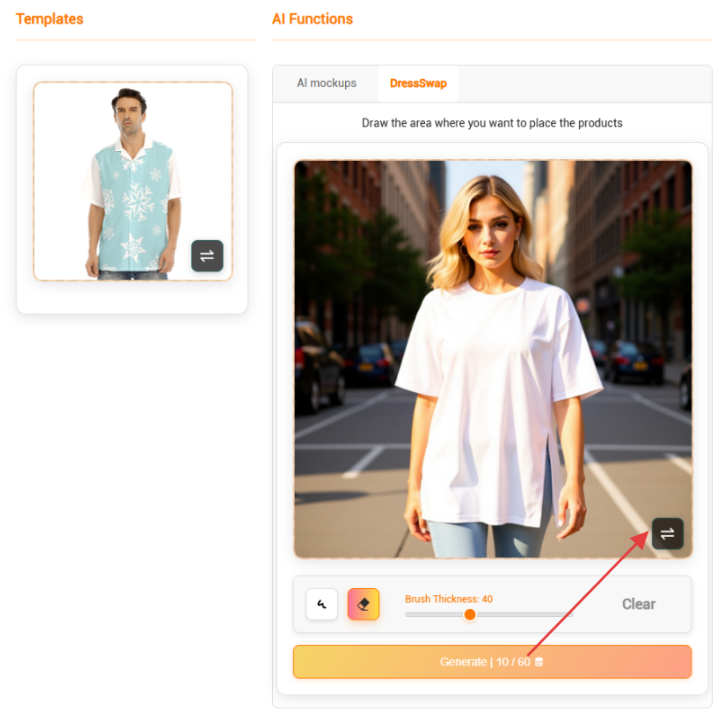
Choose a model image you like
-
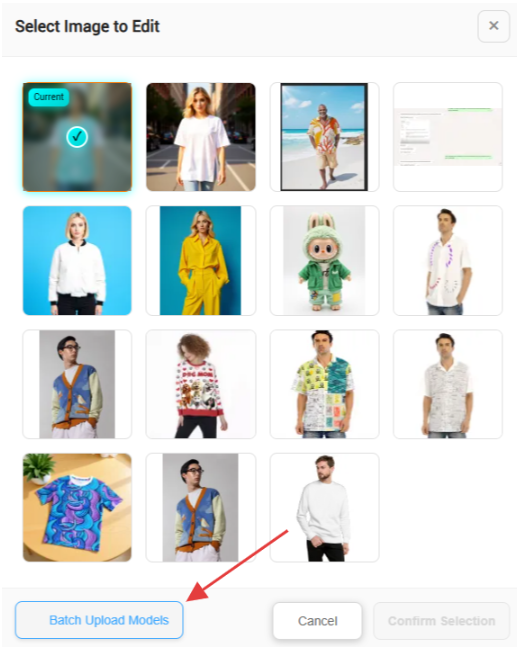
If you haven’t uploaded your own model images yet, click the "Batch Upload Models" button at the bottom left of the pop-up window to upload your models.
-
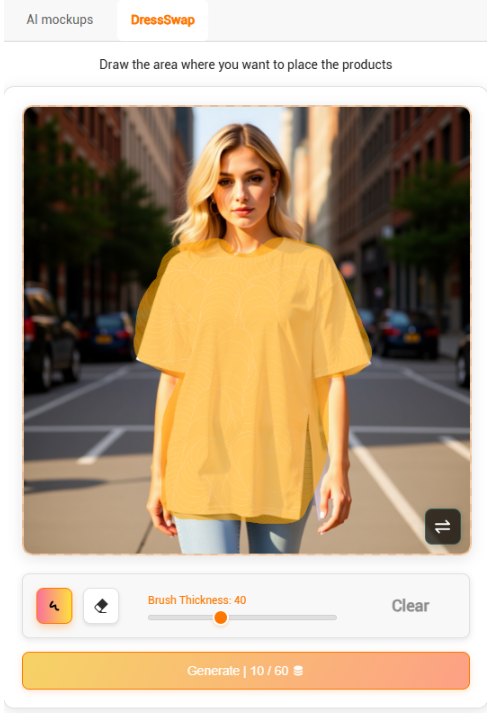
Adjust the brush thickness
-
Click "Generate" below, and the generated result will be displayed in the "Result" section on the right.
Key Principles:
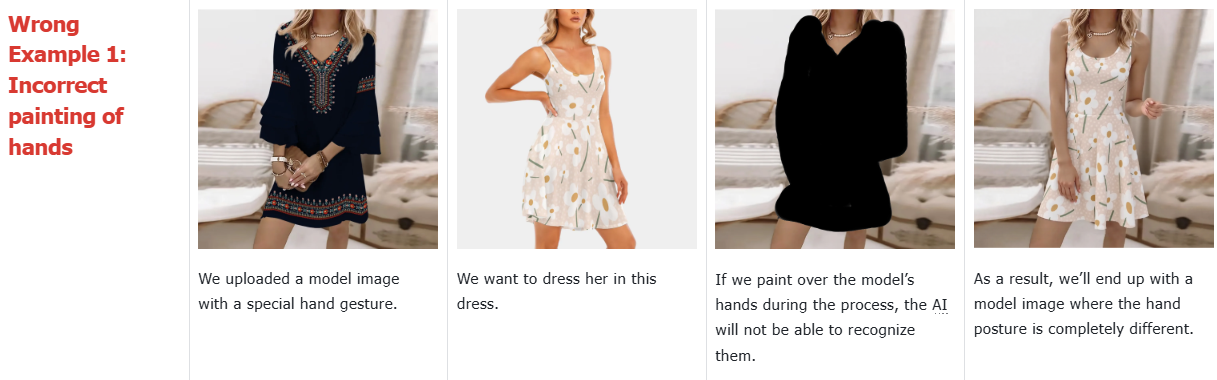
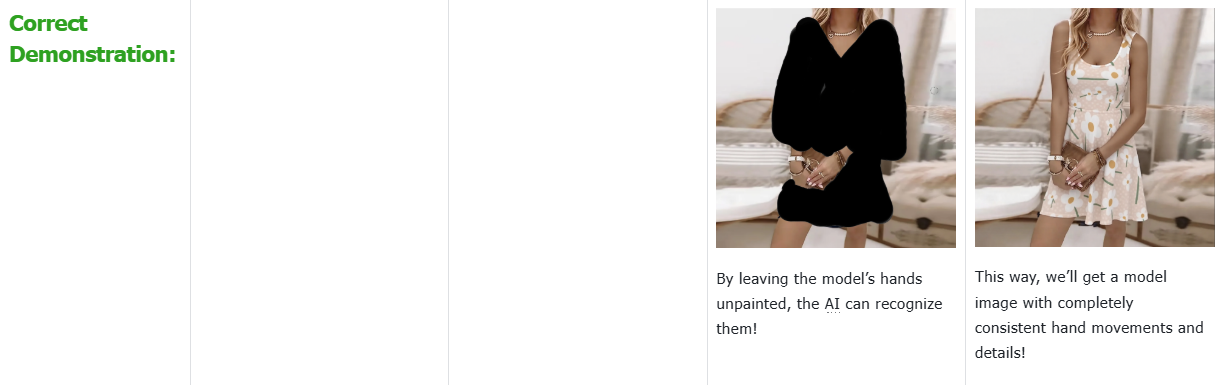
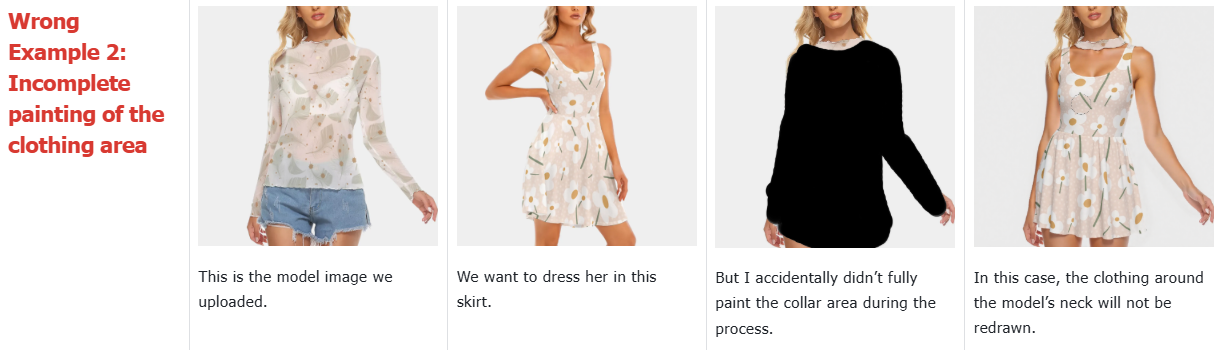
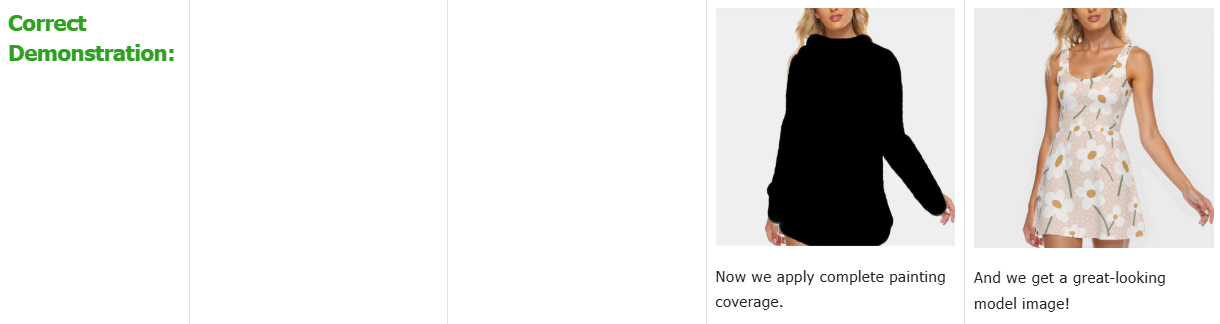
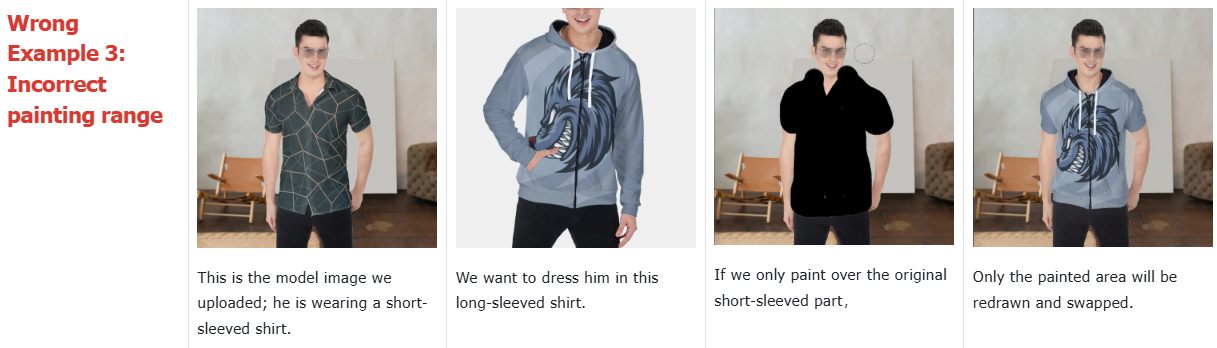
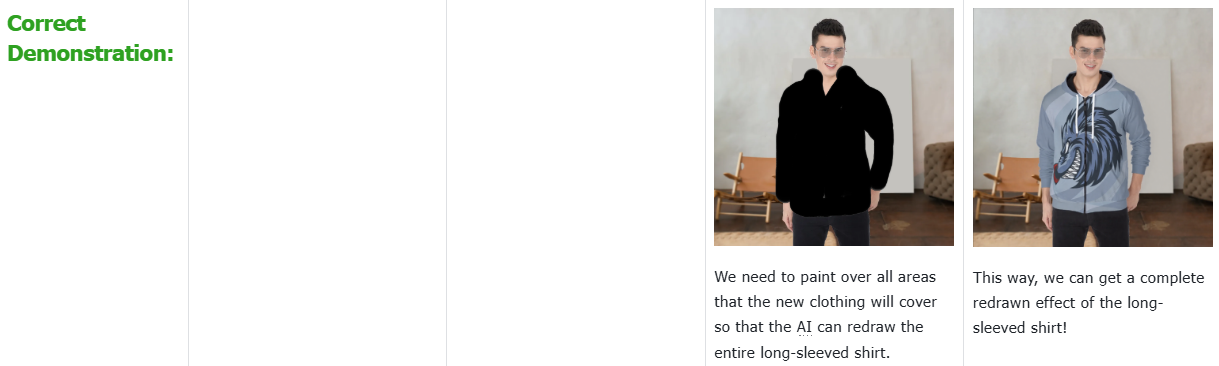
❗ The painted area must cover all body parts that the target clothing might cover (even if the original model is partially dressed).
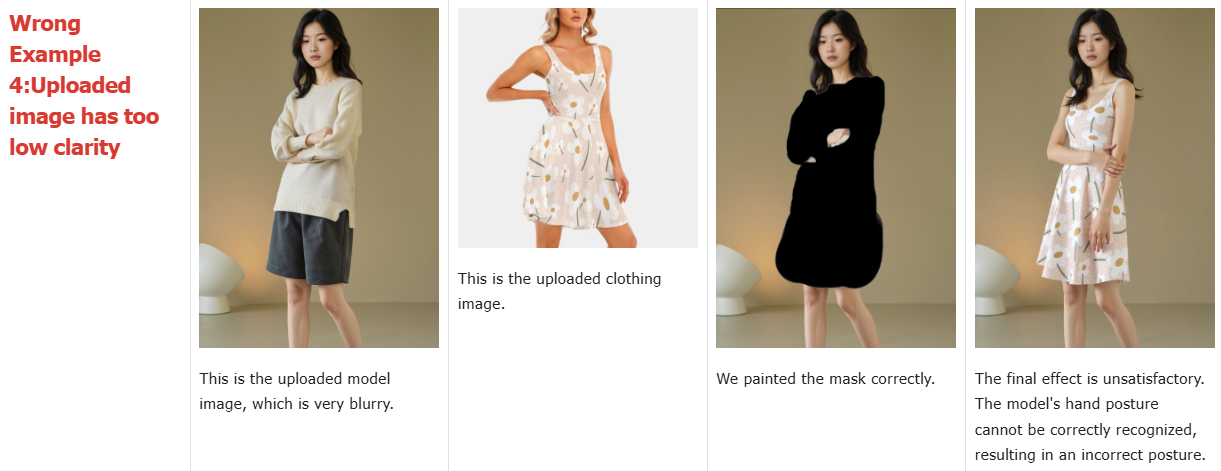
❗ Try to choose a model reference image with a style similar to the target clothing (e.g., using a model in a dress to swap for a dress will yield better results).
Correct Example:
Wrong Example: