

What to do after connecting your Squarespace store
After connecting your Squarespace store to YoYcol, complete the following settings before publishing products.
1. Configure the store currency and exchange rate
In YoYcol, go to Settings → Store Settings. Select your connected Squarespace store, open Store info, configure the store Currency and corresponding exchange rate, then click Save.
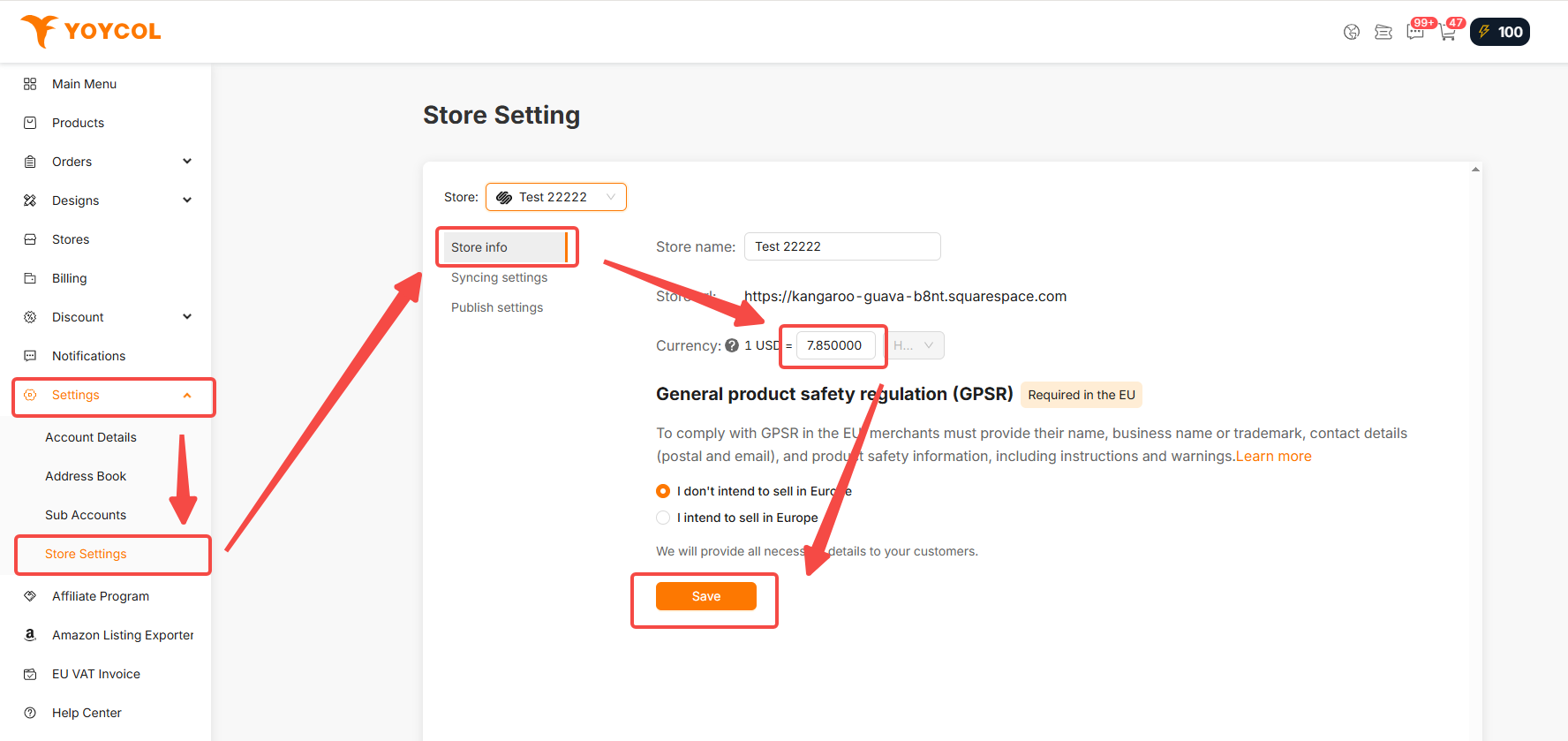
2. Check the Store Page
Make sure your Squarespace website has an enabled Store Page. YoYcol cannot publish products to a website without an available Store Page.
3. Enable fulfillment tracking sync
To make sure you can see whether an order has shipped and access its tracking link in Squarespace, you must enable fulfillment tracking sync in Yoycol.
Go to Settings → Store Settings, select the connected Squarespace store, and open Syncing settings.
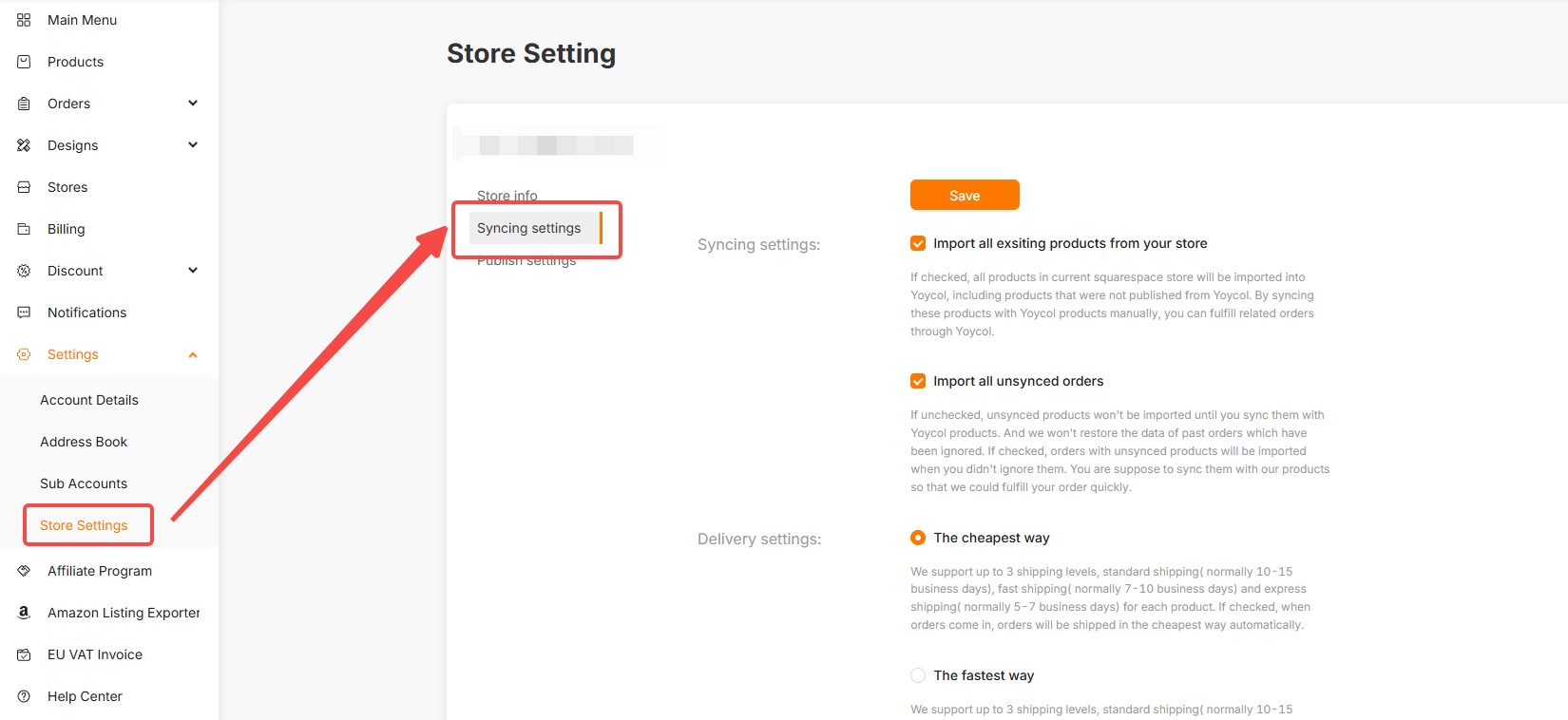
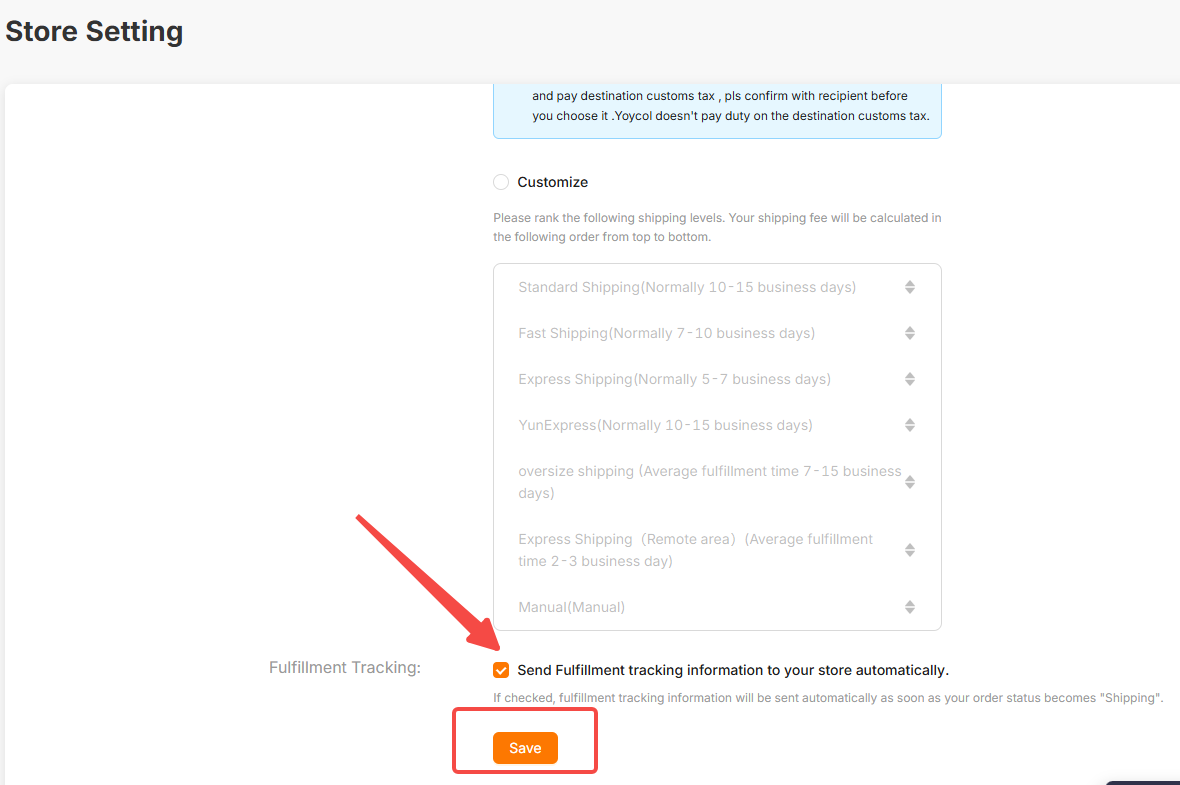
Under Fulfillment Tracking, check Send Fulfillment tracking information to your store automatically, then click Save. Once an order status becomes Shipping, Yoycol automatically sends its fulfillment status and tracking information to Squarespace.
Squarespace connection instructions and troubleshooting





