WooCommerce is one of the most powerful platforms for building a print on demand business — and print on demand WooCommerce integration gives you complete control over your brand, customer experience, and profits.
Unlike marketplace platforms (Etsy, Amazon), WooCommerce lets you build your own branded store on WordPress. You own the customer relationship, control the design, and avoid marketplace fees.
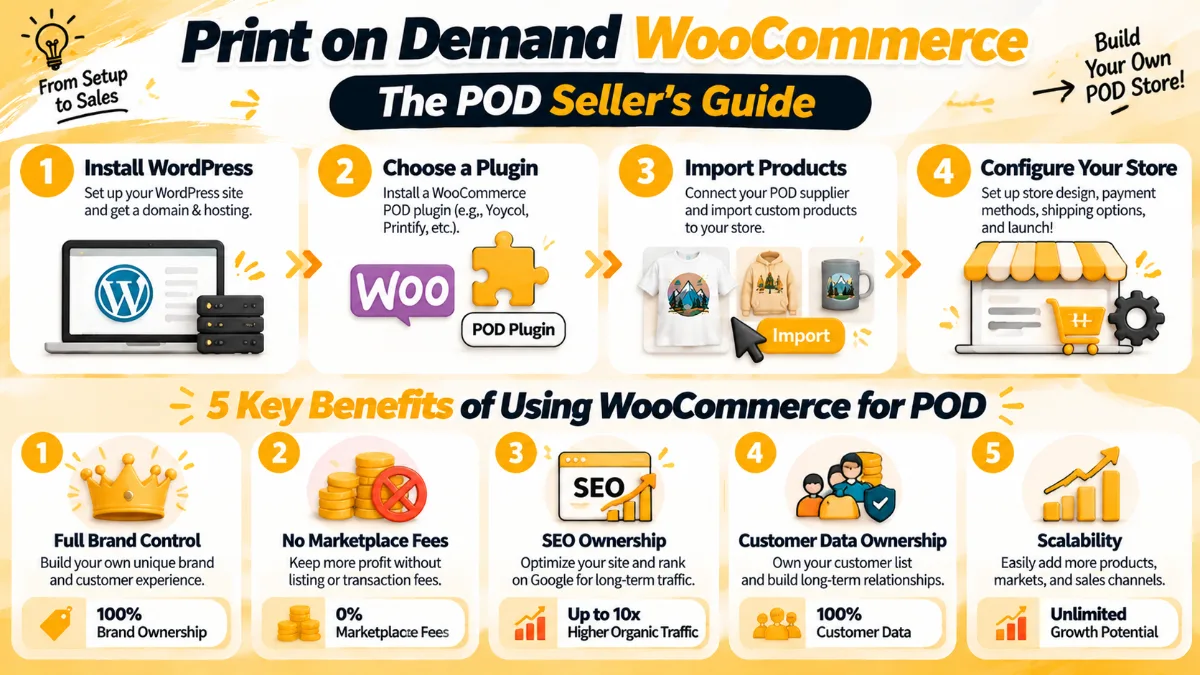
For POD entrepreneurs, WooCommerce offers unique advantages:
- Full brand control — customize every aspect of your store
- No marketplace fees — keep more of your profits
- SEO ownership — build organic traffic through content
- Customer data ownership — build email lists, retarget customers
- Scalability — grow without platform restrictions
This guide covers everything you need to know about setting up print on demand with WooCommerce: choosing the right plugins, integrating suppliers, configuring your store, optimizing for conversions, and scaling your business.
If you're new to POD, our how to start a POD business guide covers the basics. And if you want to compare platforms, check our Etsy vs Shopify for POD guide.
Why Choose WooCommerce for Print on Demand?
Before diving into setup, let's understand why WooCommerce is a smart choice for POD:
1. Full Brand Control
With WooCommerce, you control everything:
- Design — customize your store's look and feel
- User experience — control the customer journey
- Messaging — communicate your brand values
- Pricing — no platform-imposed pricing rules
- Promotions — run your own sales and discounts
2. No Marketplace Fees
Marketplace platforms charge fees that eat into your profits:
- Etsy: $0.20 listing fee + 6.5% transaction fee + 3% payment processing
- Amazon: 15% referral fee + variable closing fees
- WooCommerce: No platform fees (only payment processing ~2.9% + $0.30)
3. SEO Ownership
WooCommerce runs on WordPress, the world's most SEO-friendly platform:
- Blog integration — write content to attract organic traffic
- SEO plugins — Yoast SEO, Rank Math for optimization
- Full control — optimize meta tags, URLs, site structure
- Backlink building — content marketing drives authority
4. Customer Data Ownership
On marketplaces, you don't own your customer data. With WooCommerce:
- Email lists — build and own your subscriber list
- Purchase history — track customer behavior
- Retargeting — use data for email marketing and ads
- Relationship building — create loyalty programs
5. Scalability
WooCommerce scales with your business:
- Unlimited products — no product limits
- Unlimited traffic — no traffic restrictions
- Custom functionality — add features as you grow
- Multi-channel — integrate with social media, marketplaces
Best WooCommerce Plugins for Print on Demand
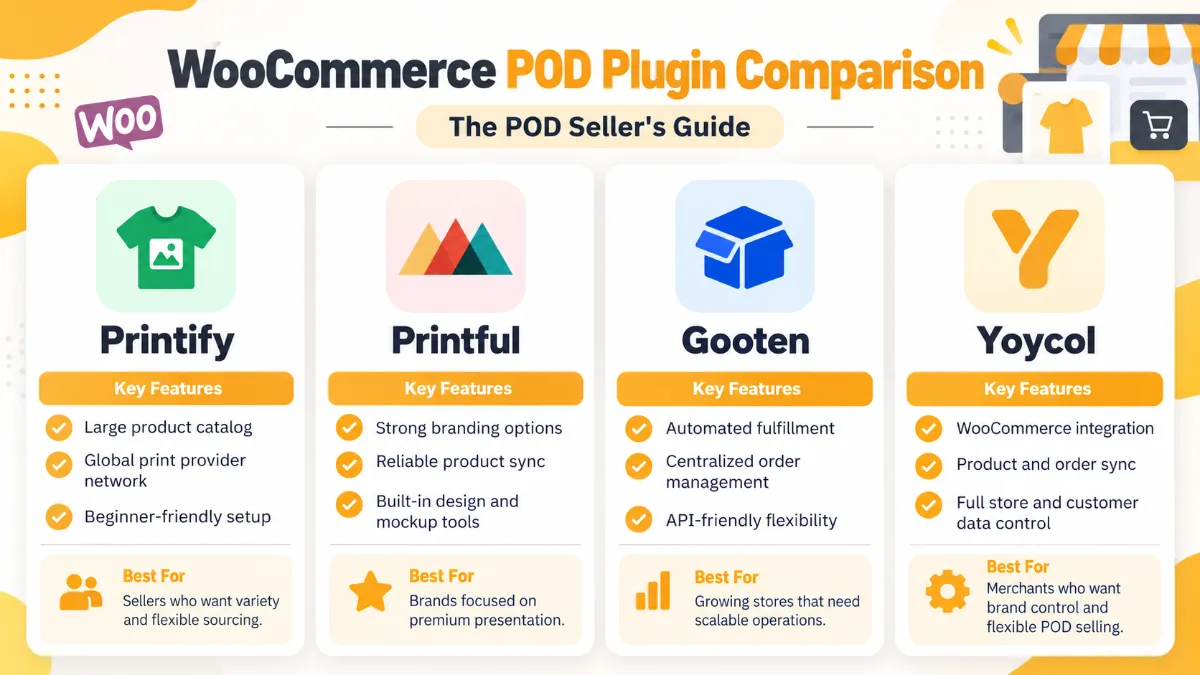
WooCommerce integrates with several POD plugins. Here are the top options:
1. Printify for WooCommerce
- Best for: Beginners, wide product selection
- Features: 900+ products, multiple print providers, automatic order fulfillment
- Pricing: Free plugin, pay for products only
- Pros: Large product catalog, competitive pricing, easy to use
- Cons: Quality varies by provider, shipping times can be long
2. Printful for WooCommerce
- Best for: Premium quality, branding options
- Features: High-quality products, custom branding, warehousing and fulfillment
- Pricing: Free plugin, pay for products only (premium pricing)
- Pros: Excellent quality, strong branding options, fast shipping
- Cons: Higher product costs, smaller product catalog
3. Gooten for WooCommerce
- Best for: Unique products, competitive pricing
- Features: Unique product catalog (home decor, pet products), competitive pricing
- Pricing: Free plugin, pay for products only
- Pros: Unique products, good pricing, reliable fulfillment
- Cons: Smaller than Printify, less brand recognition
4. Yoycol for WooCommerce
- Best for: All-over-print, international sellers
- Features: Specialized in all-over-print products, competitive pricing, global shipping
- Pricing: Free plugin, pay for products only
- Pros: AOP specialization, good pricing, international focus
- Cons: Newer platform, smaller community
Plugin Comparison
| Feature | Printify | Printful | Gooten | Yoycol |
|---|---|---|---|---|
| Product catalog | 900+ | 300+ | 200+ | 500+ |
| Pricing | Competitive | Premium | Competitive | Competitive |
| Quality | Varies | Excellent | Good | Good |
| Branding | Limited | Excellent | Limited | Good |
| AOP focus | No | No | No | Yes |
| Best for | Beginners | Premium brands | Unique products | AOP sellers |
Recommendation: Start with Printify (largest catalog, easiest to use). Upgrade to Printful for premium branding. Use Yoycol for AOP specialization.
How to Set Up Print on Demand with WooCommerce
Step 1: Install WordPress and WooCommerce
1. Choose a hosting provider:
- Recommended: SiteGround, Bluehost, or WP Engine
- Cost: $5-$30/month
- Requirements: PHP 7.4+, MySQL 5.6+, SSL certificate
2. Install WordPress:
- Most hosts offer one-click WordPress installation
- Follow your host's setup guide
3. Install WooCommerce plugin:
- Go to WordPress dashboard → Plugins → Add New
- Search for "WooCommerce"
- Click "Install" then "Activate"
- Follow the setup wizard
Step 2: Choose and Install a POD Plugin
1. Select your POD plugin (Printify, Printful, Gooten, or Yoycol)
2. Install the plugin:
- Go to WordPress dashboard → Plugins → Add New
- Search for your chosen plugin
- Click "Install" then "Activate"
3. Connect your POD account:
- Create an account with your POD supplier (if you haven't already)
- In WordPress, go to WooCommerce → Settings → [Your POD Plugin]
- Enter your API key or log in to connect
Step 3: Import Products
1. Browse the product catalog:
- In your POD plugin dashboard, browse available products
- Filter by category, price, or popularity
2. Select products to import:
- Choose products that fit your niche
- Check pricing and profit margins
- Review product quality and shipping times
3. Customize product listings:
- Write compelling product titles and descriptions
- Upload high-quality mockups
- Set your pricing (product cost + your profit margin)
- Add product variations (sizes, colors)
4. Import to WooCommerce:
- Click "Import" or "Sync" in your POD plugin
- Products will appear in your WooCommerce store
Step 4: Configure Your Store
1. Set up payment gateways:
- Go to WooCommerce → Settings → Payments
- Enable payment methods (Stripe, PayPal, credit cards)
- Configure payment settings
2. Configure shipping:
- Go to WooCommerce → Settings → Shipping
- Set up shipping zones and rates
- Most POD plugins handle shipping automatically
3. Customize your store design:
- Choose a WordPress theme (free or premium)
- Customize colors, fonts, layout
- Add your logo and branding
4. Set up taxes:
- Go to WooCommerce → Settings → Tax
- Configure tax rates for your region
- Enable automatic tax calculations if available
Step 5: Launch and Market Your Store
1. Test your store:
- Place a test order
- Check product pages, checkout process
- Verify payment and shipping work correctly
2. Launch your store:
- Remove "Coming Soon" mode
- Announce your launch on social media
- Send email to your list (if you have one)
3. Market your store:
- SEO — optimize product pages, write blog content
- Social media — Instagram, Pinterest, Facebook, TikTok
- Email marketing — build a list, send newsletters
- Paid ads — Facebook Ads, Google Ads
- Influencer marketing — partner with niche influencers
Frequently Asked Questions
Is WooCommerce good for print on demand? Yes, WooCommerce is excellent for POD. It offers full brand control, no marketplace fees, SEO ownership, customer data ownership, and scalability.
What's the best POD plugin for WooCommerce? Printify is best for beginners (largest catalog, easy to use). Printful is best for premium brands (excellent quality, strong branding). Yoycol is best for AOP sellers.
How much does it cost to set up a POD WooCommerce store? $50-$200 to start. Costs include hosting ($5-$30/month), domain ($10-$15/year), theme ($0-$100), and initial marketing ($50-$100).
Do I need technical skills to use WooCommerce? Basic technical skills help, but WooCommerce is user-friendly. Most tasks are point-and-click. Many hosts offer managed WordPress hosting with support.
Can I use multiple POD plugins with WooCommerce? Yes, you can use multiple plugins simultaneously. This lets you offer products from different suppliers.
How do I handle returns with POD WooCommerce? POD suppliers handle returns for defective products. For customer dissatisfaction, you'll need to handle returns yourself (refund or replacement).
Is WooCommerce better than Shopify for POD? WooCommerce offers more control and lower fees. Shopify is easier to use and has better support. Choose WooCommerce if you want full control; choose Shopify if you want simplicity.
Can I sell internationally with POD WooCommerce? Yes, most POD plugins support international shipping. Configure shipping zones and rates in WooCommerce settings.
How do I drive traffic to my POD WooCommerce store? Use SEO (optimize product pages, write blog content), social media marketing, email marketing, paid advertising, and influencer partnerships.
How long does it take to set up a POD WooCommerce store? 1-3 days for basic setup. Customization and product import may take 1-2 weeks. Marketing is ongoing.
Print on demand WooCommerce gives you full brand control, no marketplace fees, SEO ownership, customer data ownership, and scalability.
If you're ready to build your own branded POD store, WooCommerce is the platform for you.
Ready to start your POD WooCommerce store? Browse Yoycol's product catalog →
This guide is part of our POD store setup series. Explore our how to start a POD Etsy shop guide, POD on Shopify guide, or learn how to connect Yoycol to your store.